
방법 1
EvoLink API로 연동
추천: 제품 백엔드, 배치 작업, 자동화 워크플로
서버에서 EvoLink 통합 영상 API를 직접 호출하고 모델 ID, 파라미터, 작업 큐, callback, 결과 저장을 제어합니다.
- 1실제 브리프로 Playground에서 결과와 비용 검증
- 2콘솔에서 EvoLink API 키 생성
- 3위 라우트 카드에서 작업에 맞는 모델 ID 선택
- 4작업을 제출하고 폴링 또는 HTTPS callback으로 결과 수신
EvoLink의 통합 비디오 API로 Gemini Omni Flash(Gemini Omni 또는 Omni Flash로도 검색됩니다)를 사용하세요. 통합 전에 텍스트-비디오, 이미지-비디오, 참조-비디오, 대화형 비디오 편집을 테스트할 수 있습니다.
모드를 고르고 프롬프트를 쓰면, 비용을 쓰기 전에 예상 금액을 볼 수 있습니다.
작업 만들기
gemini-omni-flash-text-to-video로 고정Auto는 제공자가 길이를 정합니다. 위 예상치는 10초로 계산했습니다.
결과는 24시간 동안 보관됩니다. 보관할 파일은 내려받으세요.
Gemini Omni Flash는 초 단위가 아니라 토큰 단위로 과금됩니다. 최종 청구는 항상 모델이 실제로 반환한 토큰을 사용합니다.
3초 720p 샘플 1개
10달러 크레딧으로 약 35회.
Playground에서 텍스트-비디오를 선택하고 Duration을 3초로 설정한 뒤, 입력 소재 없이 짧은 프롬프트를 보내세요 - 이 페이지에서 가장 저렴한 유효 요청입니다. 출력은 항상 720p이므로 비용은 해상도가 아니라 길이에 비례합니다.
프롬프트를 검증하고 과금 방식을 확인
네 개 라우트에서 스토리보드 전체를 반복
숏폼 캠페인용 배치 생산
예상치입니다. Gemini Omni Flash는 토큰 단위로 과금되므로 최종 청구는 항상 모델이 실제로 반환한 사용량을 따릅니다. Auto 길이는 10초로 예약된 뒤 실제 생성된 초 단위로 정산됩니다.
Gemini Omni Flash는 세 가지 카테고리로 토큰 과금합니다: 비디오 출력, 입력(프롬프트 + 미디어), 기타 출력(사고 토큰). 최종 과금은 항상 모델이 실제로 반환한 사용량을 반영합니다.
| 항목 | 규칙 | 요금 | 과금 방식 |
|---|---|---|---|
| 비디오 출력1K 토큰당 | 생성된 비디오 프레임과 오디오 | $0.015 / 1K tokens-15% 1.0115 cr / 1K tokens$0.018 공식 가격 | 출력 |
| 입력1K 토큰당 | 프롬프트 텍스트, 참조 이미지, 입력 비디오 | $0.0013 / 1K tokens-15% 0.0867 cr / 1K tokens$0.0015 공식 가격 | 입력 |
| 기타 출력1K 토큰당 | 사고 토큰과 내부 추론 | $0.0077 / 1K tokens-15% 0.5202 cr / 1K tokens$0.0090 공식 가격 | 출력 |
표시된 요금은 1,000 토큰당 가격입니다. 각 요청의 실제 과금은 API 응답에서 반환된 사용량 값으로 계산됩니다.
EvoLink의 통합 동영상 API로 Gemini Omni Flash를 사용해 텍스트-비디오, 이미지-비디오, 레퍼런스-비디오, 비디오 편집을 실행할 수 있습니다. 외부 논의에서는 Gemini Omni를 Nano Banana의 비디오 버전처럼 보는 경우가 많습니다. 멀티모달 동영상 제작과 대화형 편집을 짧은 동영상 워크플로우로 가져오기 때문입니다. EvoLink에서의 실질적인 가치는 API 접근성입니다: EvoLink model ID, 비동기 태스크 워크플로우, callback 지원, 토큰 기반 사용량 가시성, 그리고 Veo, Seedance, Kling 등 다른 동영상 모델과 같은 API key 사용입니다.
gemini-omni-flash-text-to-videoGenerate a 720p video from a prompt with 3-10 second or Auto duration.
gemini-omni-flash-image-to-videoAnimate one input image with a prompt and 3-10 second or Auto duration.
gemini-omni-flash-reference-to-videoUse 1-6 reference images to guide a 3-10 second or Auto-duration video.
gemini-omni-flash-video-editEdit one MP4 input video with a natural-language instruction.
Gemini Omni로 클립을 생성한 뒤, 대화를 통해 수정할 수 있습니다 — "조명을 따뜻하게 해줘", "빨간 차를 교체해줘". 이 워크플로우는 반복 편집을 위해 설계되었으며 선택한 라우트가 지원하는 범위 안에서 주변 장면, 피사체 정체성, 움직임의 연속성을 최대한 유지합니다.
프레임 내 오브젝트를 교체하거나, 불필요한 요소를 제거하거나, 아이덴티티와 모션을 유지하면서 장면을 재작성할 수 있습니다. 외부 편집 도구 없이 광고 크리에이티브 반복 작업과 제품 변형 렌더링에 유용합니다.
레퍼런스 이미지를 전달하면 Gemini Omni가 캐릭터 아이덴티티, 조명, 색상을 생성된 영상 전반에 걸쳐 고정합니다. 채팅 기반 편집과 결합하면 시각적 일관성을 잃지 않고 특정 샷을 다듬을 수 있습니다.
선택한 모드가 지원하는 경우 Gemini Omni Flash 라우트는 오디오가 포함된 짧은 동영상 출력을 반환할 수 있습니다. 첫 생성 단계에서 별도의 TTS나 사운드 디자인 파이프라인을 붙이는 작업을 줄여 줍니다.
제품 연동과 배치 작업에는 EvoLink API를 사용하고, 빠른 제작·개발 작업에는 Codex, Claude 또는 Gemini에서 Agent로 호출할 수 있습니다. 두 방식은 동일한 EvoLink API 키, 잔액, 모델 라우트, 작업 기록을 공유합니다.
추천: 제품 백엔드, 배치 작업, 자동화 워크플로
서버에서 EvoLink 통합 영상 API를 직접 호출하고 모델 ID, 파라미터, 작업 큐, callback, 결과 저장을 제어합니다.
추천: Codex, Claude, Gemini의 제작 및 개발 작업
생성 목표, 자료, 검수 조건을 Agent에 전달하면 라우트 선택, 요청 구성, 작업 추적, 결과 반환까지 맡길 수 있습니다. 각 단계를 직접 코딩할 필요가 없습니다.
네 가지 워크플로가 네 개의 라우트에 대응합니다. 차이는 입력 형태이지 품질 등급이 아닙니다 - 손에 있는 소재로 고르세요.
프롬프트만으로 3-10초를 생성하고, 재촬영 대신 문구를 다듬으며 반복합니다. 네이티브 오디오가 포함되어 별도의 TTS나 사운드 작업 없이 첫 결과물을 바로 검토할 수 있습니다.
이미지-비디오는 입력 이미지를 정확히 1장 받아, 피사체를 유지하면서 제어된 카메라 움직임과 조명을 더합니다. 승인된 제품 사진은 있지만 영상 예산이 없을 때 유용합니다.
참조-비디오는 1-6장의 이미지를 받아 여러 컷에 걸쳐 인물, 색상 팔레트, 스타일을 고정합니다. 여기서는 순서에 의미가 없고, 세트 전체가 하나로 읽힙니다.
비디오 편집은 10초 이내 MP4 하나에서 사물, 스타일, 조명을 다시 씁니다. 길이와 화면비가 입력을 따르므로 출력은 원본 편집에 그대로 교체할 수 있습니다.
가장 짧은 실행 흐름을 보여 줍니다. 작업을 생성하고 반환된 task ID를 저장한 다음 폴링하거나 HTTPS callback을 기다립니다. 전체 파라미터와 응답 구조는 API 탭에서 확인하세요.
curl -X POST https://api.evolink.ai/v1/videos/generations \
  -H "Authorization: Bearer $EVOLINK_API_KEY" \
  -H "Content-Type: application/json" \
  -d '{
    "model": "gemini-omni-flash-text-to-video",
    "prompt": "A cinematic wide shot of a glass greenhouse at sunrise, slow camera push in",
    "duration": 8,
    "aspect_ratio": "16:9",
    "callback_url": "https://your-domain.com/webhooks/video"
  }'

# Save the returned task ID, then query:
curl https://api.evolink.ai/v1/tasks/{task_id} \
-H "Authorization: Bearer $EVOLINK_API_KEY"위 파라미터 카드와 대조해 값 범위, 허용 옵션, 자료 개수, 파일 형식이 선택한 라우트 요건에 맞는지 확인하세요.
Authorization Bearer Token을 확인하고 콘솔에서 사용 가능 잔액과 작업 과금을 확인하세요.
초상권, 브랜드 자료, 읽을 수 있는 텍스트, 민감한 콘텐츠, 입력 자료의 적합성을 확인하세요.
최종 상태가 실패인 Gemini Omni Flash 작업은 과금되지 않습니다. task ID를 보관하고 검증, 심사, 실행 중 어느 단계가 원인인지 확인한 후 재시도하세요.
callback_url은 공개 HTTPS URL이어야 하며 localhost 또는 사설 네트워크를 사용할 수 없습니다. 폴링 대안으로 task ID도 보관하세요.
2026년 프로덕션 동영상 워크플로우에서 자주 비교되는 세 가지 모델. 모두 하나의 EvoLink API key로 접근 가능합니다.
| 기능 | Gemini Omni | Veo 3.1 | Seedance 2.0 |
|---|---|---|---|
| EvoLink 가격 | 토큰 기반 | $0.04/초부터 | $0.045/초부터 |
| 화질 | 720p | 720p / 1080p, 지원 시 4K 업스케일 | 480p / 720p / 1080p |
| 네이티브 오디오 | Yes | Yes | Yes |
| 레퍼런스 제어 | 텍스트 + 이미지 + 채팅 편집 | 텍스트 + 이미지 | 텍스트 + 이미지 + 비디오 + 오디오 |
| 영상 길이 | 3-10s / Auto | 짧은 클립, 지원 시 Extend로 긴 장면 구성 | 4–15s |
| 편집 | 채팅 네이티브, 멀티턴 | 생성 우선 | V2V 모드 |
| 최적 용도 | 편집 중심 워크플로우 | 시네마틱 기본 품질 | 멀티모달 레퍼런스 프로덕션 |
첫 번째 Gemini Omni 동영상 태스크까지 세 단계. Veo 3.1, Seedance 2.0, Kling 3.0과 동일한 연동 패턴입니다.
EvoLink.ai에 가입하고 대시보드에서 API key를 생성하세요. Google Cloud 프로젝트는 필요 없습니다.
/v1/videos/generations 엔드포인트에 Gemini Omni Flash 모델명과 프롬프트를 포함해 POST 요청을 보내세요. 생성 모드는 duration으로 3-10초 또는 Auto를 설정할 수 있고, 이미지-비디오 또는 레퍼런스-비디오에는 image_urls, 비디오 편집에는 video_urls, 완료 알림에는 callback_url을 사용할 수 있습니다. API는 비동기로 처리되며 task_id를 반환합니다.
task_id로 상태 엔드포인트를 폴링하거나, callback_url 웹훅을 기다리세요. 상태가 completed가 되면 생성된 MP4의 다운로드 URL을 받게 됩니다. 링크는 24시간 동안 유효합니다.
프로덕션 동영상 워크플로우를 위한 기술 사양입니다.
편집
대화형 워크플로우에서 멀티턴 수정을 지원하며, 장면 연속성은 선택한 라우트와 입력 품질에 따라 달라집니다.
출력
생성 모드는 720p, 3-10초 또는 Auto 클립을 설정할 수 있습니다. Auto는 10초로 예상됩니다. 비디오 편집은 최대 10초 MP4 입력 1개를 받습니다.
모드
프롬프트 기반 T2V와 레퍼런스 이미지 입력 I2V를 지원합니다. 채팅 편집은 두 모드의 출력 모두에 적용됩니다.
오디오
선택한 Gemini Omni Flash 라우트가 지원하는 경우 짧은 동영상 출력에 오디오를 포함할 수 있습니다.
일관성
멀티 입력 및 편집 중심 워크플로우에서 더 나은 연속성을 목표로 합니다. 실제 프로덕션 프롬프트로 일관성을 검증하세요.
워크플로우
태스크를 제출하고 ID를 받은 뒤, 상태를 폴링하거나 callback_url을 설정하세요. 다른 EvoLink 동영상 모델과 동일한 라이프사이클입니다.
소셜 미디어 배치용 3-10초/Auto 클립 100개
현재 Pricing 탭 요금으로 산정
프로덕션 규모 월간 3-10초/Auto 클립 1,000개
현재 Pricing 탭 요금으로 산정
1회 생성 + 3회 편집 멀티턴 워크플로우
현재 Pricing 탭 요금으로 산정
현재 토큰 기반 요금은 위 Pricing 탭에서 확인하세요. workflow는 model 파라미터를 변경해 선택합니다.
Gemini Omni의 핵심은 워크플로우입니다: 멀티모달 입력, 대화형 편집, 그리고 EvoLink를 통해 Veo, Seedance, Kling과 같은 API key로 나란히 평가할 수 있는 실용적인 접근 경로입니다.
Gemini Omni는 대화형 동영상 편집을 중심으로 포지셔닝되어 있으며, Veo 3.1과 Seedance 2.0은 보통 먼저 생성 라우트로 평가됩니다. 멀티턴 수정에서는 이 워크플로우 차이를 직접 테스트할 가치가 있습니다.
Gemini Omni는 Gemini의 컨텍스트와 세계 지식 덕분에 멀티 입력 및 편집 중심 워크플로우에서 연속성에 도움이 될 수 있다고 평가됩니다. 실제 스토리보드나 짧은 동영상 프롬프트로 검증하세요.
GCP 설정, Vertex 빌링, 별도 리전 승인이 필요 없습니다. 이미 EvoLink를 통해 동영상 생성을 하고 있다면, Gemini Omni 추가는 파라미터 하나만 변경하면 됩니다 — 요청 형식과 태스크 라이프사이클이 Veo 3.1, Seedance 2.0, Kling과 동일합니다.
하나의 EvoLink 계정과 API 키로 Google 비디오 라우트를 비교하고, 컷 길이·해상도·비용으로 선택하세요.

Gemini Omni Flash
현재 모델현재 페이지. 네 개 라우트, 720p 네이티브 오디오, 3-10초 또는 Auto 길이, 대화형 비디오 편집 지원.


Gemini Omni Flash가 기본 선택이 아닐 때는 같은 브리프로 해상도, 컷 길이, 오디오, 모션 안정성, 총 프로젝트 비용을 비교하세요.


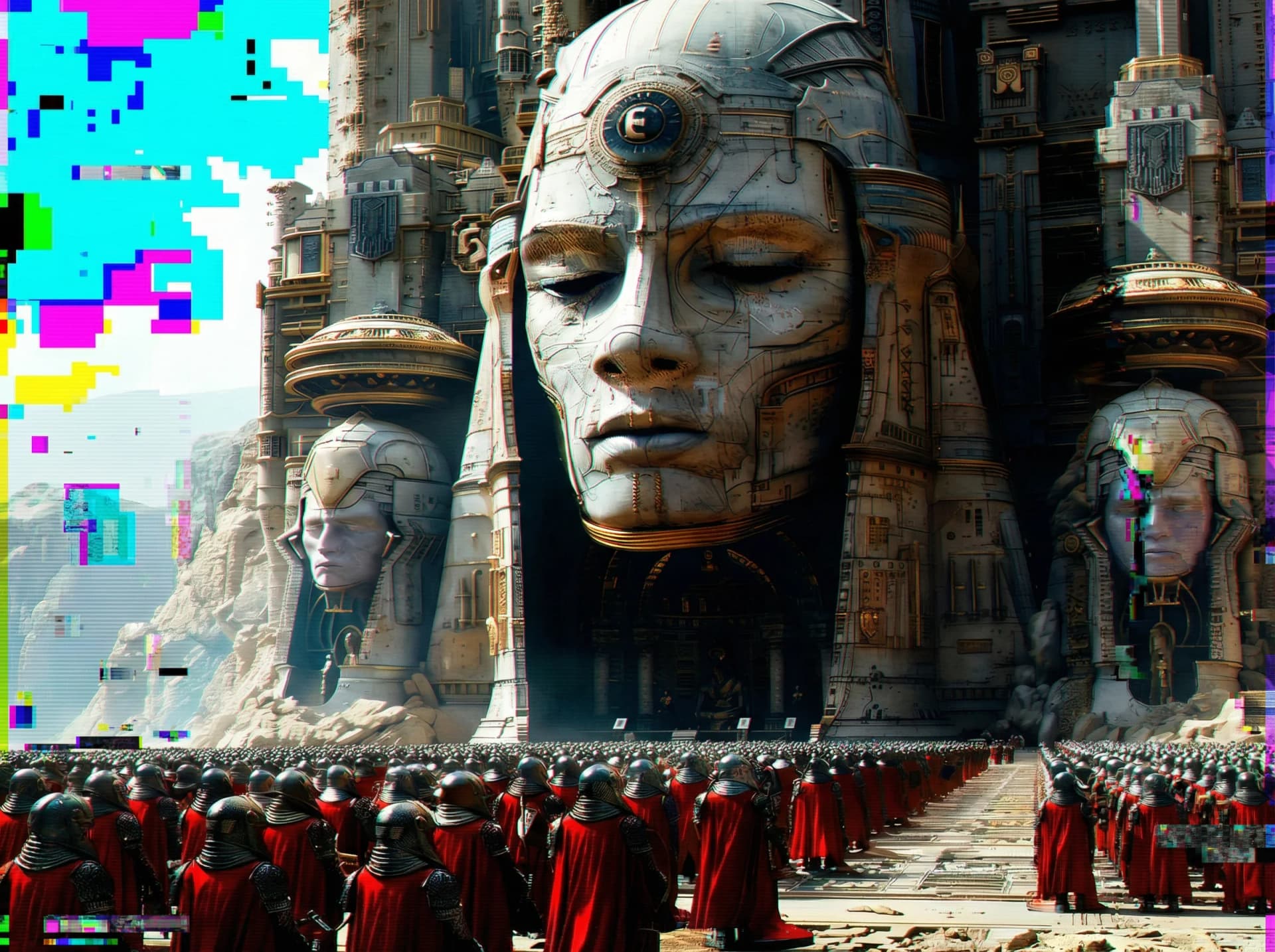

Gemini Omni는 Google I/O 2026에서 발표된 Google의 멀티모달 동영상 모델 패밀리입니다. Omni Flash는 텍스트, 이미지, 동영상, 오디오 입력을 활용하는 짧은 동영상 라우트로 논의되고 있습니다. Veo 3.1과 비교하면 Gemini Omni는 대화형 편집과 멀티 입력 워크플로우에서 평가할 가치가 크며, Veo는 여전히 강력한 시네마틱 생성 기준입니다.
과금은 API가 반환하는 usage tokens를 기준으로 하며 input, video output, other output 토큰 미터가 분리되어 있습니다. 최신 요금은 상단의 가격 표를 확인하세요.
아닙니다. EvoLink는 하나의 API key로 접근을 제공합니다. Google Cloud 프로젝트, Vertex 빌링, 별도 리전 승인이 필요 없습니다. EvoLink의 Veo 3.1 및 Seedance 2.0과 동일한 인증 방식입니다.
gemini-omni-flash-text-to-video, gemini-omni-flash-image-to-video, gemini-omni-flash-reference-to-video, gemini-omni-flash-video-edit 네 가지 모드를 지원합니다. 모두 동일한 비동기 비디오 API 엔드포인트를 사용합니다.
네. 태스크 제출 시 callback_url(HTTPS)을 전달하면, 태스크가 최종 상태에 도달했을 때 EvoLink가 POST로 업데이트를 보낼 수 있습니다. callback URL을 제공하지 않는 경우 태스크 상태 엔드포인트 폴링도 가능합니다.
실패한 태스크는 failed 상태와 오류 사유를 반환합니다. 애플리케이션 레벨에서 재시도하려면 오류를 확인하고 원래 파라미터를 디버깅용으로 보관한 뒤, 입력 문제나 일시적 실패가 명확할 때만 다시 제출하세요.
네 — 이것은 Gemini Omni의 주요 워크플로우 차이 중 하나입니다. 자연어 편집 지시를 사용하고, 선택한 라우트가 반복 과정에서 주변 장면, 피사체 정체성, 움직임을 얼마나 유지하는지 검증하세요.
생성 모드는 3-10초 또는 Auto 클립을 설정할 수 있습니다. Auto는 예약 예상에서 10초로 계산됩니다. 비디오 편집은 최대 10초 MP4 입력 1개를 받습니다. 더 긴 내러티브가 필요하면, 롱 컨텍스트 캐릭터 일관성을 활용하여 여러 클립을 연결하세요.
네. 레퍼런스 이미지 URL을 전달하면 Gemini Omni가 이를 아이덴티티 앵커로 사용하여 동영상을 생성합니다.
Seedance 2.0은 벤치마크와 멀티모달 레퍼런스 측면에서 강한 신호를 보이고, Veo 3.1은 고급 Flow 및 Extend 워크플로우를 갖춘 강력한 시네마틱 생성 기준입니다. Gemini Omni는 대화형 편집, 멀티 입력 생성, 짧은 동영상 반복 제작에서 차별화됩니다.
네. EvoLink는 Gemini Omni, Veo 3.1, Nano Banana 2 및 나머지 Gemini 패밀리를 하나의 API key로 제공합니다. model 파라미터만 변경하면 전환할 수 있습니다.
Figures are pre-bill estimates. Actual charges follow the upstream usage tokens returned by the model.