Seedance 2.5がEvoLinkで利用可能にSeedance 2.5を試す

Seedream 5.0 Pro Prompts

制御可能な画像生成、編集、マルチリファレンス構図、制作向けビジュアルワークフローのための、出典付きプロンプト例です。

公式および出典付きの Seedream 5.0 Pro プロンプトパターンを確認し、選択したプロンプトを EvoLink Playground に引き継げます。

このプロンプトを Seedream 5.0 Pro Playground に引き継ぎます。

Seedream 5.0 Pro API をお探しですか?

料金、Playground テスト、EvoLink の画像生成 API 契約をモデルページで確認できます。

Seedream 5.0 Pro API を開く

注目の Seedream 5.0 Pro プロンプト例

公式とコミュニティの厳選例です。さらに多くの素材は GitHub ガイドをご覧ください。

公式ケース20

Static editIntermediateInteraction Control


領域ボックス指定のオブジェクト編集

色付きボックスとオブジェクト説明で、Seedream 5.0 Pro に編集対象の領域と物体を正確に伝えます。

Red box: A huge blue-furred head with a ferocious squished expression, gazing at the bubble ahead. Green box: A transparent bubble reflecting the indoor lights. Yellow box: A large warm gray-beige yarn ball. Blue box: A stack of building blocks including a warm dark gray arch, a warm light gray half-cylinder, a lake blue cylinder, a deep lake blue ramp, and a cobalt blue half-disc. Purple box: A grass green tasseled blanket draped over the sofa.

region controlannotation
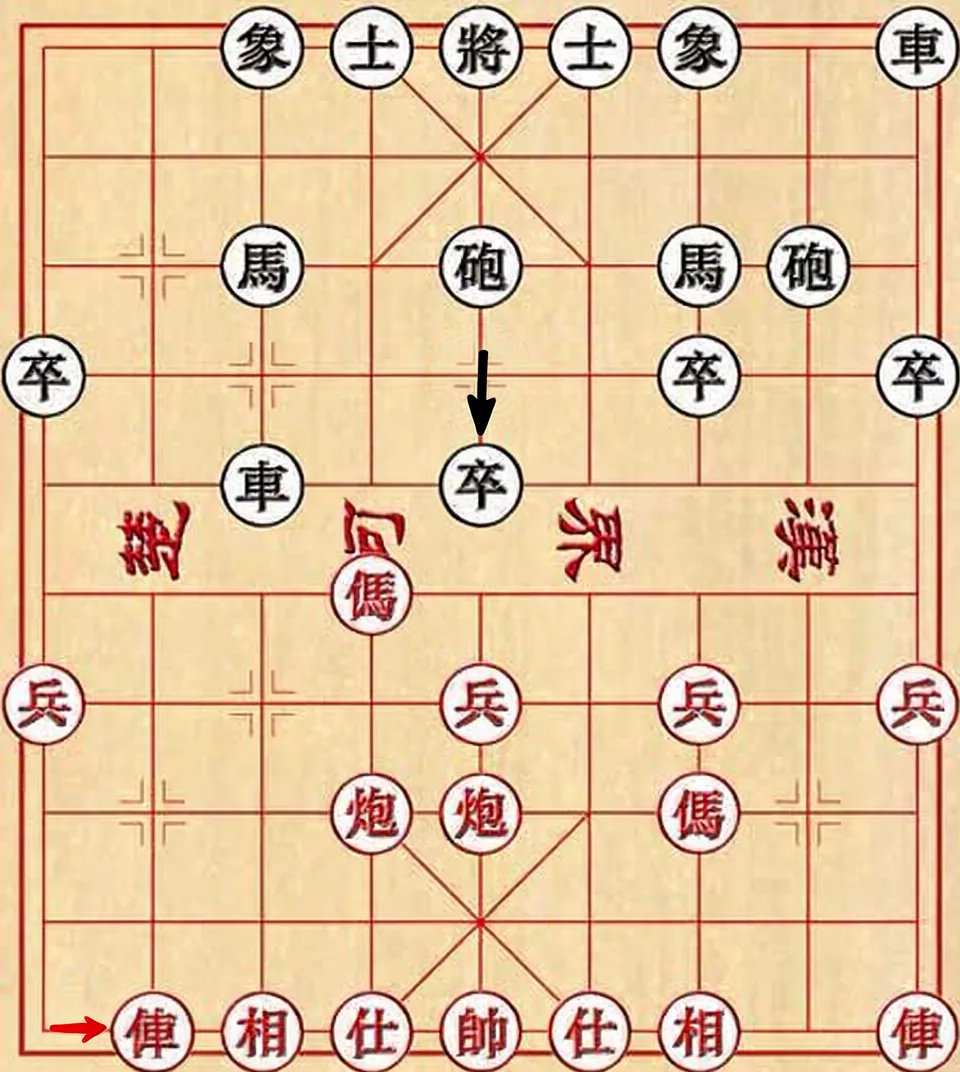
Static editIntermediateAnchor Editing

アンカー位置グリッド編集

グリッド状のシーンで位置と移動方向を指定し、画像全体を描き直さずに特定の物体だけを動かします。

Move the red car in the lower-left corner one grid cell to the right, and move the black pawn in the second column from the left of the black-square position one grid cell downward.

anchor editpositioning
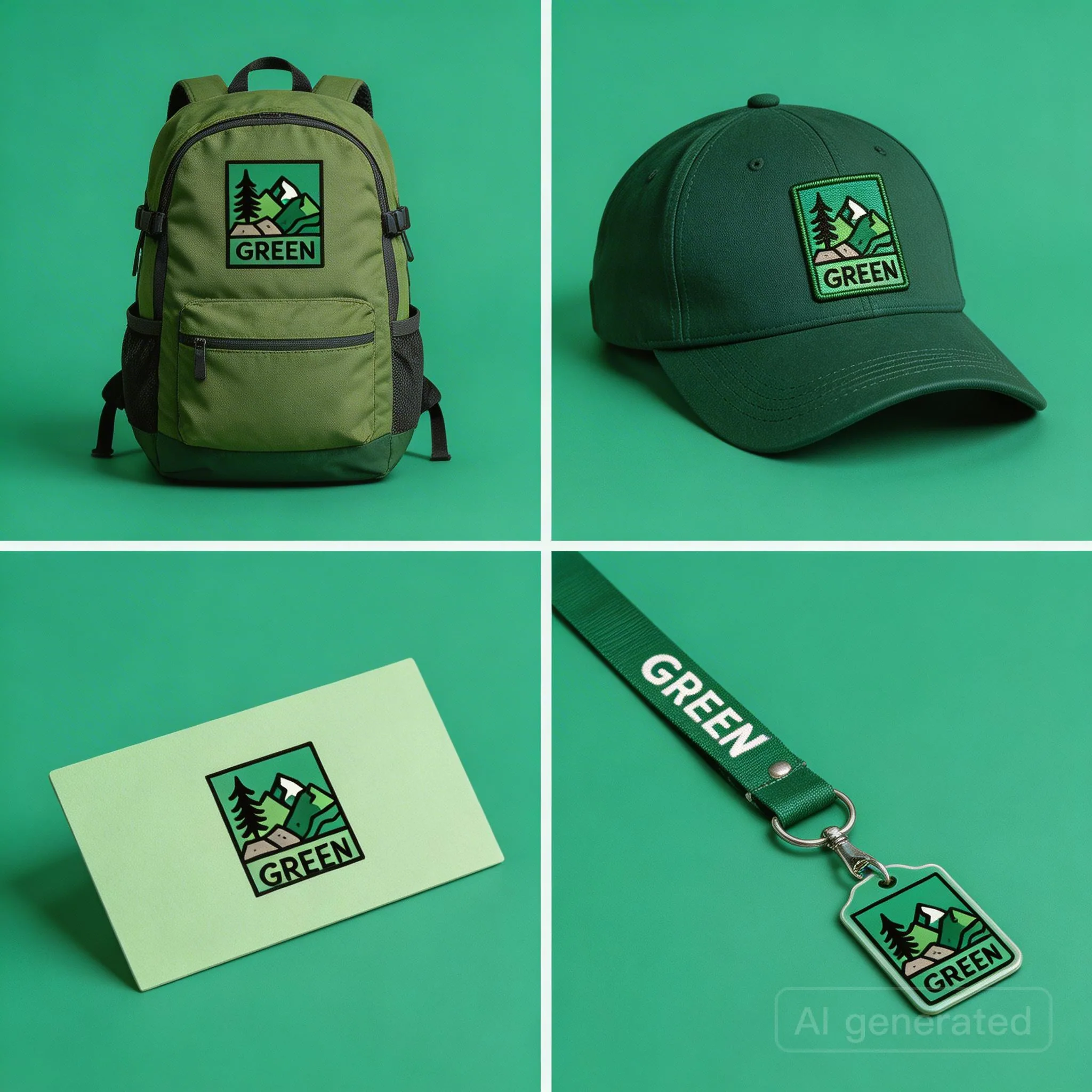
Static imageAdvancedMulti-Reference

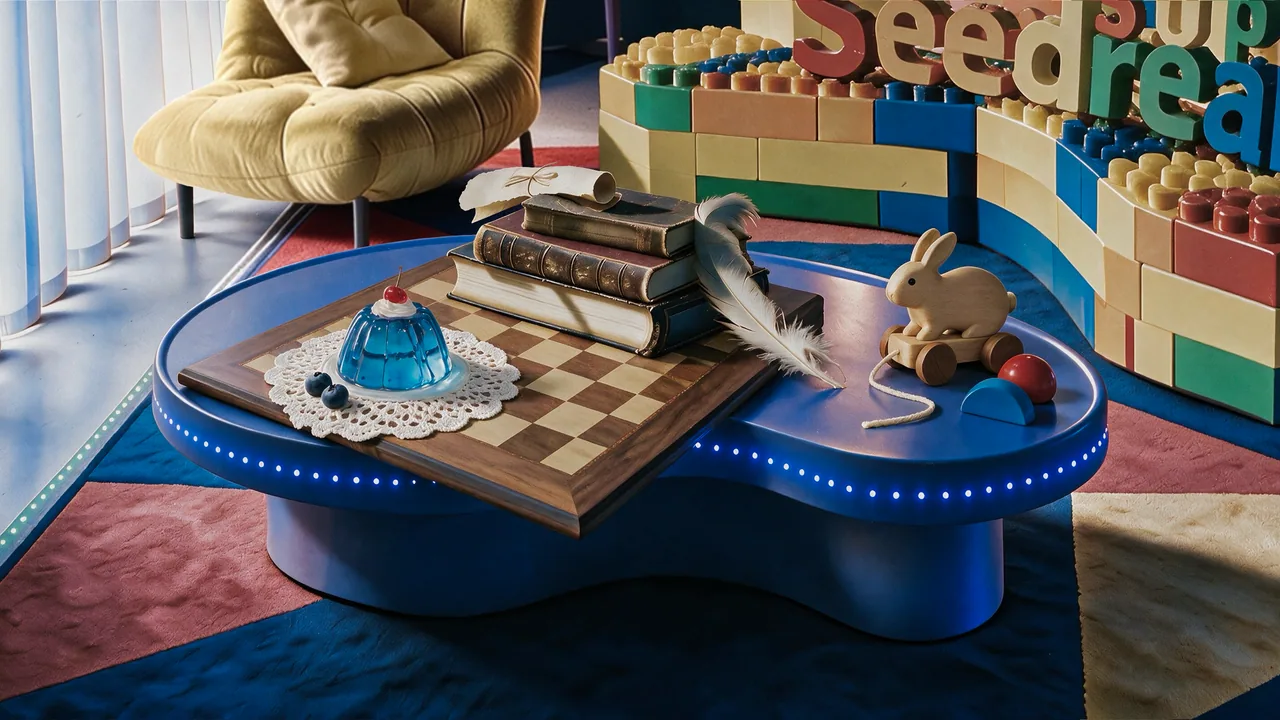
マルチリファレンス静物構図

複数の白背景の商品参照を、素材感を保ったままリアルな静物写真レイアウトにまとめます。

Precisely cut out the objects from my seven white-background reference photos and arrange them into a realistic still-life photography image according to the specified layout. Make sure the perspective, lighting, and spatial relationships are correct. Faithfully preserve material details such as wood grain, leather, lace, jelly glass, and feathers, creating a high-quality image that feels realistic and playful, with a blend of vintage and modern aesthetics.

multi-referencestill life
Static editAdvancedMaterial Editing

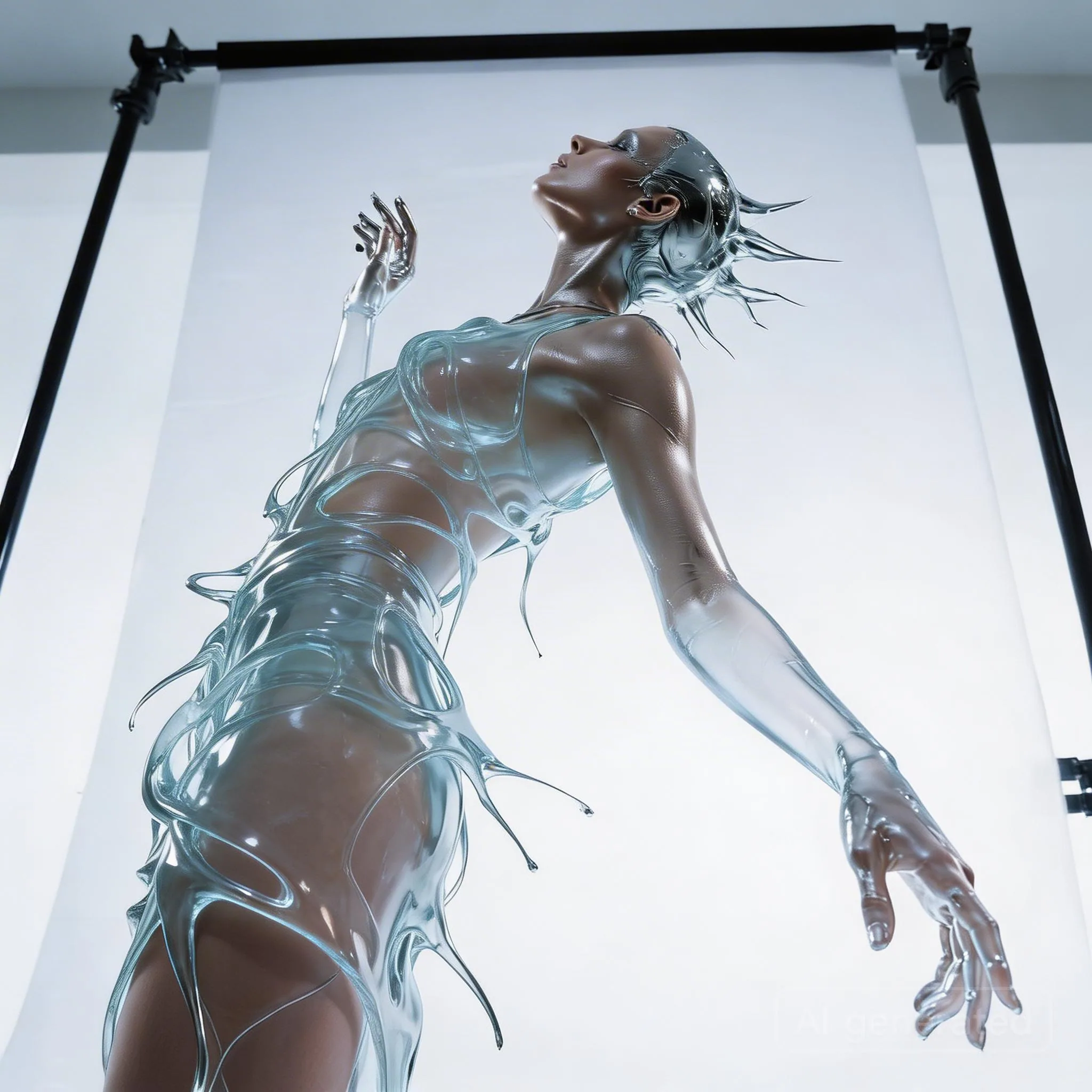
透明な水のドレス素材置換

ポーズとシルエットを保ったまま、反射する金属質の液体ドレスを透明な水やガラスの質感へ変更します。

Keep the model's pose and the flowing shape of the liquid dress unchanged. Change the clothing material from silver metal to completely transparent clear water (or glass). Through the liquid water, the model's skin details are visible. Lighting changes from reflection to refraction.

material swapfashion
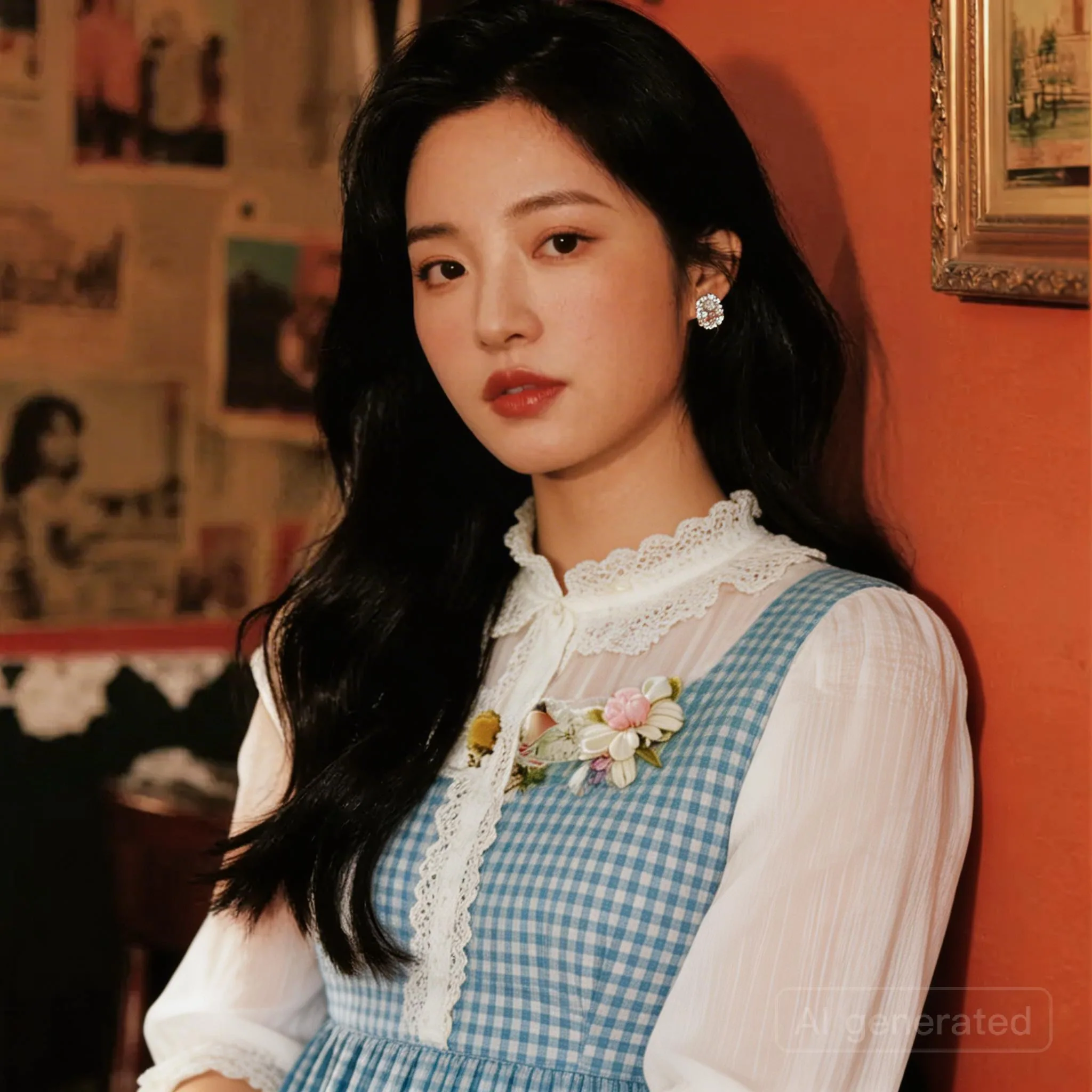
Static editBeginnerMulti-Reference

マルチリファレンス衣装置換

1枚目の人物画像の服装を、2枚目の参照画像の衣装に置き換えます。EC やスタイリング検証に向いています。

Replace the clothing in image 1 with the outfit from image 2.

outfit transferfashion
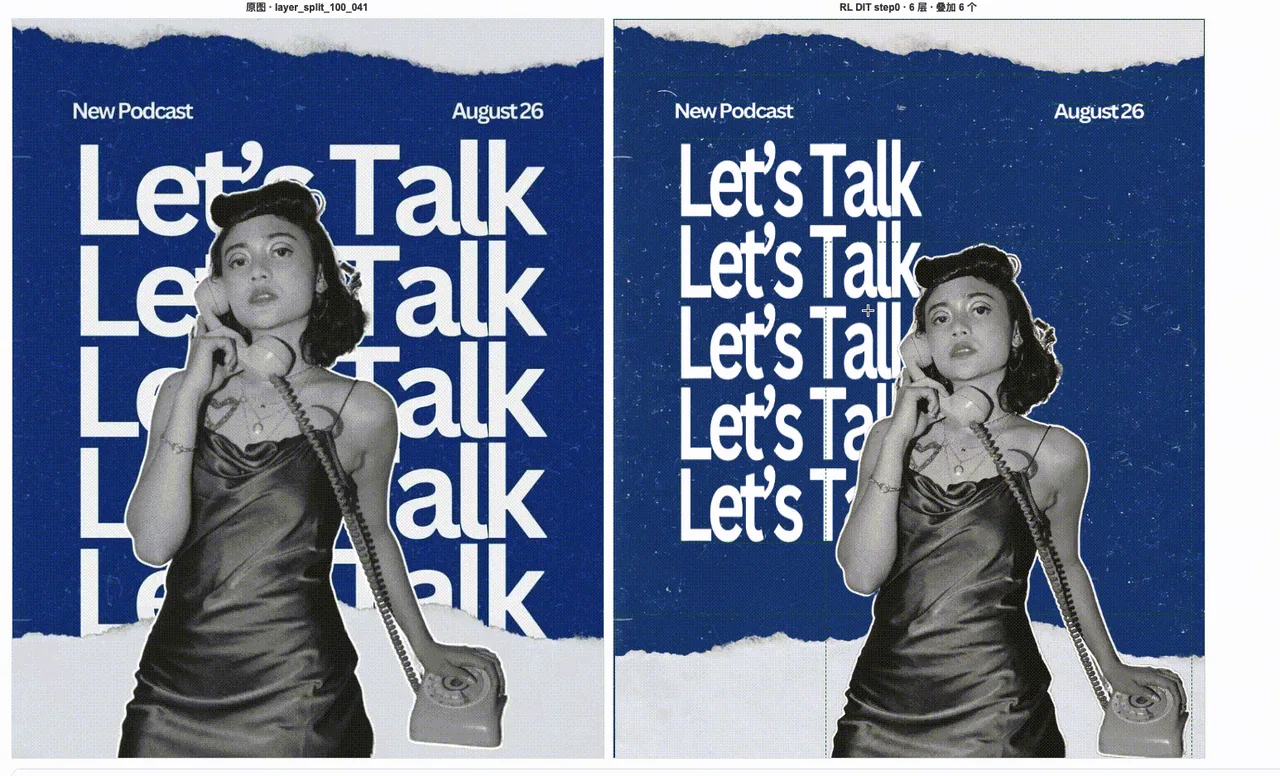
Static editAdvancedLayer Separation

ポスター素材のレイヤー分離

デザイン済みポスターを背景、被写体、タイポグラフィ、再利用可能な視覚要素に分離します。

Separate this designed poster into editable production layers: one clean background layer, one foreground character layer, one typography layer, and separate decorative element layers. Preserve the original composition, edges, transparency, and visual hierarchy so the assets can be reused in downstream layout tools.

layer separationposter
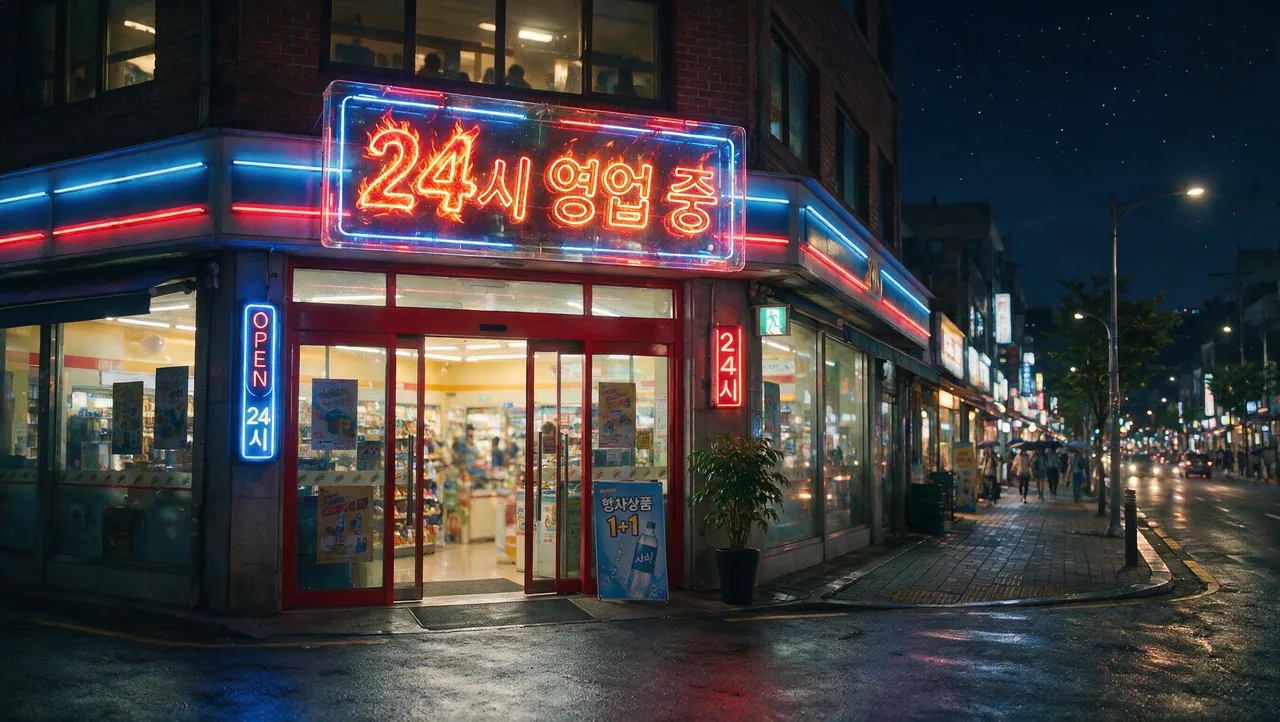
Static imageIntermediateText Rendering

多言語サイン文字レンダリング

韓国語や英語などの非英語テキストを含む商業サインを、読みやすい組版と正確な綴りで生成します。

Create a clean commercial storefront sign with the exact Korean text "24시 영업 중" and a smaller English subtitle "Open 24 hours". Keep the typography readable, centered, and evenly spaced. Use realistic daylight, polished storefront materials, and a simple production-ready layout with no extra words.

multilingualsignage
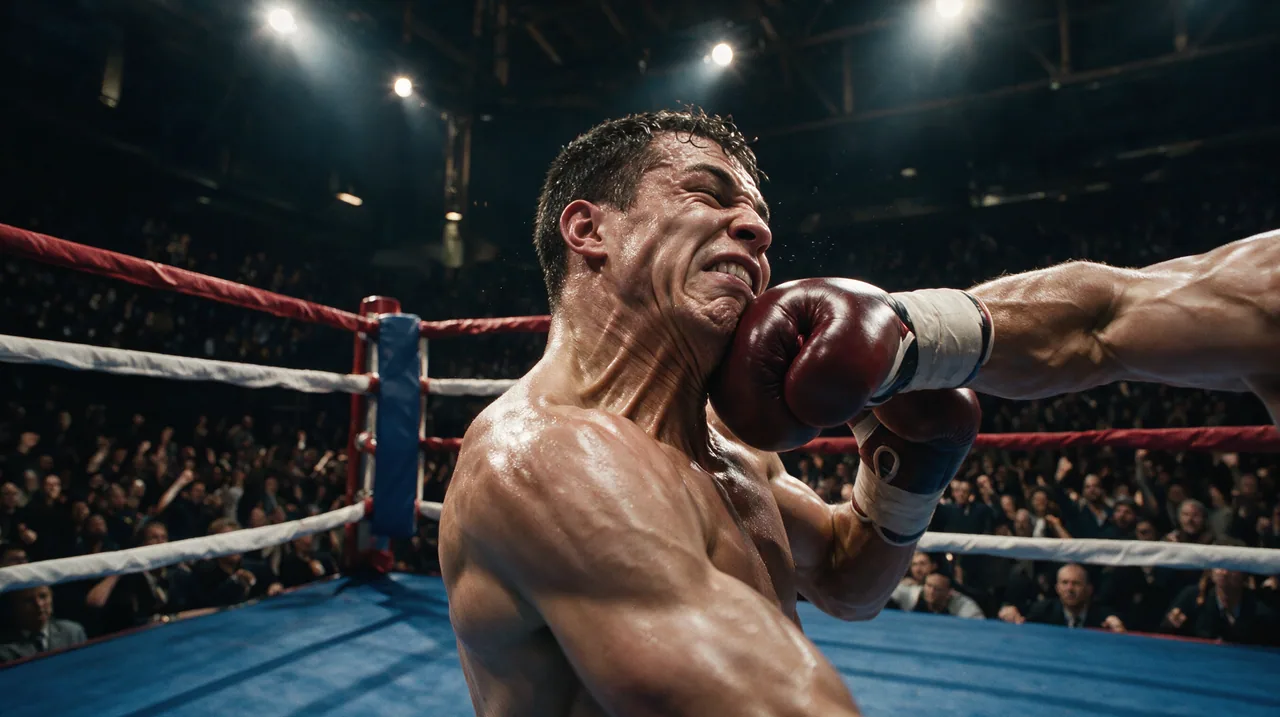
Static imageAdvancedCinematic Concept

シネマティックアクション概念フレーム

アクションの配置、空気感、物語性を備えた映画品質のキーフレームを生成します。短編ドラマや広告の企画に向いています。

Create a cinematic action keyframe for a sports drama: two boxers in a decisive mid-fight moment, sweat and dust visible in the air, strong rim lighting, intense but realistic facial expressions, shallow depth of field, dynamic composition, premium film still quality. Keep the anatomy natural and the scene grounded, with no fantasy effects and no extra text.

cinematicaction
Static imageIntermediateText Rendering

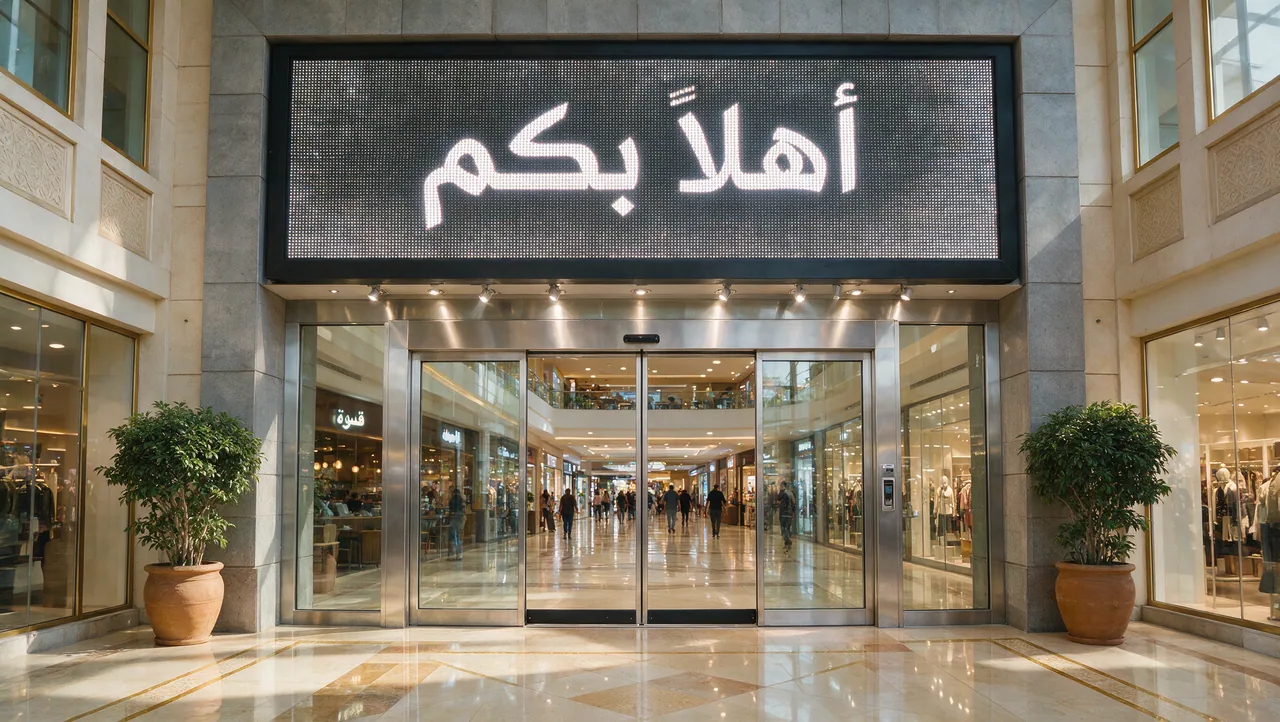
アラビア語ウェルカムサイン文字レンダリング

アラビア語の歓迎テキストを含むリアルな商業入口サインを生成し、文字精度、組版、照明を確認します。

Create a realistic shopping mall entrance sign with the exact Arabic text "أهلاً بكم". Keep the typography large, centered, and readable. Use polished stone, glass storefronts, warm daylight, and clean commercial architecture. Do not add extra words or misspell the Arabic text.

Arabicsignage

Static editIntermediateInteraction Control


矢印アノテーションによる局所編集

矢印と注釈ボックスで、Seedream 5.0 Pro に変更すべき局所領域を正確に示し、他の部分を保ちます。

Use the arrows and annotation boxes in the reference image as editing instructions. Modify only the marked target areas, follow the direction indicated by each arrow, and preserve the unmarked background, lighting, object identity, and original composition.

arrowsannotation

Static editBeginnerSketch Editing


落書きガイドによる物体生成

ラフな落書きを位置ガイドとして使い、シーンに合うリアルな物体へ変換しながら背景を保ちます。

Use the doodles in the reference image as rough placement guides. Convert each doodle into a realistic object that matches the surrounding scene, while keeping its approximate position, scale, and orientation. Preserve the original background and avoid changing areas without doodles.

doodlesketch
Static editIntermediateSketch Editing


カラーブロックによるレイアウト制御

色ブロックを粗い構図マップとして使い、物体配置、主色、全体レイアウトを制御します。

Use the colored blocks in the reference image as a layout map. Generate realistic scene elements that match each block's position and dominant color, keep the overall composition balanced, and preserve clean edges between the main regions without adding extra clutter.

color blocklayout
Static editIntermediateSketch Editing

線画による構造制御

線画で輪郭、境界、相対位置を固定してから、リアルな照明と素材ディテールを加えます。

Use the line sketch as the structural guide for the final image. Preserve the main silhouette, object boundaries, and relative positions from the sketch, then render the scene with realistic lighting, material detail, and clean depth separation.

line sketchstructure
Static editBeginnerSketch Editing

簡単なスケッチのリアル精製

簡単なスケッチを完成度の高いリアル画像へ磨き上げ、粗いレイアウト、主体位置、比率意図を保ちます。

Refine this simple sketch into a polished realistic image. Keep the rough layout, main subject placement, and intended proportions, but replace the sketch marks with coherent materials, natural lighting, and clean production-ready detail.

simple sketchrefinement

Static editAdvancedLayer Separation

誕生日ポスターのレイヤー分離

イベントポスターを背景、文字、主体、小物、装飾レイヤーに分け、新しいレイアウトで再利用しやすくします。

Separate this birthday poster into reusable production layers: clean background, main typography, foreground subject, product or prop elements, and decorative accents. Preserve the original visual hierarchy, transparent edges, spacing, and color relationships so each layer can be reused in new layouts.

layer separationposter

Static editAdvancedLayer Separation

飲料ポスターのレイヤー分離

飲料マーケティングポスターを商品、コピー、背景、影、視覚効果レイヤーに分け、広告素材として再利用します。

Separate this beverage marketing poster into production-ready layers: product container, liquid or ingredient elements, background, headline typography, secondary copy, shadows, and decorative effects. Keep edges clean and preserve the original lighting direction and product emphasis.

layer separationbeverage
Static editAdvancedLayer Separation


キャラクターと UI のレイヤー分離

キャラクター中心のビジュアルを、キャラクター、背景、UI パネル、文字、前景効果レイヤーに分解します。

Separate this character-centered visual into editable layers: character, background, interface panels, typography, foreground effects, and decorative details. Keep the character identity, UI alignment, transparent edges, and depth ordering intact for downstream recomposition.

layer separationcharacter
Static editAdvancedLayer Separation


レーシングポスターのレイヤー分離

レーシングまたはスポーツポスターを、主体、モーション効果、文字、背景、グラフィック要素に分けます。

Separate this racing poster into clean editable layers: vehicle or athlete subject, background environment, motion streaks, smoke or particle effects, headline typography, secondary information, and sponsor-style graphic elements. Preserve speed, perspective, and lighting while making each layer reusable.

layer separationracing
Static editAdvancedLayer Separation


ファッションポスターのレイヤー分離

ファッションキャンペーンポスターをモデル、衣装ディテール、文字、背景、装飾デザインレイヤーに分けます。

Separate this fashion campaign poster into reusable layers: model, garment details, background, headline typography, smaller copy, lighting accents, and decorative design elements. Preserve the fashion silhouette, fabric detail, hair edges, and original editorial composition.

layer separationfashion

クリエイター作品集8

Static editBeginnerMulti-Reference

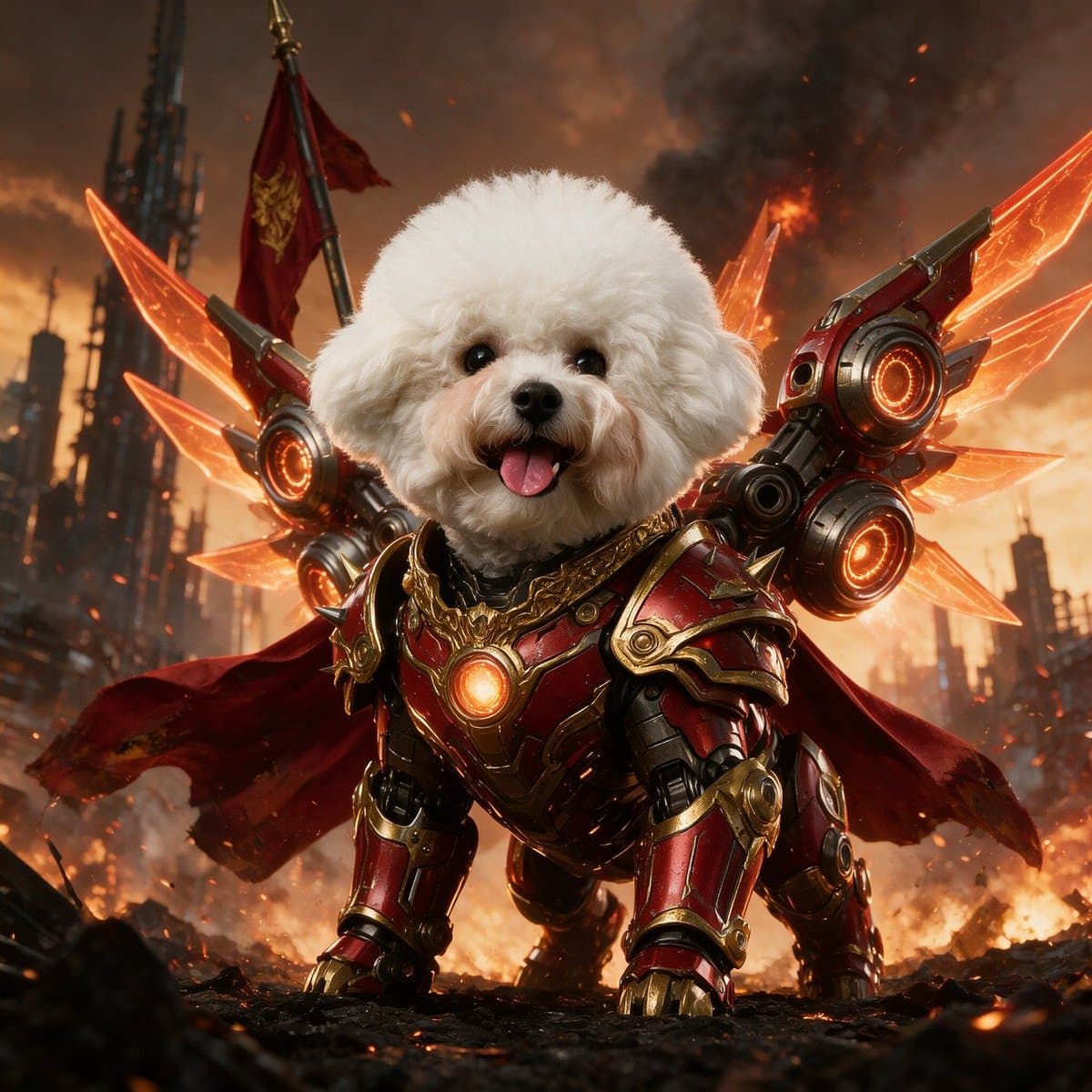
ペットの写真をメカ版に変換

短い指示だけで普通のペット写真を精細なメカ版に変換し、元のポーズとキャラクターを保ちます。

a pic of my cat, asked for a mecha version

image inputtransformation
Static imageBeginnerPoster & UI

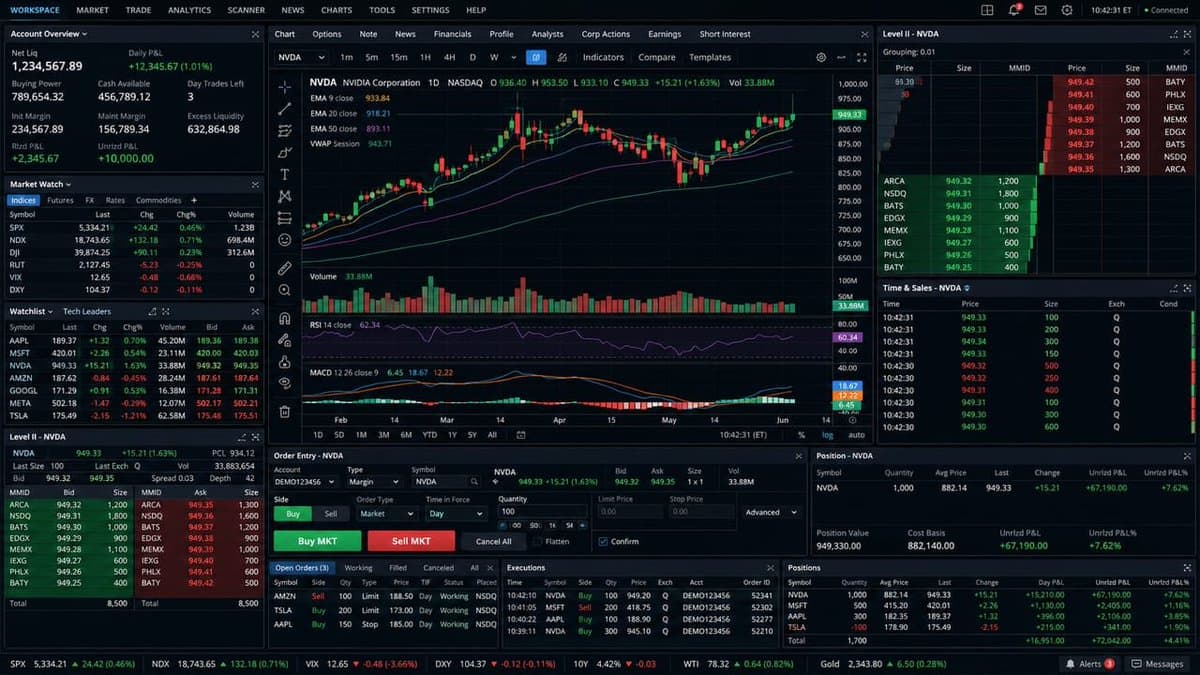
トレーディング端末の画面

ローソク足チャート、板情報、売買スプレッド、出来高、タイムスタンプまで揃ったトレーディング端末 UI を一行で生成します。

a full trading terminal — K-lines, order book, bid/ask, volume, timestamps

interfaceui
Static imageBeginnerTechnical & Sequence

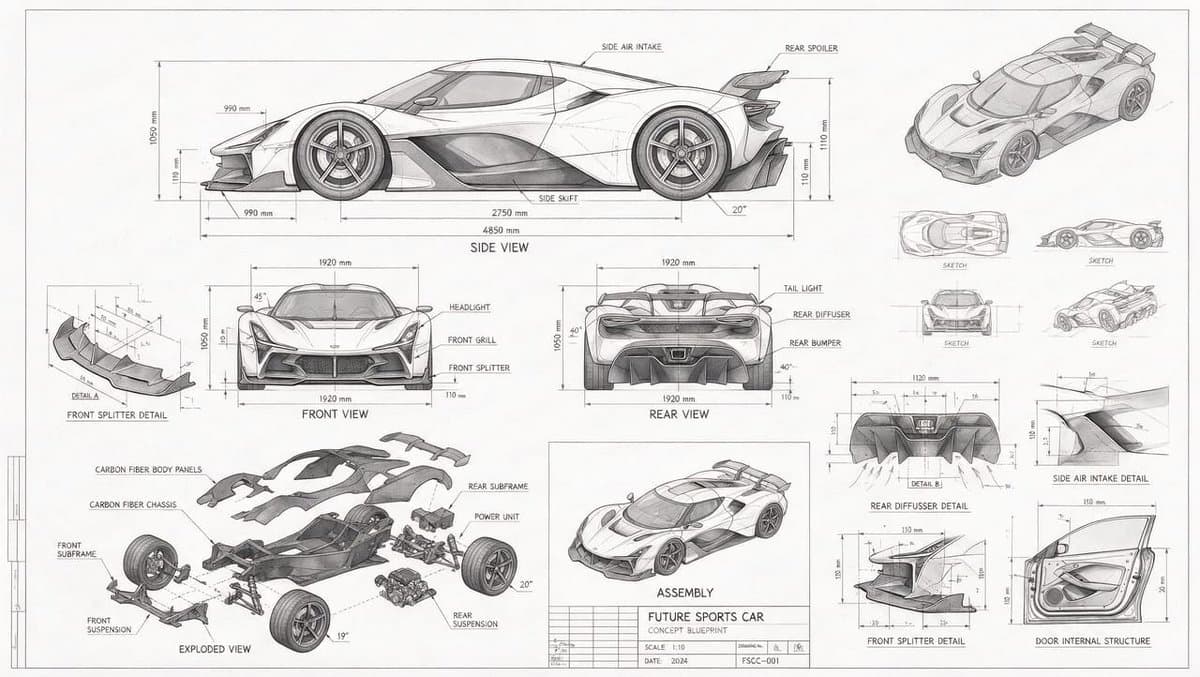
コンセプトカーの技術ブループリント

複数のビュー、分解パーツ、寸法注記を備えたコンセプトカーの設計図風テクニカルドローイングを生成します。

a blueprint-style technical drawing of a concept car: front/side/rear views, exploded parts, measurements everywhere

blueprinttechnical
Static imageIntermediateTechnical & Sequence

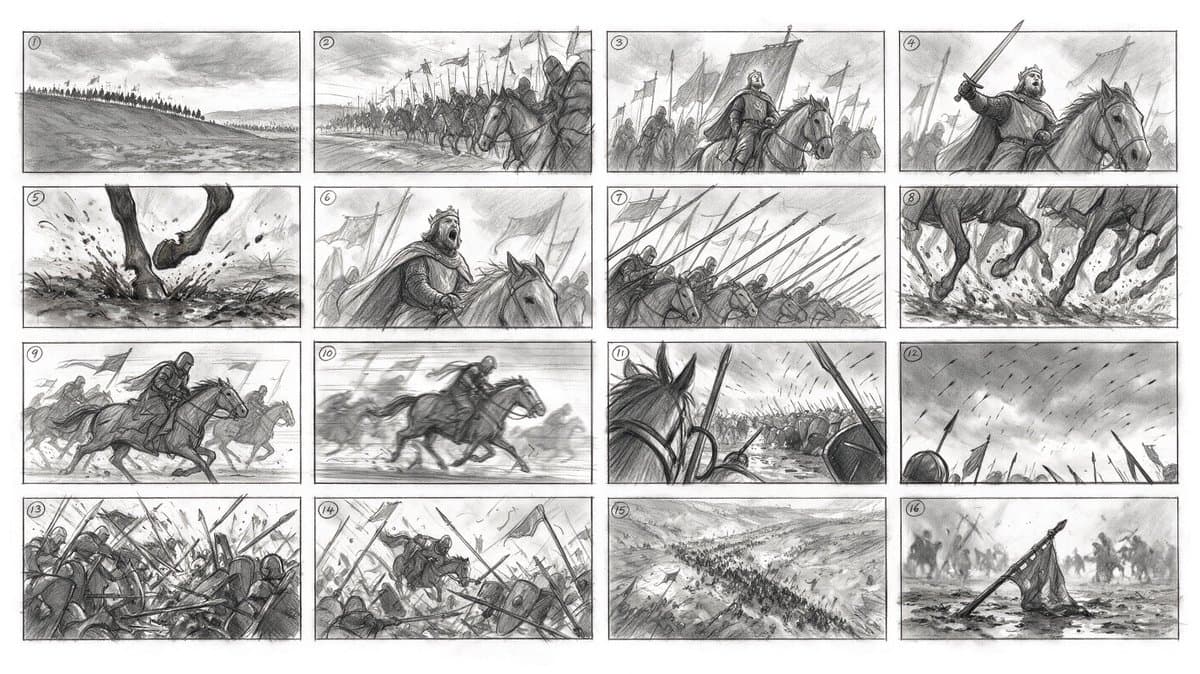
1プロンプトで16コマの絵コンテ

1つのプロンプトから番号付き16コマの絵コンテを生成。キャラクターの一貫性とシーン全体で筋の通ったカメラワークを保ちます。

16-panel storyboard from ONE prompt: numbered frames, consistent characters, coherent camera logic across a whole cavalry charge

storyboardsequence
Static imageBeginnerCinematic Concept

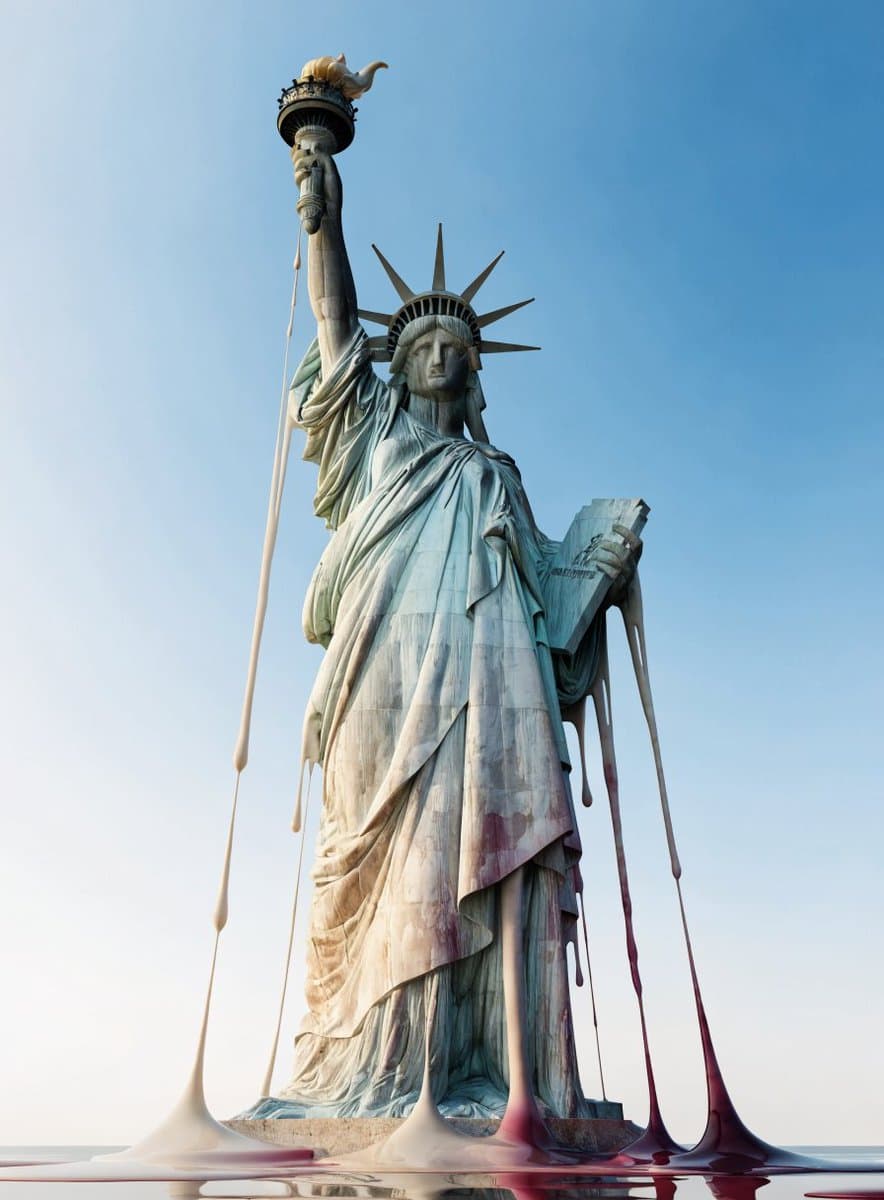
溶ける世界の名所

世界の有名なランドマークがロウのように溶ける——たった3語のプロンプトから生まれる強烈なシュルレアリスムの発想。

world's landmarks, melting like wax

surrealconcept
Static imageBeginnerCinematic Concept

ゴールデンアワーの自然なスマホ写真

一行のシンプルな説明から、自然光とラフな構図の、リアルで何気ないスマホスナップを生成します。

a Korean girl in her twenties on her iPhone in San Francisco at sunset

photorealportrait
Static imageBeginnerCinematic Concept

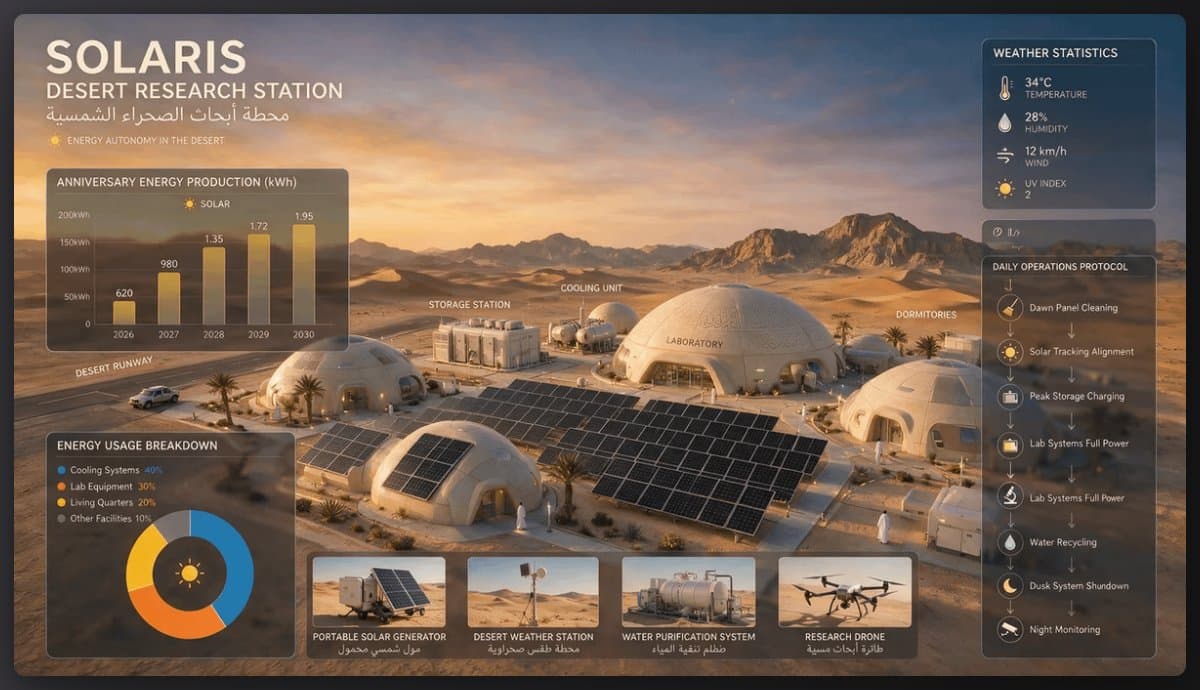
太陽光発電の砂漠研究ステーション

ドーム型の構造物、ソーラーパネル、各種設備を備えた太陽光発電の砂漠研究ステーションを一つのプロンプトで設計します。

A solar-powered research station in a desert, featuring domed structures, solar panels, and various equipment for energy and research management.

concept artenvironment
Static imageBeginnerDesign Variations

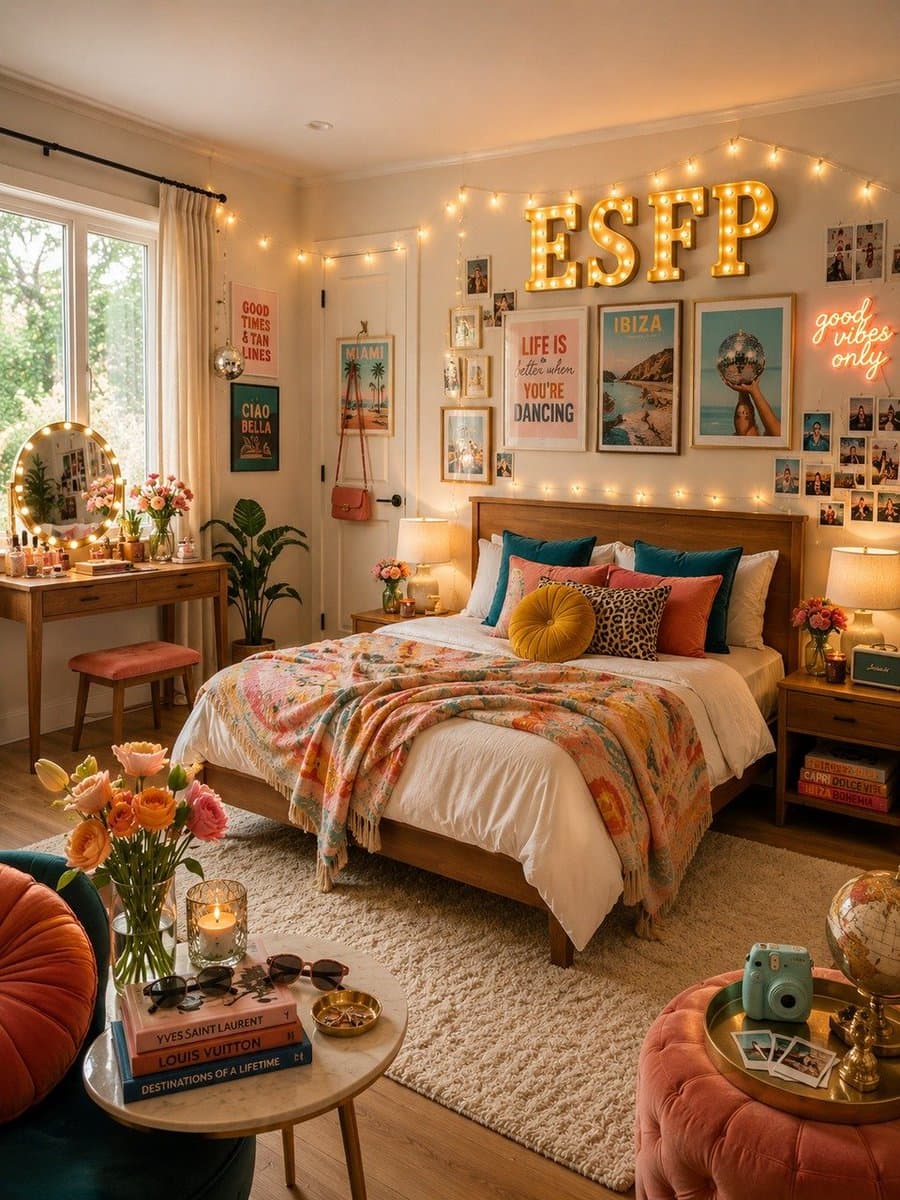
MBTI別ベッドルーム集

短いプロンプト一つで、MBTIの性格タイプごとに合わせた個性豊かなベッドルームのセットを生成します。

design a bedroom for each MBTI type

interior designvariations

より良い Seedream 5.0 Pro プロンプトの書き方

各参照画像に、被写体、衣装、素材、Logo、レイアウトなど明確な役割を与えます。
編集内容を書く前に、変えてはいけない要素を先に指定します。
対象領域が重要な場合は、空間アンカー、色付きボックス、レイアウト用語を使います。
多言語サインでは正確なテキストを引用符で囲み、余計な単語を入れないよう指定します。

Seedream 5.0 Pro プロンプト FAQ

良い Seedream 5.0 Pro プロンプトとは?

強いプロンプトは、対象編集、保持すべき要素、参照画像の役割、素材の挙動、出力制約を分けて記述します。アイデンティティ、レイアウト、テキストを安定させたい制作ワークフローでは特に重要です。

Seedream 5.0 Pro は複数の参照画像を使えますか?

はい。EvoLink では Seedream 5.0 Pro を text-to-image、image-to-image、最大 10 枚の入力画像を使うマルチリファレンス編集ワークフロー向けに位置づけています。image 1、image 2、被写体参照、衣装参照、Logo 参照など明確なラベルを使ってください。

局所編集のプロンプトはどう書けばよいですか?

参照画像内で色付きボックス、矢印、座標、明確なアンカーを使い、各対象領域を短く明示的な文で説明します。複数の領域を曖昧な一文に混ぜないでください。

Seedream 5.0 Pro はテキストレンダリングに向いていますか?

Seedream 5.0 Pro は多言語テキストレンダリングを改善していますが、制作チームは正確な文字列を引用し、余計な単語を入れないよう指定し、公開前にスペルを確認するべきです。

このページのプロンプトを EvoLink に持ち込むには?

プロンプトカードの Use をクリックするか、上部の入力欄にプロンプトを貼り付けます。EvoLink がローカルに保存し、同じプロンプトを入れた Seedream 5.0 Pro Playground を開きます。