Seedance 2.5 kommt baldMehr erfahren

Seedream 5.0 Pro Prompts

Quellengestützte Prompt-Beispiele für kontrollierbare Bilderzeugung, Bearbeitung, Multi-Referenz-Komposition und produktionsreife visuelle Workflows.

Durchstöbern Sie offizielle und quellengestützte Seedream 5.0 Pro Prompt-Muster und wechseln Sie anschließend mit dem ausgewählten Prompt in den EvoLink Playground.

Wir übernehmen diesen Prompt in den Seedream 5.0 Pro Playground.

Suchen Sie die Seedream 5.0 Pro API?

Öffnen Sie die Modellseite für Preise, Playground-Tests und den EvoLink Image-Generation-Vertrag.

Seedream 5.0 Pro API öffnen

Ausgewählte Seedream 5.0 Pro Prompt-Beispiele

Ausgewählte offizielle und Community-Beispiele. Weitere Materialien finden Sie im GitHub-Leitfaden.

Offizielle Beispiele20

Static editIntermediateInteraction Control


Gezielte Objektbearbeitung per Bereichsbox

Red box: A huge blue-furred head with a ferocious squished expression, gazing at the bubble ahead. Green box: A transparent bubble reflecting the indoor lights. Yellow box: A large warm gray-beige yarn ball. Blue box: A stack of building blocks including a warm dark gray arch, a warm light gray half-cylinder, a lake blue cylinder, a deep lake blue ramp, and a cobalt blue half-disc. Purple box: A grass green tasseled blanket draped over the sofa.

region controlannotation
Static editIntermediateAnchor Editing

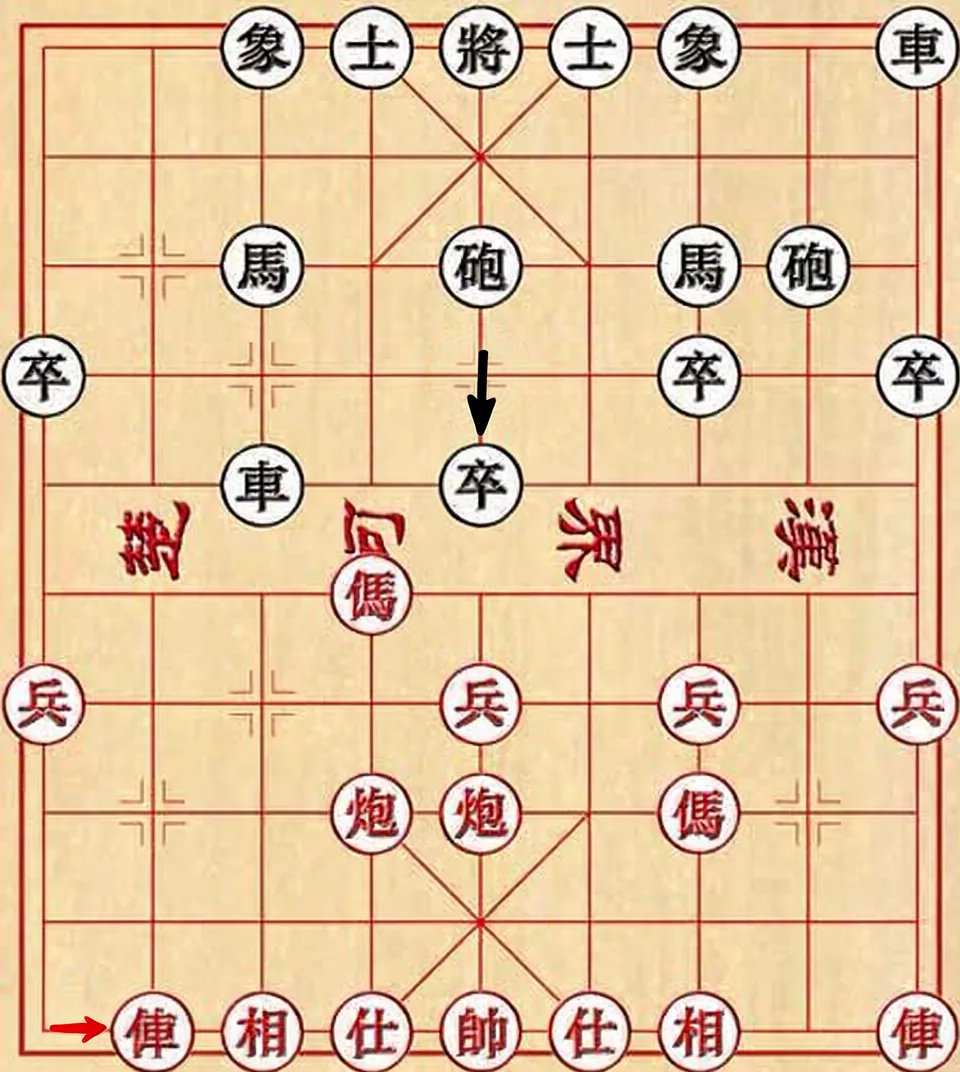
Ankerpositions-Bearbeitung im Raster

Move the red car in the lower-left corner one grid cell to the right, and move the black pawn in the second column from the left of the black-square position one grid cell downward.

anchor editpositioning
Static imageAdvancedMulti-Reference

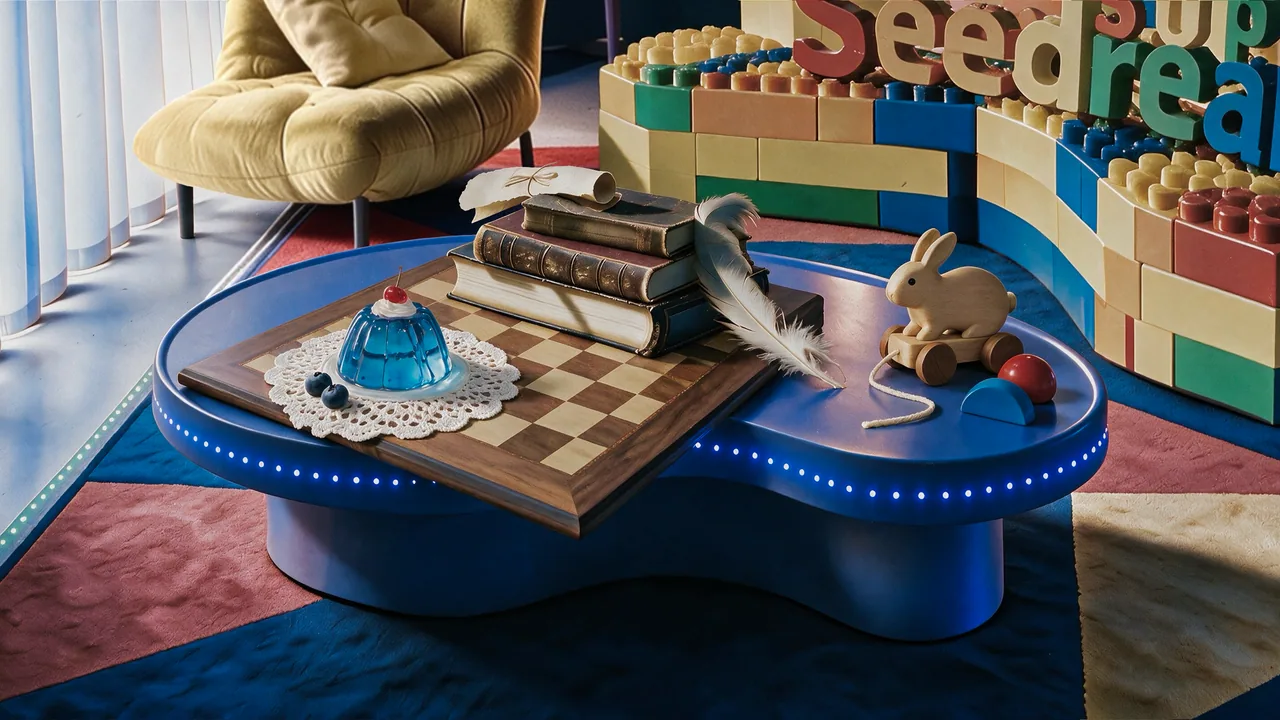
Stillleben-Komposition mit mehreren Referenzen

Precisely cut out the objects from my seven white-background reference photos and arrange them into a realistic still-life photography image according to the specified layout. Make sure the perspective, lighting, and spatial relationships are correct. Faithfully preserve material details such as wood grain, leather, lace, jelly glass, and feathers, creating a high-quality image that feels realistic and playful, with a blend of vintage and modern aesthetics.

multi-referencestill life
Static editAdvancedMaterial Editing

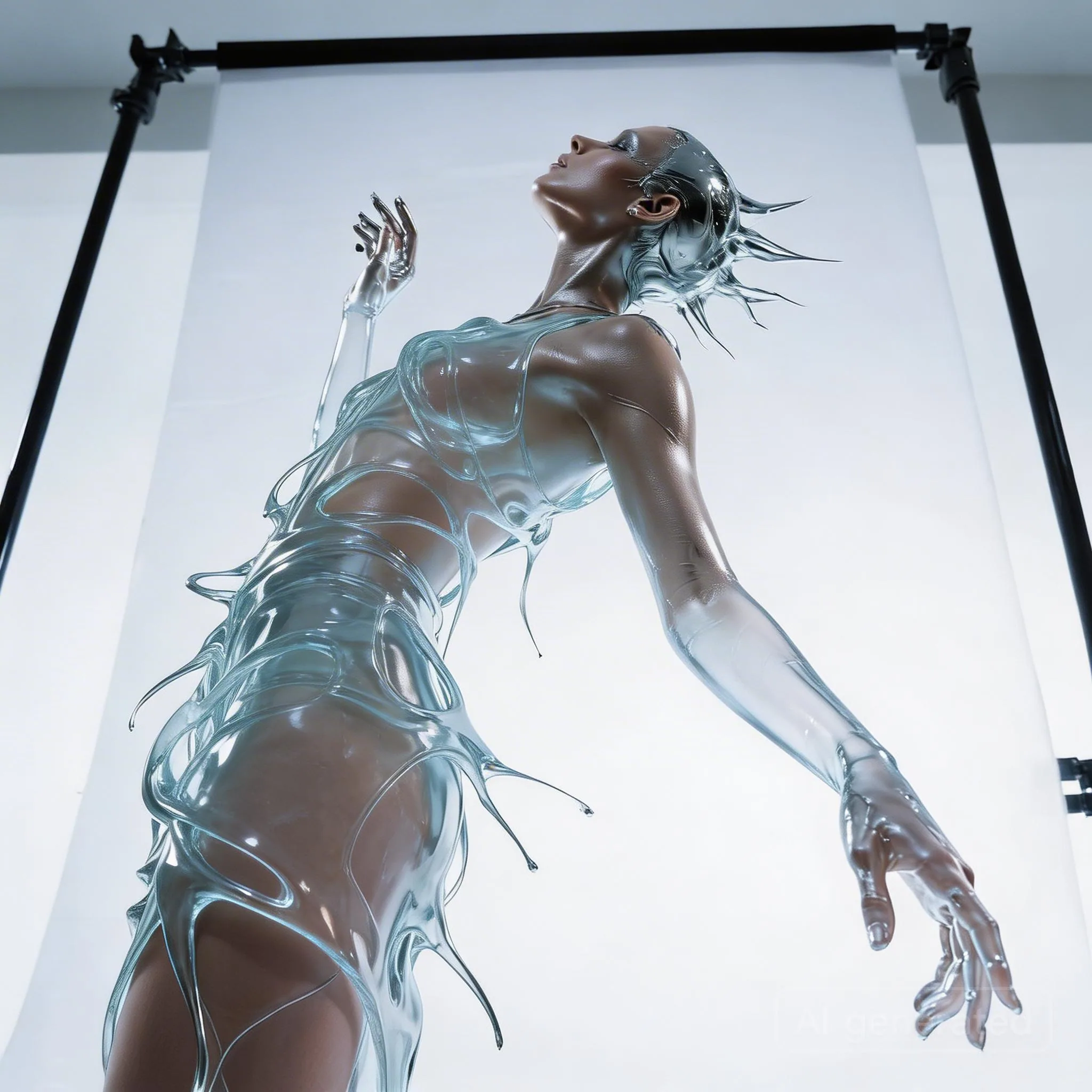
Materialtausch zu transparentem Wasserkleid

Keep the model's pose and the flowing shape of the liquid dress unchanged. Change the clothing material from silver metal to completely transparent clear water (or glass). Through the liquid water, the model's skin details are visible. Lighting changes from reflection to refraction.

material swapfashion
Static editBeginnerMulti-Reference

Outfit-Transfer mit mehreren Referenzen

Replace the clothing in image 1 with the outfit from image 2.

outfit transferfashion

Static editAdvancedLayer Separation

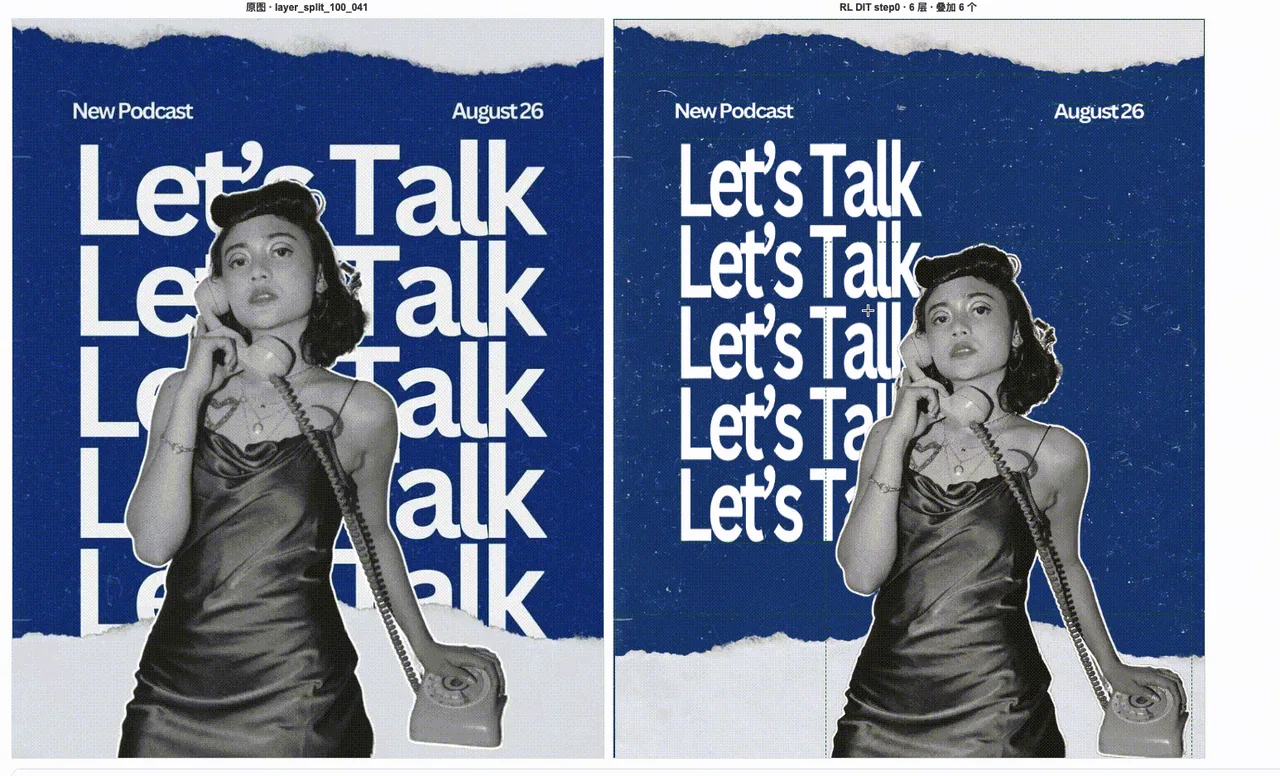
Ebenentrennung für Poster-Assets

Separate this designed poster into editable production layers: one clean background layer, one foreground character layer, one typography layer, and separate decorative element layers. Preserve the original composition, edges, transparency, and visual hierarchy so the assets can be reused in downstream layout tools.

layer separationposter
Static imageIntermediateText Rendering

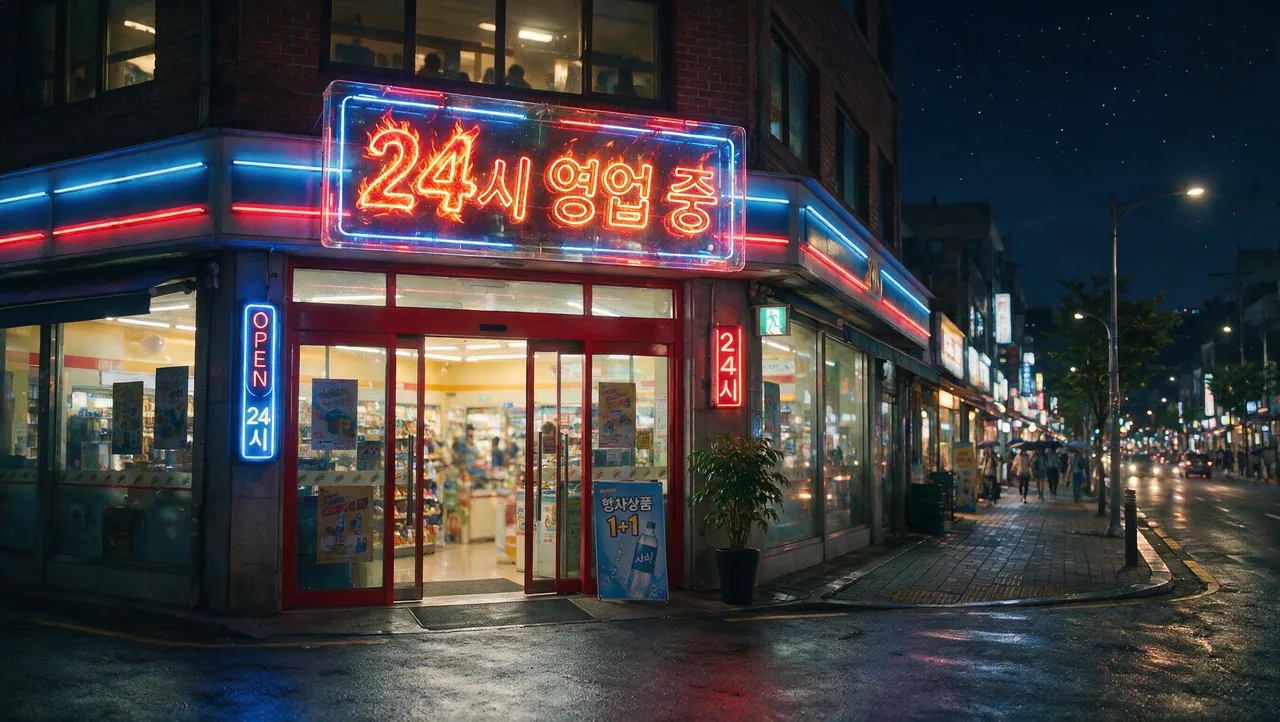
Mehrsprachiges Schilder-Text-Rendering

Create a clean commercial storefront sign with the exact Korean text "24시 영업 중" and a smaller English subtitle "Open 24 hours". Keep the typography readable, centered, and evenly spaced. Use realistic daylight, polished storefront materials, and a simple production-ready layout with no extra words.

multilingualsignage
Static imageAdvancedCinematic Concept

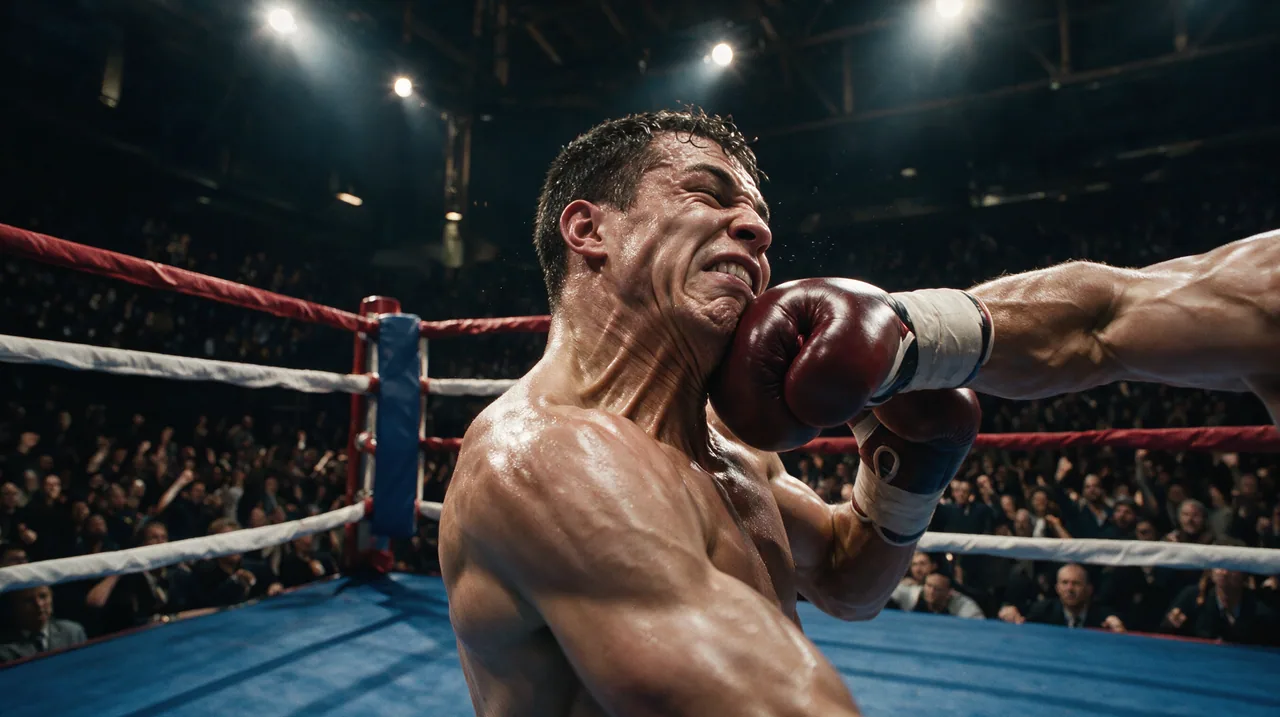
Filmischer Action-Konzeptframe

Create a cinematic action keyframe for a sports drama: two boxers in a decisive mid-fight moment, sweat and dust visible in the air, strong rim lighting, intense but realistic facial expressions, shallow depth of field, dynamic composition, premium film still quality. Keep the anatomy natural and the scene grounded, with no fantasy effects and no extra text.

cinematicaction
Static imageIntermediateText Rendering

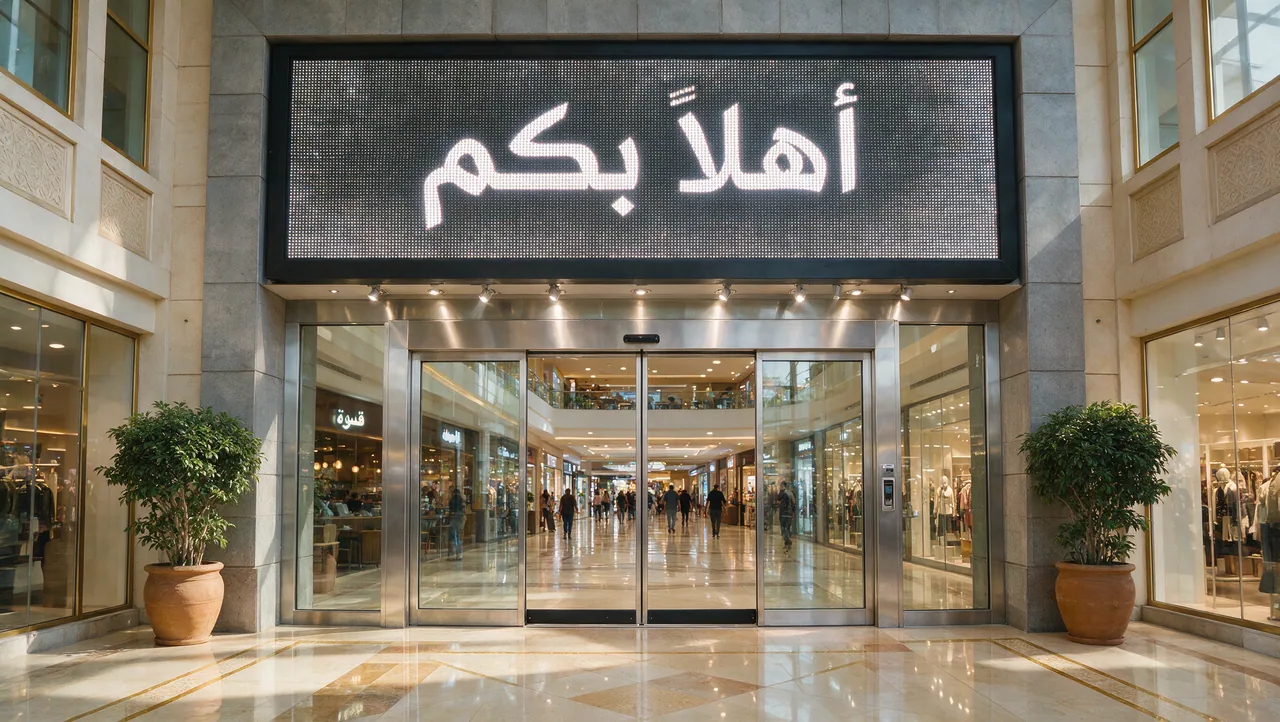
Arabisches Willkommensschild-Text-Rendering

Create a realistic shopping mall entrance sign with the exact Arabic text "أهلاً بكم". Keep the typography large, centered, and readable. Use polished stone, glass storefronts, warm daylight, and clean commercial architecture. Do not add extra words or misspell the Arabic text.

Arabicsignage
Static editIntermediateInteraction Control



Lokale Bearbeitung mit Pfeilannotation

Use the arrows and annotation boxes in the reference image as editing instructions. Modify only the marked target areas, follow the direction indicated by each arrow, and preserve the unmarked background, lighting, object identity, and original composition.

arrowsannotation
Static editBeginnerSketch Editing



Objekterzeugung mit Kritzel-Anleitung

Use the doodles in the reference image as rough placement guides. Convert each doodle into a realistic object that matches the surrounding scene, while keeping its approximate position, scale, and orientation. Preserve the original background and avoid changing areas without doodles.

doodlesketch
Static editIntermediateSketch Editing


Layout-Steuerung mit Farbblöcken

Use the colored blocks in the reference image as a layout map. Generate realistic scene elements that match each block's position and dominant color, keep the overall composition balanced, and preserve clean edges between the main regions without adding extra clutter.

color blocklayout
Static editIntermediateSketch Editing

Struktursteuerung mit Linienzeichnung

Use the line sketch as the structural guide for the final image. Preserve the main silhouette, object boundaries, and relative positions from the sketch, then render the scene with realistic lighting, material detail, and clean depth separation.

line sketchstructure
Static editBeginnerSketch Editing

Realistische Verfeinerung einfacher Skizzen

Refine this simple sketch into a polished realistic image. Keep the rough layout, main subject placement, and intended proportions, but replace the sketch marks with coherent materials, natural lighting, and clean production-ready detail.

simple sketchrefinement
Static editAdvancedLayer Separation


Ebenentrennung für Geburtstagsposter

Separate this birthday poster into reusable production layers: clean background, main typography, foreground subject, product or prop elements, and decorative accents. Preserve the original visual hierarchy, transparent edges, spacing, and color relationships so each layer can be reused in new layouts.

layer separationposter
Static editAdvancedLayer Separation


Ebenentrennung für Getränkeposter

Separate this beverage marketing poster into production-ready layers: product container, liquid or ingredient elements, background, headline typography, secondary copy, shadows, and decorative effects. Keep edges clean and preserve the original lighting direction and product emphasis.

layer separationbeverage
Static editAdvancedLayer Separation

Ebenentrennung für Charakter und UI

Separate this character-centered visual into editable layers: character, background, interface panels, typography, foreground effects, and decorative details. Keep the character identity, UI alignment, transparent edges, and depth ordering intact for downstream recomposition.

layer separationcharacter

Static editAdvancedLayer Separation

Ebenentrennung für Rennposter

Separate this racing poster into clean editable layers: vehicle or athlete subject, background environment, motion streaks, smoke or particle effects, headline typography, secondary information, and sponsor-style graphic elements. Preserve speed, perspective, and lighting while making each layer reusable.

layer separationracing

Static editAdvancedLayer Separation

Ebenentrennung für Fashion-Poster

Separate this fashion campaign poster into reusable layers: model, garment details, background, headline typography, smaller copy, lighting accents, and decorative design elements. Preserve the fashion silhouette, fabric detail, hair edges, and original editorial composition.

layer separationfashion

Creator-Showcase8

Static editBeginnerMulti-Reference

Haustierfoto in Mecha verwandeln

a pic of my cat, asked for a mecha version

image inputtransformation
Static imageBeginnerPoster & UI

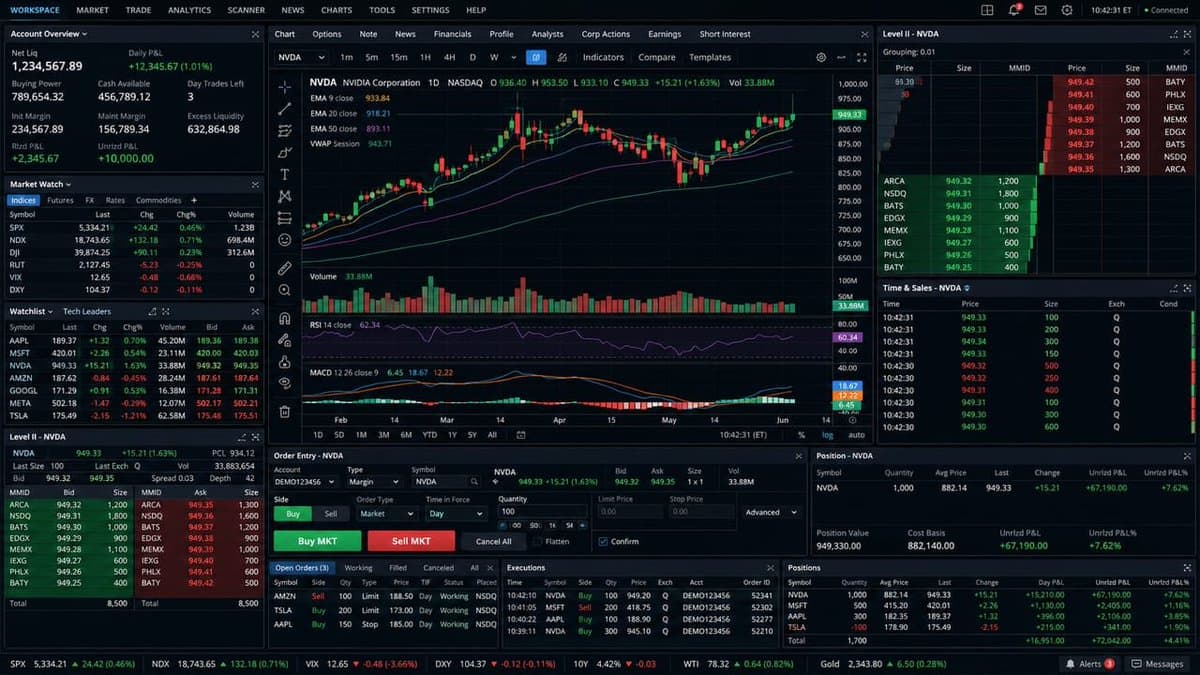
Trading-Terminal-Oberfläche

a full trading terminal — K-lines, order book, bid/ask, volume, timestamps

interfaceui
Static imageBeginnerTechnical & Sequence

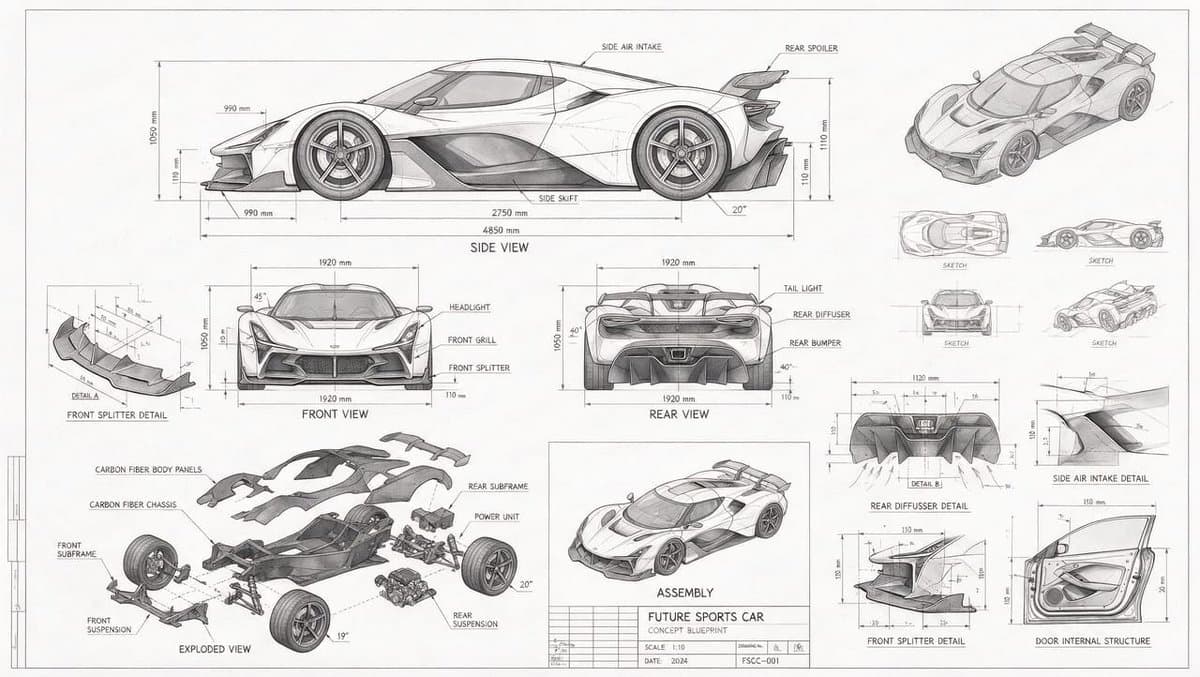
Technischer Bauplan eines Konzeptautos

a blueprint-style technical drawing of a concept car: front/side/rear views, exploded parts, measurements everywhere

blueprinttechnical
Static imageIntermediateTechnical & Sequence

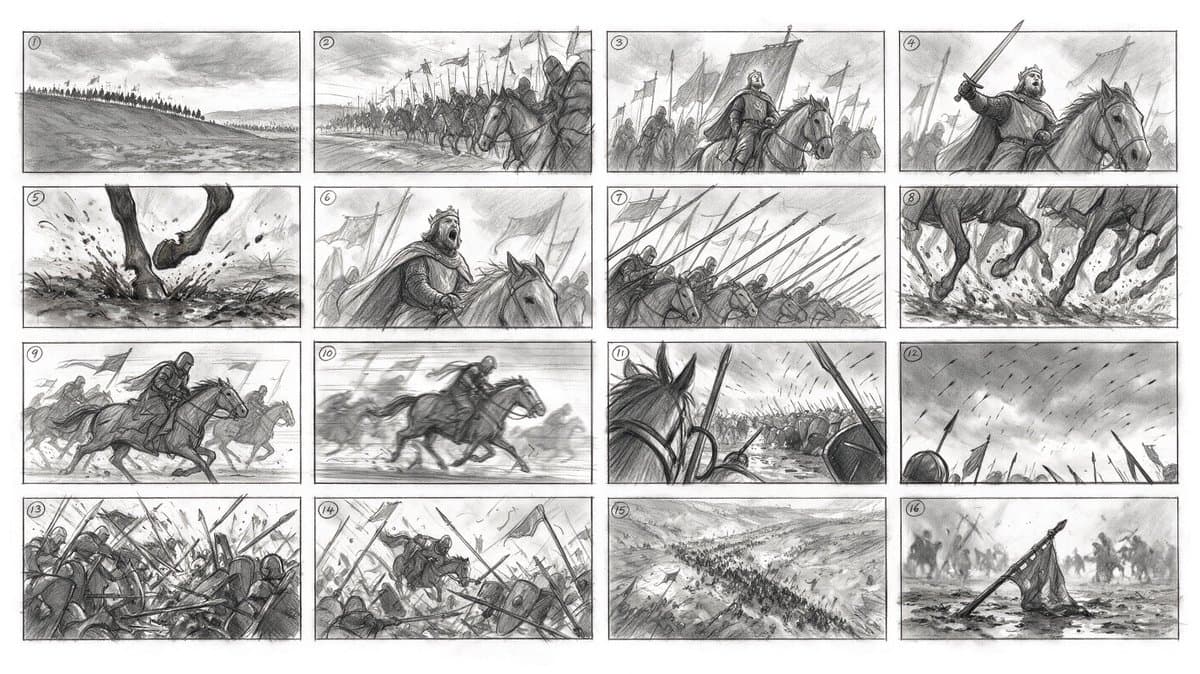
16-Panel-Storyboard aus einem Prompt

16-panel storyboard from ONE prompt: numbered frames, consistent characters, coherent camera logic across a whole cavalry charge

storyboardsequence
Static imageBeginnerCinematic Concept

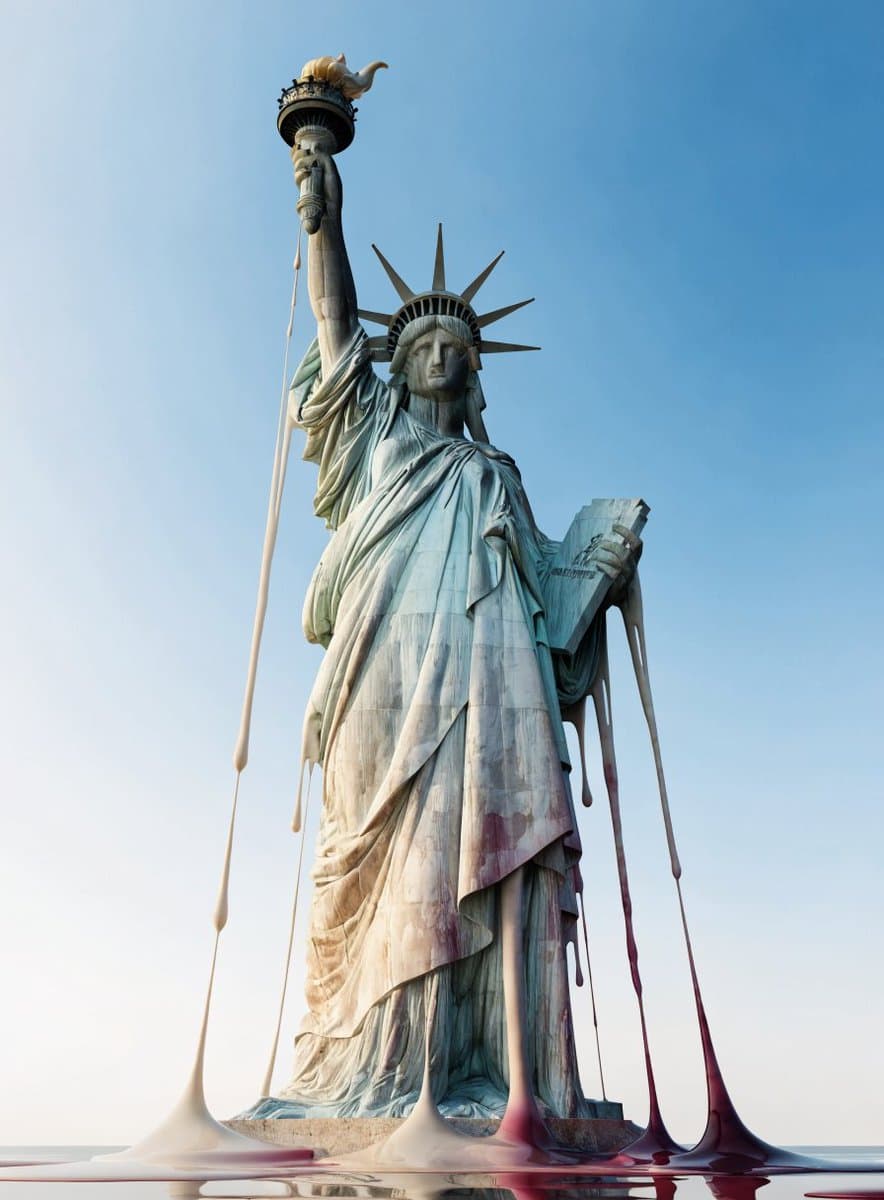
Schmelzende Weltwahrzeichen

world's landmarks, melting like wax

surrealconcept
Static imageBeginnerCinematic Concept

Natürliches Handyfoto zur goldenen Stunde

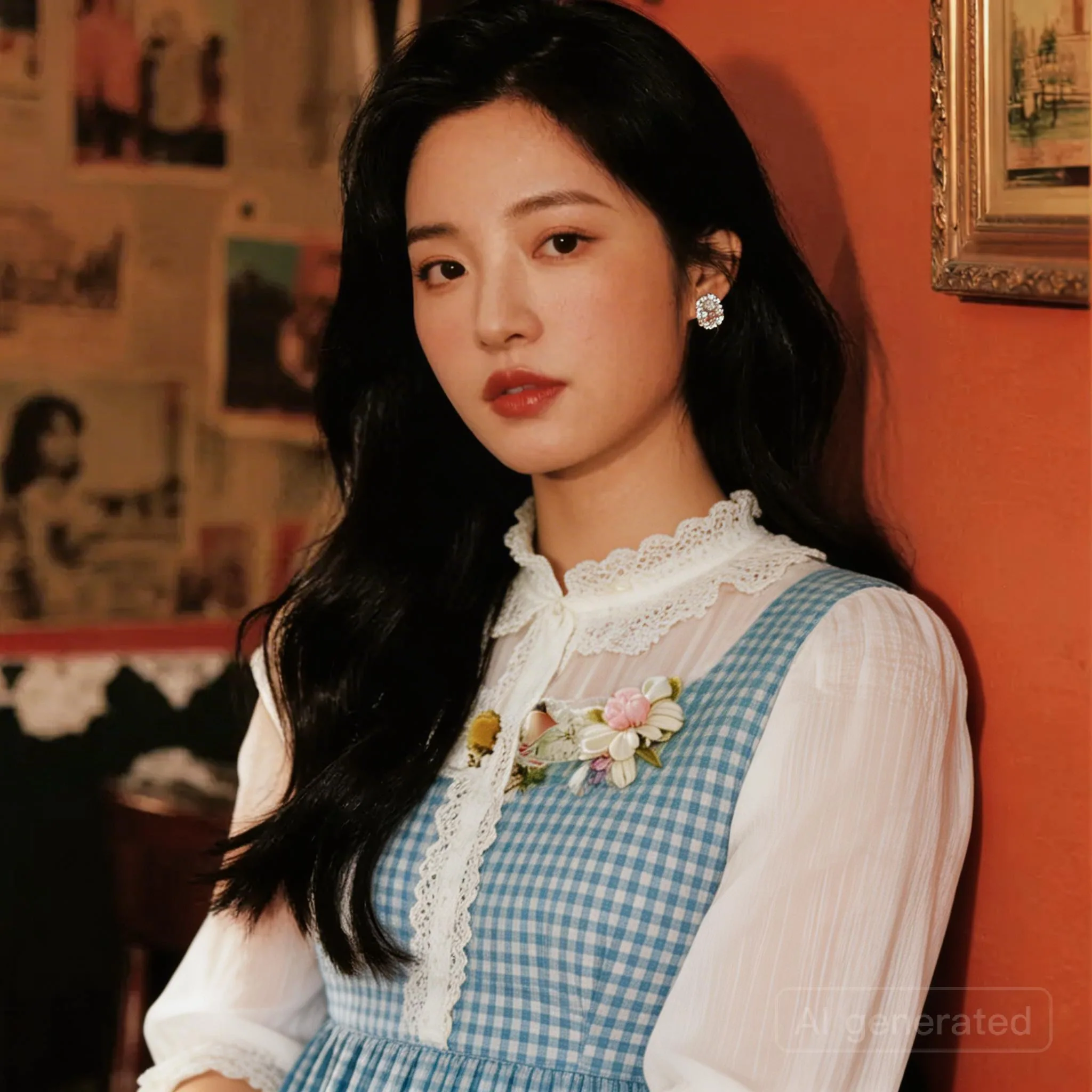
a Korean girl in her twenties on her iPhone in San Francisco at sunset

photorealportrait
Static imageBeginnerCinematic Concept

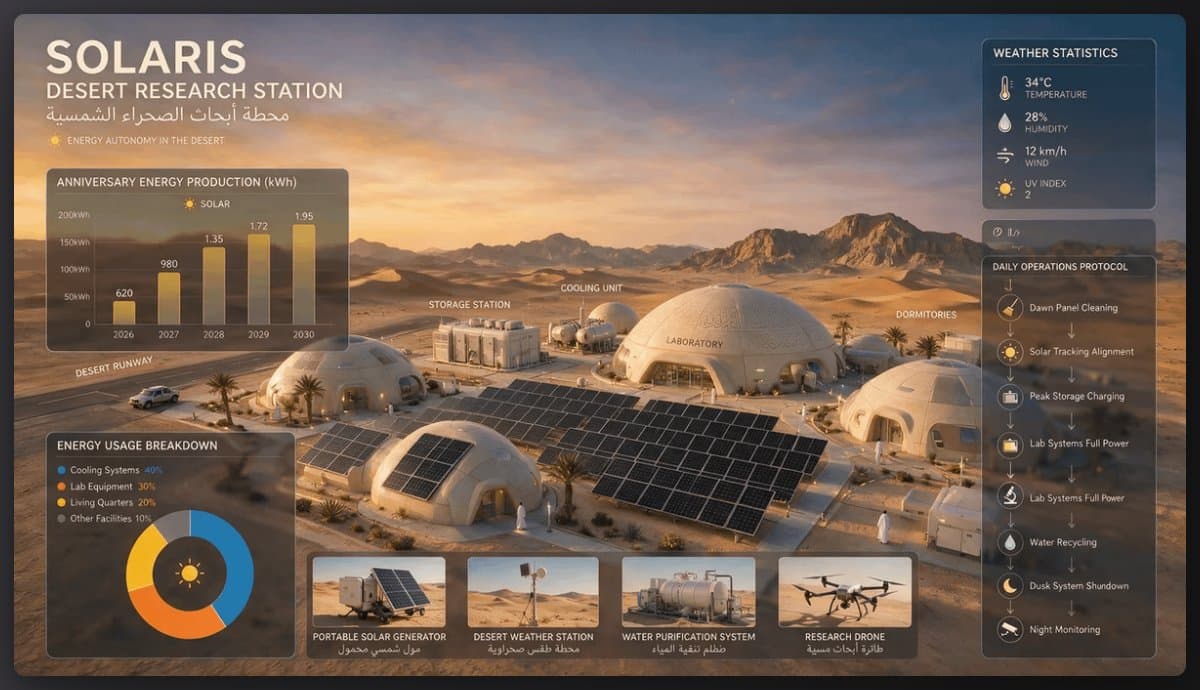
Solar-Forschungsstation in der Wüste

A solar-powered research station in a desert, featuring domed structures, solar panels, and various equipment for energy and research management.

concept artenvironment
Static imageBeginnerDesign Variations

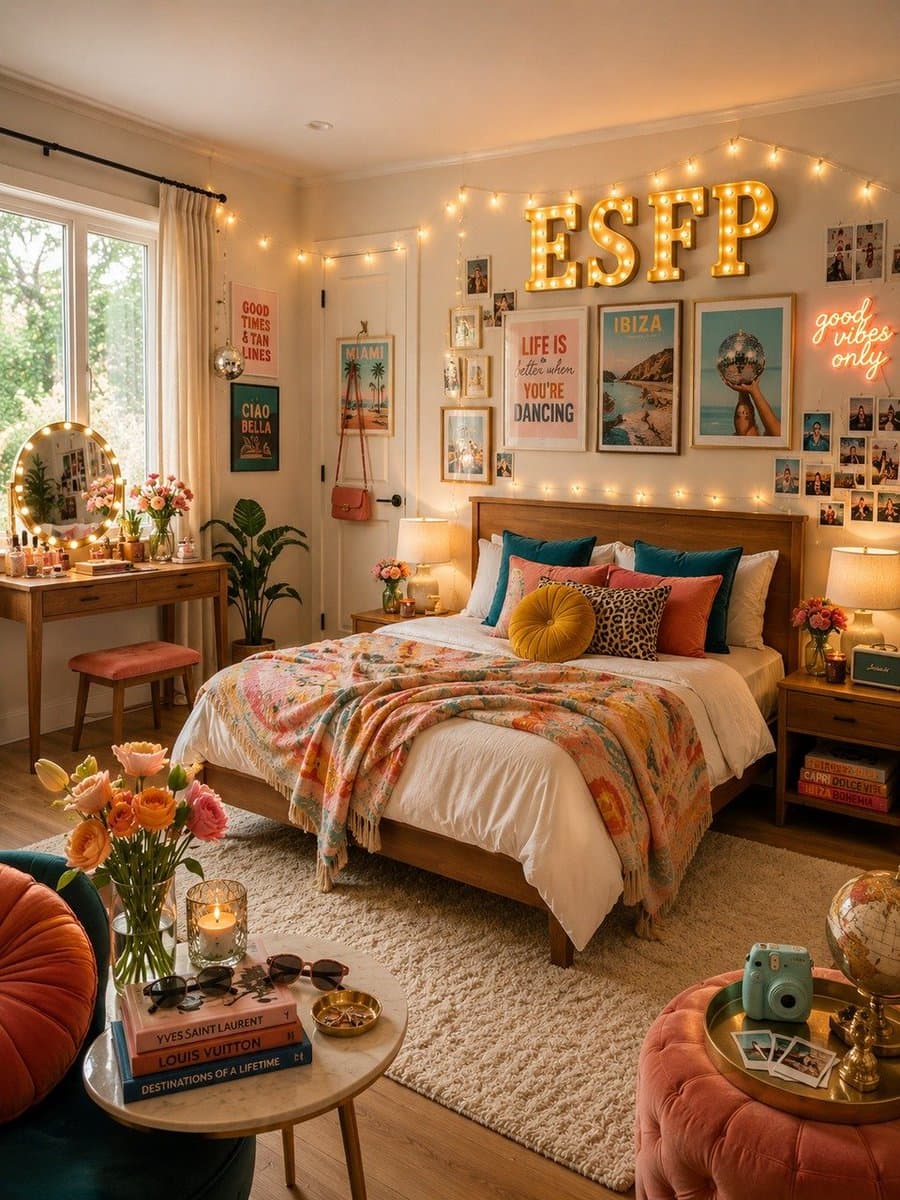
MBTI-Schlafzimmer-Set

design a bedroom for each MBTI type

interior designvariations

So schreiben Sie bessere Seedream 5.0 Pro Prompts

Geben Sie jeder Referenz ein klares Ziel, etwa Motiv, Outfit, Material, Logo oder Layout.
Benennen Sie zuerst, was unverändert bleiben muss, bevor Sie die gewünschte Bearbeitung beschreiben.
Nutzen Sie räumliche Anker, farbige Boxen oder Layout-Sprache, wenn der Zielbereich wichtig ist.
Setzen Sie exakten Text für mehrsprachige Beschilderung in Anführungszeichen und verlangen Sie keine zusätzlichen Wörter.

Seedream 5.0 Pro Prompt FAQ

Was macht einen guten Seedream 5.0 Pro Prompt aus?

Ein starker Prompt trennt Zielbearbeitung, unveränderte Elemente, Rollen der Referenzbilder, Materialverhalten und Ausgabevorgaben. Das ist besonders wichtig für Produktionsworkflows, in denen Identität, Layout oder Text stabil bleiben müssen.

Kann Seedream 5.0 Pro mehrere Referenzbilder nutzen?

Ja. EvoLink positioniert Seedream 5.0 Pro für Text-to-Image, Image-to-Image und Multi-Referenz-Bearbeitung mit bis zu 10 Eingabebildern. Nutzen Sie klare Labels wie image 1, image 2, Motiv-Referenz, Outfit-Referenz und Logo-Referenz.

Wie schreibe ich Prompts für lokale Bearbeitungen?

Nutzen Sie farbige Boxen, Pfeile, Koordinaten oder klare Anker im Referenzbild und beschreiben Sie jede Zielregion in einem kurzen, expliziten Satz. Vermeiden Sie es, mehrere Regionen in einer vagen Anweisung zu mischen.

Kann Seedream 5.0 Pro Text rendern?

Seedream 5.0 Pro verbessert mehrsprachiges Text-Rendering. Produktionsteams sollten exakten Text trotzdem zitieren, keine zusätzlichen Wörter verlangen und die Schreibweise vor der Veröffentlichung prüfen.

Wie bringe ich einen Prompt von dieser Seite in EvoLink?

Klicken Sie auf einer Prompt-Karte auf Use oder fügen Sie einen Prompt in die Eingabeleiste ein. EvoLink speichert ihn lokal und öffnet den Seedream 5.0 Pro Playground mit demselben Prompt.