Access GPT Image 2 — the image model released alongside ChatGPT Images 2.0, also searched as gpt-image-2 or ChatGPT Images API — through EvoLink's unified image API. Test text-to-image, reference-image editing with masks, and the flat-rate GPT Image 2 Beta route before integrating.
OpenAI / Azure·Bildgenerierung·Verfügbar
Ab $0.027 / 1K Output-Bildtokens$0.030 Offizieller Preis-10%
Text zu BildBild zu BildInpainting-MaskeText im BildPoster & InfografikMulti-Referenz-Eingabe
ProduktionsrouteDiese Rate zeigt die plattformseitige Verfügbarkeit — nur bestätigte Serverfehler (HTTP 500 / leere Antwort) zählen als Ausfälle. Nutzerseitige Probleme (Inhaltsmoderation, ungültige Parameter, Abbruch) sowie Rate-Limits, Timeouts und Auth-Fehler sind ausgenommen. Vor echtem Traffic können leere Zeitfenster als verfügbar erscheinen.Live
Live
Modell-Highlights
Prompt-treue Generierung mit lesbarem Text im Bild
Upload source or reference images for image-to-image and editing. Each one adds image input tokens.
0/16 files
Size
Resolution
Pixelbudget für das gewählte Seitenverhältnis: 1K etwa 1,05 MP, 2K etwa 4,19 MP, 4K 8,29 MP.
Quality
Renderaufwand. Er bestimmt die Anzahl der Ausgabe-Token und ist damit der größte Kostenhebel.
Background
Transparent keeps an alpha channel in the output. This is a Preview feature — results may be unstable.
Estimate ~$0.0281.8608 cr
medium quality + 16:9 @ 1K + 0 reference images x 1
Quoted up front, settled on the token counts the upstream usage object reports.
Bereit
Verlauf
Ergebnisse werden 24 Stunden gespeichert – laden Sie herunter, was Sie behalten möchten.
Generated GPT Image 2 tasks will appear here.
Kennen Sie Ihre GPT Image 2 Testkosten, bevor Sie Guthaben aufladen
Starten Sie bei den Kosten eines einzelnen Beispiels, wählen Sie ein Testbudget und rechnen Sie Ihren eigenen Fall im Rechner durch. Die reinen Token-Raten stehen unten.
First Test Cost
GPT Image 2 - 1K - 1:1 - Low - 1 image
-10%1K Low sample
Credits0.3602
One Low-quality image, no reference images
Approx. Cost$0.0053
About … tests with $10 in credits.
In Playground, choose 1K resolution, a 1:1 aspect ratio, Low quality and 1 image with the prompt “Cat”. This is a token-based estimate; the final cost follows actual usage. Longer prompts and reference images add to the cost.
Testbudget-Leitfaden für GPT Image 2
Wählen Sie den Betrag nach der Anzahl geplanter Tests.
Final quality checkHigh - 2K - 1 image - prompt only
$0.386/image-10%
26.2034 cr/image·$0.429 Offizieller Preis
Estimated cost for one generated 1:1 image. Final cost is settled against the token counts the upstream usage object reports.
Preise für GPT Image 2
This page serves two models and they are billed differently. Each block states its own rule, so read the badge before comparing the numbers.
GPT Image 2-10% vs officialToken-basedgpt-image-2
Billed by token, so there is no fixed per-image price. These are the raw rates; what a request actually costs depends on its size, quality, reference images and count. Use the calculator below to price your own case.
Item
Rule
Rate
Billing
Image output tokens
The generated image itself. Token count grows with the resolution tier and the quality tier.
$0.027/1K tokens-10%
1.836 cr/1K tokens$0.030 Offizieller Preis
Output tokens
Image input tokens
Applied to each reference image in image_urls, and to a mask when one is sent.
$0.0072/1K tokens-10%
0.4896 cr/1K tokens$0.0080 Offizieller Preis
Input tokens
Image cached input tokens
Charged only when the upstream usage object reports cached image tokens.
$0.0018/1K tokens-10%
0.1224 cr/1K tokens$0.0020 Offizieller Preis
Input tokens
Text input tokens
Produced by the prompt itself. Typically under 1% of a request.
$0.0045/1K tokens-10%
0.306 cr/1K tokens$0.0050 Offizieller Preis
Input tokens
Text cached input tokens
Charged only when the upstream usage object reports cached text tokens.
$0.0012/1K tokens-10%
0.0765 cr/1K tokens$0.0013 Offizieller Preis
Input tokens
Image output tokens
The generated image itself. Token count grows with the resolution tier and the quality tier. - Output tokens
$0.027/1K tokens-10%
1.836 cr/1K tokens$0.030 Offizieller Preis
Image input tokens
Applied to each reference image in image_urls, and to a mask when one is sent. - Input tokens
$0.0072/1K tokens-10%
0.4896 cr/1K tokens$0.0080 Offizieller Preis
Image cached input tokens
Charged only when the upstream usage object reports cached image tokens. - Input tokens
$0.0018/1K tokens-10%
0.1224 cr/1K tokens$0.0020 Offizieller Preis
Text input tokens
Produced by the prompt itself. Typically under 1% of a request. - Input tokens
$0.0045/1K tokens-10%
0.306 cr/1K tokens$0.0050 Offizieller Preis
Text cached input tokens
Charged only when the upstream usage object reports cached text tokens. - Input tokens
$0.0012/1K tokens-10%
0.0765 cr/1K tokens$0.0013 Offizieller Preis
EVOLINK · PRICE EST.gpt-image-2
× 1 · real-time
Figures are estimates. Final charges are based on actual token usage.
Your estimate
~$0.0050.360
Per $10
≈ 1,806 images
low quality · 1K · 1:1
Official· saves ~10%
~$0.0060.400
Tokens per image
image output196
image input0
text input0
Quality
Size
Resolution
Aspect
Count
1
Ref images
0
Prompt
0 chars · ~0 tokens
GPT Image 2 BetaFlat per callgpt-image-2-beta
One flat rate per call, whatever the aspect ratio - no token accounting and nothing to estimate. Auto or aspect-ratio sizes at the 1K tier only, one image per call. The OpenAI list price has no equivalent for this route, so no official comparison is shown.
Item
Rule
Rate
Billing
1K output
Any aspect ratio or auto, at the 1K tier. One image per call, regardless of prompt length or reference images.
$0.015/image
1.02 cr/image
Per call
1K output
Any aspect ratio or auto, at the 1K tier. One image per call, regardless of prompt length or reference images. - Per call
$0.015/image
1.02 cr/image
Per $10
≈ 637 images
1K each
Was GPT Image 2 erzeugen kann
Erzeugen Sie hochwertige Bilder aus Text-Prompts oder Referenzbildern — mit starken Posterlayouts, informationsdichten Infografiken, Charakter-Sheets, Produktkreation und maskengeführten Bearbeitungs-Workflows.
GPT Image 2 wurde zusammen mit ChatGPT Images 2.0 veröffentlicht und ist über die API als Modell gpt-image-2 verfügbar. Nutzen Sie es für textreiche Generierung und High-Fidelity-Bearbeitung; ChatGPT kann Orchestrierung und Tools ergänzen, die vom reinen Bildmodell getrennt sind.
Ideal für: Textreiche Generierung und High-Fidelity-Bildbearbeitung · Kostenbasis: Prompt, Größe, Qualität und Referenzbild-Eingabe · Ausgabegrenze: Eigene Größen bis zu einer Kante von 3840 px; große Ausgaben sind experimentell
Token-basiert abgerechnete offizielle Route mit den Qualitätsstufen low/medium/high, 1K/2K/4K-Auflösung, expliziten Pixelgrößen, n bis 10 und Inpainting-Maske.
GPT Image 2 Beta
gpt-image-2-beta
Alternative Pauschalroute von EvoLink: Jedes 1K-Bild kostet unabhängig von Prompt-Länge oder Referenzen dasselbe, ein Bild pro Aufruf.
GPT Image 2 auf zwei Wegen nutzen: EvoLink API oder Agent
Nutzen Sie die EvoLink API für Produktintegrationen und Batch-Aufgaben oder rufen Sie sie in Codex, Claude oder Gemini für schnelle Kreativ- und Entwicklungsworkflows auf. Beide Wege verwenden denselben EvoLink API-Key, dasselbe Guthaben, dieselben Modellrouten und dieselbe Aufgabenhistorie.
Rufen Sie die einheitliche Bild-API von EvoLink serverseitig auf und steuern Sie Modell-ID, Parameter, Aufgabenwarteschlange, Callbacks und Ergebnisspeicherung selbst.
1Ergebnis und Kosten mit einem realen Briefing im Playground prüfen
2Einen EvoLink API-Key in der Konsole erstellen
3Die passende Modell-ID aus den Routenkarten oben wählen
4Aufgabe absenden und Ergebnis per Polling oder HTTPS-Callback abrufen
Geeignet für: Kreativ- und Entwicklungsaufgaben in Codex, Claude und Gemini
Übergeben Sie dem Agenten Ziel, Materialien und Abnahmekriterien. Er wählt die Route, erstellt den Request, verfolgt die Aufgabe und liefert das Ergebnis, ohne dass jeder Schritt manuell programmiert werden muss.
1EVOLINK_API_KEY lokal als Umgebungsvariable setzen; niemals in Code oder Prompt schreiben
2Ausgabeziel, Referenzen und die wichtigsten Parameter beschreiben
3Den Agenten eine GPT Image 2-Route aufrufen und die Task-ID speichern lassen
4Den Agenten bis zum Endstatus pollen, das Ergebnis herunterladen und Fehlergründe melden lassen
Ergebnisvorschau von GPT Image 2
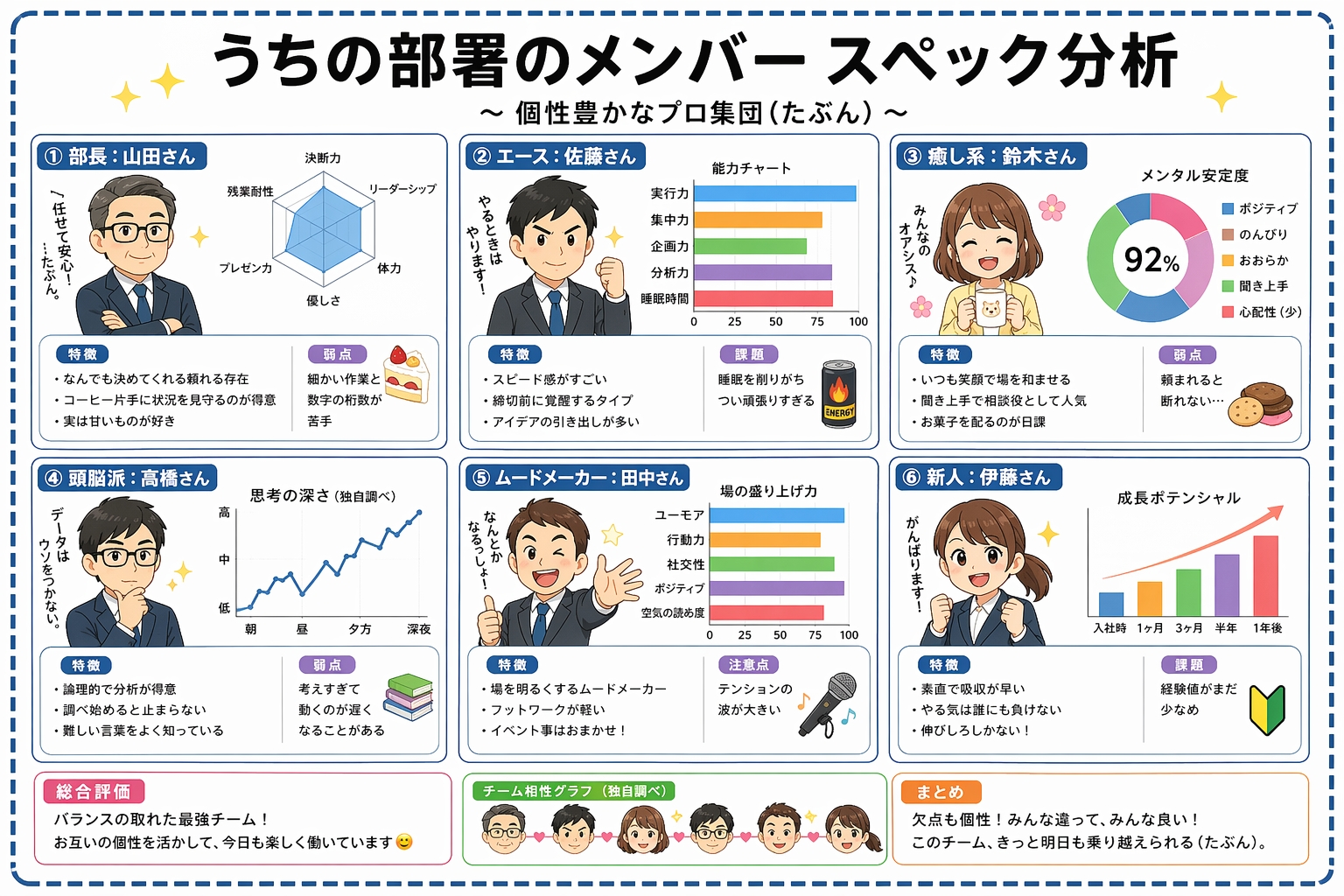
Bessere Textlesbarkeit in informationsdichten Layouts
Diagramme, Beschriftungen und mehrspaltiger Text können direkt im Bild klarer gerendert werden, was den Aufwand für Typografie-Korrekturen reduziert.
Beispielausgabe; echte Ergebnisse variieren je nach Prompt und Einstellungen.
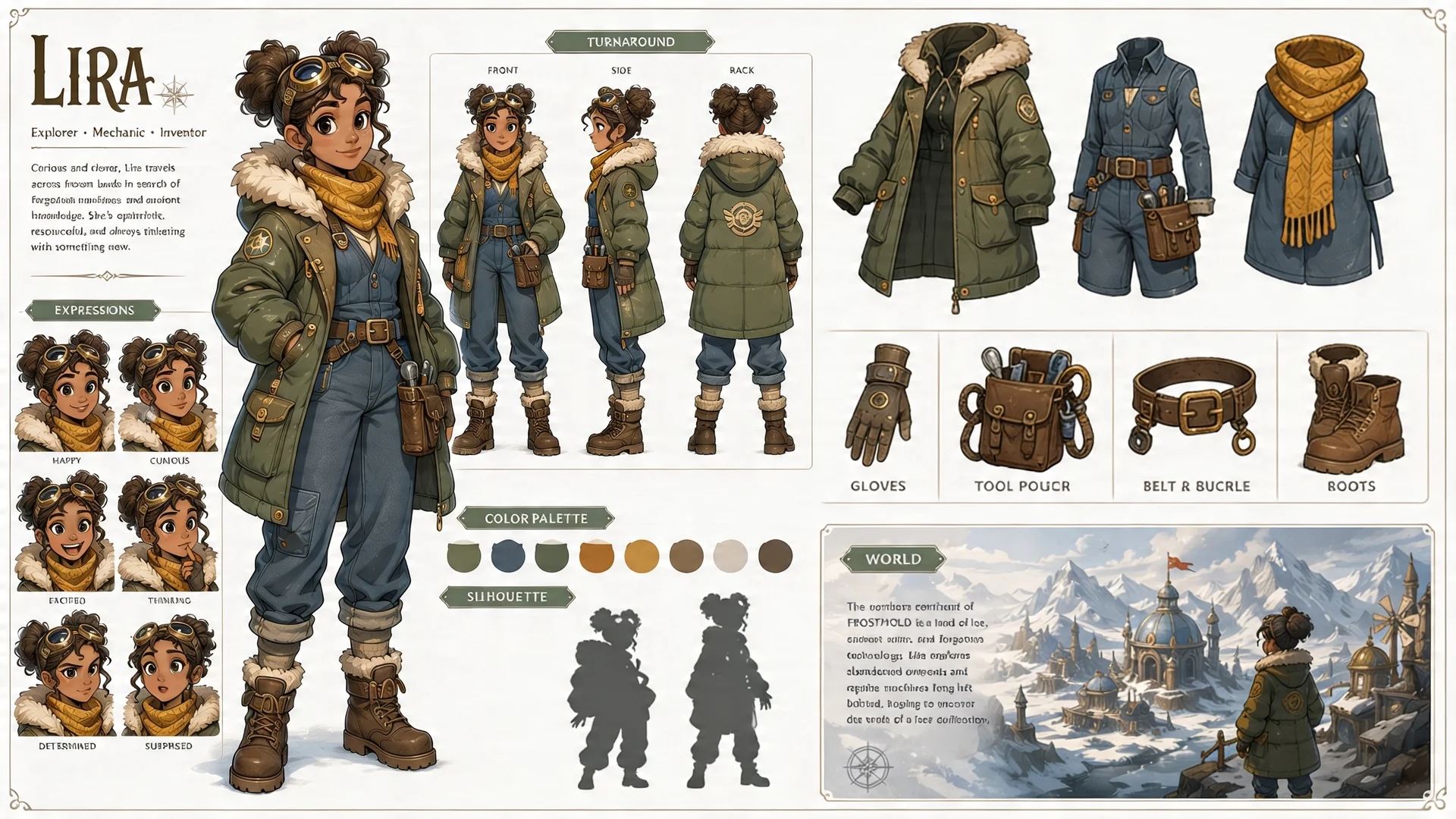
Mehrteilige Charakter-Sheets
Turnaround-Ansichten, Ausdrucks-Grids und Ausrüstungsaufschlüsselungen können innerhalb eines Bildes eine stärkere Konsistenz halten.
Beispielausgabe; echte Ergebnisse variieren je nach Prompt und Einstellungen.
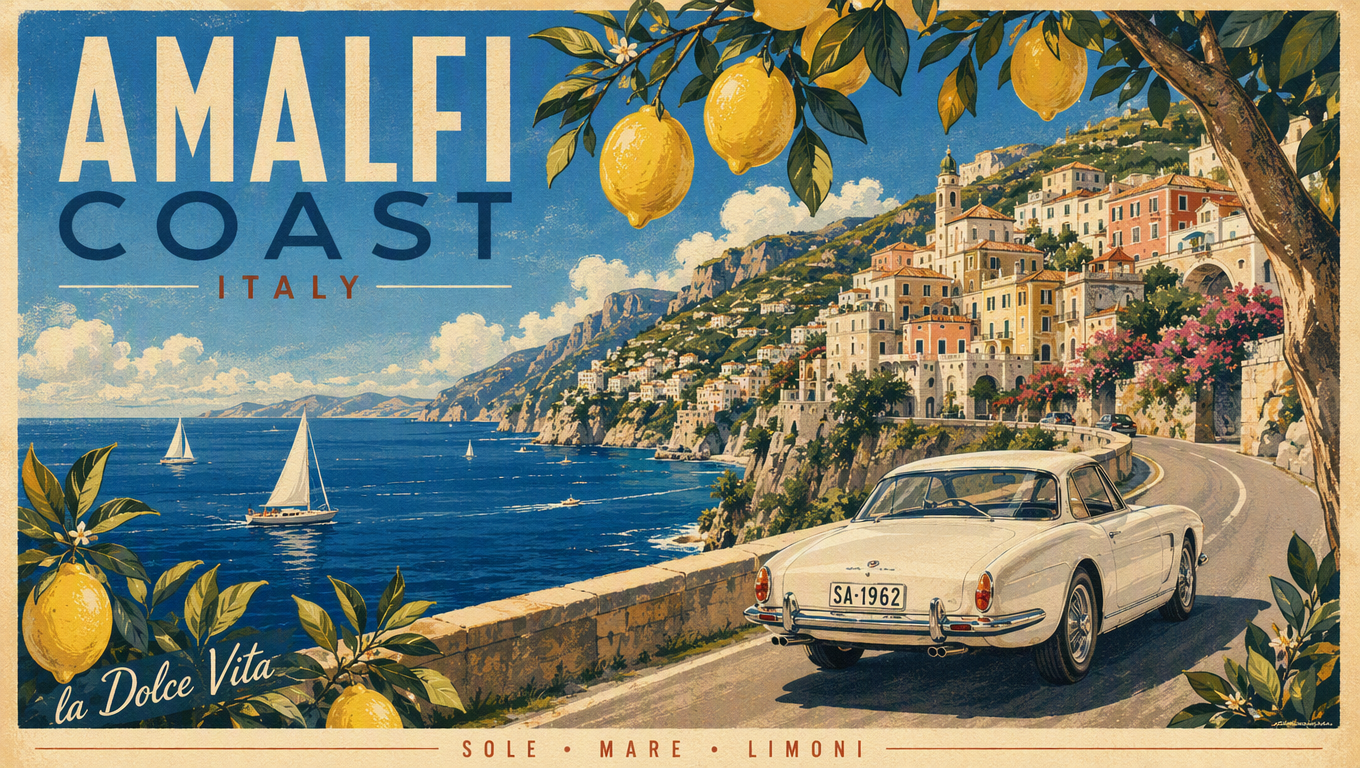
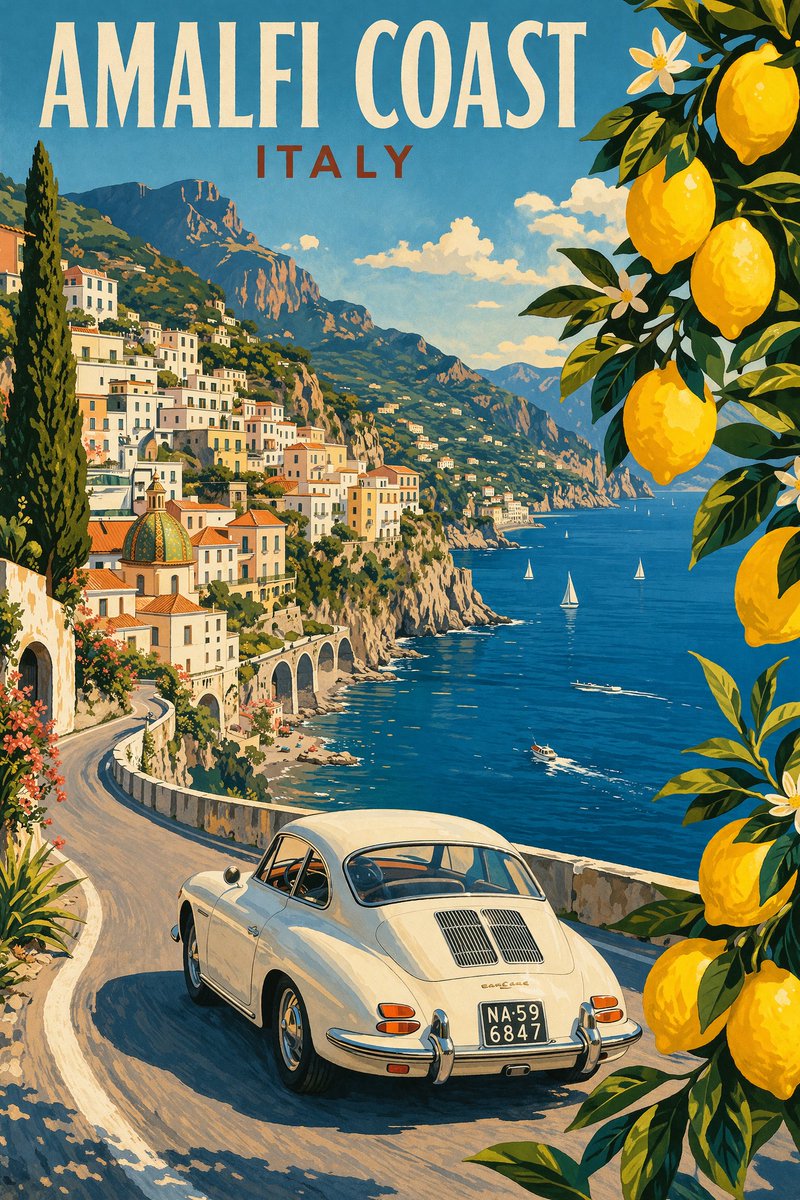
Postertaugliche Komposition und Typografie
Titel, Tagline und Credit-Blöcke folgen dem im Prompt vorgegebenen Layout genauer — mit Hierarchie wie im Print.
Beispielausgabe; echte Ergebnisse variieren je nach Prompt und Einstellungen.
Was Sie mit GPT Image 2 tun können
Textlastige Poster & Infografiken mit GPT Image 2
Titel, Taglines, Diagrammbeschriftungen und mehrspaltigen Text per Prompt direkt im Bild rendern — der Workload, für den GPT Image 2 am meisten diskutiert wird.
Charakter-Sheets & konsistente IP-Art mit GPT Image 2
Turnaround-Ansichten, Ausdrucks-Grids und Ausrüstungsaufschlüsselungen in einem Bild — Referenzbilder halten dieselbe Identität über alle Generierungen hinweg.
E-Commerce-Produktfotos & Ads im UGC-Stil mit GPT Image 2
Aus einem Produktfoto Hero-Bilder, Verpackungs-Mockups, Lifestyle-Szenen und Ad-Creatives erzeugen, in denen das Produkt erkennbar bleibt.
Kampagnen-Visuals im Batch per GPT Image 2 API
Bis zu 10 Varianten pro Anfrage generieren und komplette Kampagnen-Sets per Skript erstellen — mit einem einheitlichen Stil über den gesamten Batch.
Referenz-Editing, Style-Transfer & Masken in GPT Image 2
Stil, Motivkonsistenz oder Transformation über bis zu 16 Bilder in image_urls steuern — oder mit einem Alpha-PNG nur den maskierten Bereich neu zeichnen.
Erste Frames für KI-Video-Workflows aus GPT Image 2
Den Keyframe hier generieren und mit demselben API-Key per Seedance animieren — ein Workflow, der so oft gesucht wird, dass er unten einen eigenen Guide hat.
GPT Image 2 API: Codebeispiel und Fehlerbehandlung
Dieses Beispiel zeigt den kürzesten lauffähigen Ablauf: Aufgabe erstellen, zurückgegebene Task-ID speichern und anschließend pollen oder auf einen HTTPS-Callback warten. Vollständige Parameter und Antwortfelder finden Sie im API-Tab.
curl -X POST https://api.evolink.ai/v1/images/generations \
  -H "Authorization: Bearer $EVOLINK_API_KEY" \
  -H "Content-Type: application/json" \
  -d '{
    "model": "gpt-image-2",
    "prompt": "A colorful sunset over the ocean, painterly style",
    "size": "auto",
    "resolution": "1K",
    "quality": "medium",
    "n": 1,
    "callback_url": "https://your-domain.com/webhooks/image-task-completed"
  }'

# Save the returned task ID, then query:
curl https://api.evolink.ai/v1/tasks/{task_id} \
  -H "Authorization: Bearer $EVOLINK_API_KEY"
Parameterprüfung fehlgeschlagen
Prüfen Sie jeden Wert anhand der Parameterkarten oben: Wertebereiche, zulässige Optionen, Anzahl der Materialien und Dateitypen müssen zur gewählten Route passen.
Authentifizierungs- oder Guthabenproblem
Prüfen Sie den Authorization Bearer Token sowie verfügbares Guthaben und Aufgabenabrechnung in der Konsole.
Inhalt oder Material abgelehnt
Prüfen Sie Persönlichkeitsrechte, Markenmaterial, lesbaren Text, sensible Inhalte und die Konformität der Eingabedateien.
Aufgabe fehlgeschlagen oder Zeitüberschreitung
Eine GPT Image 2-Aufgabe mit endgültigem Status „fehlgeschlagen“ wird nicht berechnet. Bewahren Sie die Task-ID auf und klären Sie vor einem neuen Versuch, ob Parameterprüfung, Moderation oder Ausführung die Ursache war.
Callback nicht empfangen
callback_url muss eine öffentliche HTTPS-URL sein und darf nicht auf localhost oder ein privates Netzwerk zeigen. Bewahren Sie die Task-ID als Polling-Fallback auf.
Das passende Bildmodell wählen: GPT Image 2 und Alternativen
Merkmal
GPT Image 2
Nano Banana
Seedream
Einstiegspreis
~$0.048 / Bild
Günstigere Optionen
Stufen pro Bild
Abrechnungsmodell
Tokenbasiert
Pro generiertem Bild
Pro Bild nach Ausgabestufe
Ausgabequalität
Low / Medium / High x 1K / 2K / 4K
1K / 2K / 4K je nach Modell
1K / 1.5K / 2K
Referenzeingabe
Bis zu 16 Bilder plus Maske
Modellabhängig
Bis zu 10 Bilder
Am besten für
Poster, Infografiken, Text im Bild
Hochwertige Bildgenerierung
Ads, Produktkreation, Bildbearbeitung
Einstiegspreis
GPT Image 2~$0.048 / Bild
Nano BananaGünstigere Optionen
SeedreamStufen pro Bild
Abrechnungsmodell
GPT Image 2Tokenbasiert
Nano BananaPro generiertem Bild
SeedreamPro Bild nach Ausgabestufe
Ausgabequalität
GPT Image 2Low / Medium / High x 1K / 2K / 4K
Nano Banana1K / 2K / 4K je nach Modell
Seedream1K / 1.5K / 2K
Referenzeingabe
GPT Image 2Bis zu 16 Bilder plus Maske
Nano BananaModellabhängig
SeedreamBis zu 10 Bilder
Am besten für
GPT Image 2Poster, Infografiken, Text im Bild
Nano BananaHochwertige Bildgenerierung
SeedreamAds, Produktkreation, Bildbearbeitung
Wichtige Details zu GPT Image 2
Size und Resolution greifen in GPT Image 2 ineinander
Im Ratio-Modus legt die Auflösungsstufe das Pixelbudget fest (1K rund 1,05 MP, 2K rund 4,19 MP, 4K genau 8,29 MP). Im Auto- oder Pixelmodus wird Resolution ignoriert.
Quality in GPT Image 2 bedeutet Rendering-Aufwand
Low, Medium und High bestimmen, wie viele Ausgabe-Tokens das Modell verbraucht. Prompts auf Low iterieren, den finalen Render auf High hochziehen.
Die Abrechnung von GPT Image 2 folgt dem Usage-Objekt
Abgerechnet wird nach den Token-Zahlen, die das Upstream-Usage-Objekt meldet: vorab geschätzt, danach mit den echten Werten abgerechnet.
Wichtigste Request-Parameter von GPT Image 2
Die Felder, die Ausgabe und Kosten bei POST /v1/images/generations bestimmen. Die Generierung läuft asynchron — die zurückgegebene task ID pollen oder einen Callback nutzen und Ergebnisse zeitnah speichern, da Bildlinks 24 Stunden gültig bleiben. Vollständige Schemas und Codebeispiele stehen im API-Tab.
Parameter
Typ
Funktion
model
string · erforderlich
'gpt-image-2' für die tokenbasiert abgerechnete offizielle Route, 'gpt-image-2-beta' für die 1K-Route zum Pauschalpreis.
prompt
string · erforderlich
Die Textanweisung. Prompt-Tokens werden auf der Token-Route als Texteingabe gezählt.
size
string · Standard auto
'auto', eines von 15 Seitenverhältnissen wie 1:1 oder 16:9, oder explizite WxH-Pixel in Vielfachen von 16.
resolution
string · 1K / 2K / 4K
Pixelbudget im Ratio-Modus; wird ignoriert, wenn size auto oder explizite Pixel sind.
quality
string · low / medium / high
Rendering-Aufwand. Bestimmt auf der Token-Route den Ausgabe-Token-Verbrauch — auf low iterieren, den finalen Render auf high hochziehen.
background
string · opaque / transparent
Alphakanal der Ausgabe. Standard opaque; transparent ist Preview, die Ergebnisse können instabil sein.
output_format
string · png / jpeg / webp
Dateiformat des zurückgegebenen Bildes. Standard png; gilt für Generierung und Bearbeitung. Transparente Ausgabe braucht png oder webp.
n
integer · 1–10
Bilder pro Anfrage bei gpt-image-2; die Kosten skalieren linear. GPT Image 2 Beta liefert ein Bild pro Aufruf.
image_urls
array · bis zu 16
Referenzbilder für Image-to-Image und Editing. Jedes Bild fügt Bild-Eingabe-Tokens hinzu.
mask_url
string · optional
Alpha-PNG, dessen Pixelmaße dem Referenzbild entsprechen; transparente Bereiche werden neu generiert.
callback_url
string · optional
HTTPS-Webhook, der das Task-Ergebnis erhält — als Alternative zum Polling.
Produktionsgrenzen von GPT Image 2, die Sie einplanen sollten
Text und Layout brauchen weiterhin Kontrolle
Das Text-Rendering ist verbessert, doch exakte Platzierung, Klarheit und strukturierte Komposition können den Prompt weiterhin verfehlen.
Große Ausgaben sind experimentell
Eigene Größen können eine Kante von 3840 px erreichen, doch Ausgaben mit mehr als 3.686.400 Gesamtpixeln — der Pixelzahl von 2560x1440 — sind derzeit experimentell.
Transparenter Hintergrund ist Preview
background: "transparent" ist verfügbar, befindet sich aber noch in Preview — die Ergebnisse können instabil sein.
Komplexe Anfragen können länger dauern
OpenAI weist darauf hin, dass komplexe Prompts bis zu zwei Minuten Verarbeitung benötigen können.
Die tokenbasierte Abrechnung ist der Teil von GPT Image 2, der sich am schwersten budgetieren lässt: Bild-Output-Tokens wachsen mit Auflösung und Qualitätsstufe, jedes Referenzbild fügt Input-Tokens hinzu, und auch der Prompt selbst wird gezählt. EvoLink macht daraus eine bezifferte Zahl vor dem Absenden — Preisrechner und Playground kalkulieren genau die Kombination aus Größe, Auflösung, Qualität und Referenzbildern, die Sie gleich senden.
Das verändert Ihre Testroutine: Iterieren Sie Prompts auf der Low-Stufe, beobachten Sie, was jede Änderung mit der Schätzung macht, und heben Sie nur das finale Rendering auf High — statt das Kostenmuster erst auf der Monatsrechnung zu entdecken.
Unter dem OpenAI-Listenpreis, Zeile für Zeile
Der Preisbereich dieser Seite stellt für jeden Token-Typ — Bild-Output, Bild-Input, gecachten Input und Text — den EvoLink-Tarif neben den offiziellen OpenAI-Preis und zeigt die aktuelle Ersparnis Zeile für Zeile, gestützt auf die EvoLink-Bestpreis-Garantie.
Weil der Vergleich aus den aktuellen SKU-Preisen berechnet wird und keine Marketing-Behauptung ist, können Sie ihn im Moment der Integration verifizieren — und erneut prüfen, sobald Ihr Volumen groß genug ist, dass der Unterschied ins Gewicht fällt.
Zwei Abrechnungsrouten auf einer Seite
gpt-image-2 und gpt-image-2-beta stehen nebeneinander bereit: die offizielle tokenbasierte Route mit dem vollen Umfang aus 1K/2K/4K, Qualitätsstufen, Maske und Mehrfach-Referenzen — und eine Pauschalroute, bei der jedes 1K-Bild gleich viel kostet, unabhängig von Prompt-Länge oder Referenzen.
In der Praxis legen Teams Entwürfe, Prompt-Iteration und 1K-Massenjobs auf die Pauschalroute mit perfekt vorhersehbaren Kosten und reservieren die Token-Route für 2K/4K-Finals, Masken und referenzlastige Bearbeitungen. Der Wechsel ist eine Änderung der Model-ID, keine Anbieter-Migration.
Ein API-Key für Bild-, Video-, Audio- und LLM-Routen
Derselbe API-Key, der gpt-image-2 aufruft, ruft auch Seedance für Video, Nano Banana 2 und Seedream als alternative Bildrouten sowie den LLM-Katalog auf — ein Guthaben, eine Task-Historie, ein Authentifizierungspfad.
Gerade für Bildarbeit zählt das, weil Pipelines selten beim Standbild enden: das Keyframe mit GPT Image 2 generieren, es mit Seedance animieren und auf ein anderes Bildmodell ausweichen, wenn ein Job dort besser passt — ohne separate Anbieterkonten, Keys und Abrechnungsunterlagen zu pflegen.
Aufgabenstatus, den Sie vor dem Bezahlen prüfen können
Jede Generierung meldet eingereicht, in Bearbeitung, abgeschlossen oder fehlgeschlagen — samt Fehlerdetails in der Antwort und in der Konsole. Fehlgeschlagene Aufgaben gelten nicht als erfolgreiche abrechenbare Generierungen, sodass eine missratene Job-Charge nicht stillschweigend zur Rechnung wird.
Für Produktionssysteme ist das der Unterschied zwischen "Request gesendet" und "Bild geliefert": den Task pollen, den Endzustand verifizieren und die Ausgaben anhand der Task-Einträge in der Konsole abgleichen, wenn Sie eine Zahl erklären müssen.
GPT-Image-Modellfamilie
Vergleichen Sie GPT-Image-Generationen mit einem EvoLink-Konto und API-Key und wählen Sie nach Ausgabequalität, Latenz und Kosten.
Erzeugen Sie hochwertige Bilder aus Text-Prompts oder Referenzbildern — mit starken Posterlayouts, informationsdichten Infografiken, Charakter-Sheets, Produktkreation und maskengeführten Bearbeitungs-Workflows.
GPT Image 1.5
Vorherige OpenAI-Bildroute mit festen 1024er-Größen, Token-Abrechnung und eingespieltem Produktionsverhalten.
In welchem Verhältnis steht GPT Image 2 zu ChatGPT Images 2.0?
GPT Image 2 ist das per API zugängliche Bildmodell, das zusammen mit ChatGPT Images 2.0 veröffentlicht wurde, mit der Modell-ID gpt-image-2. ChatGPT kann Bildgenerierung mit Reasoning, Websuche oder Multi-Bild-Orchestrierung kombinieren — das rohe API-Modell sollte daher nicht mit jedem ChatGPT-Produkt-Workflow gleichgesetzt werden.
Was ist der Unterschied zwischen GPT Image 2 und GPT Image 2 Beta?
Das sind zwei getrennte EvoLink-Routenvarianten. gpt-image-2 nutzt die tokenbasiert abgerechnete offizielle Route mit low/medium/high-Qualität, 1K/2K/4K-Auflösung, expliziten WxH-Pixeln, n bis 10 und einer Inpainting-Maske. gpt-image-2-beta ist die alternative Festpreis-Route von EvoLink für 1K-Ausgabe und ein Bild pro Aufruf; es ist keine offizielle OpenAI-Modell-ID.
Was kostet GPT Image 2?
Die Abrechnung erfolgt nach Tokens. Bildausgabe-Tokens dominieren die Rechnung und skalieren mit Auflösungs- und Qualitätsstufe; Bildeingabe-Tokens kommen je Referenzbild hinzu; Texteingabe-Tokens stammen aus dem Prompt. Der Playground schätzt die gewählte Kombination vor dem Absenden. Wenn Sie stattdessen einen festen Preis pro Bild möchten: GPT Image 2 Beta rechnet pauschal pro Aufruf ab, und der Preisrechner schätzt Ihre Kosten pro Bild.
Wie schneiden die EvoLink-Preise für GPT Image 2 im Vergleich zu OpenAI ab?
Der Preisbereich vergleicht den aktuellen EvoLink-Tarif mit dem OpenAI-Listenpreis und zeigt die Ersparnis, die zum Zeitpunkt Ihrer Prüfung verfügbar ist. Nutzen Sie den Rechner für Ihre exakte Kombination aus Größe, Qualität und Referenzbildern, statt sich auf eine pauschale Aussage pro Bild zu verlassen.
Sollte ich für GPT Image 2 die Image API oder die Responses API verwenden?
Mit der Image API wählen Sie gpt-image-2 direkt für Generierung oder Bearbeitung. Mit der Responses API wählen Sie ein Hauptmodell, das das image_generation-Tool unterstützt; das Tool übernimmt die Auswahl des Bildmodells für konversationelle oder mehrstufige Workflows. EvoLink stellt eine eigene einheitliche Route für den direkten Modellzugriff bereit.
Kann ich vor der API-Integration eine Vorschau erzeugen?
Ja. Nutzen Sie den Playground, um Ausgabequalität zu testen, Credits zu schätzen und das Request-JSON zu prüfen, bevor Sie es in Ihr Produkt einbauen.
Was ist der Unterschied zwischen Size und Resolution?
Size bestimmt die Form — auto, eines von 15 Seitenverhältnissen oder explizite WxH-Pixel. Resolution bestimmt nur im Ratio-Modus das Pixelbudget und wird bei Auto oder expliziten Pixeln ignoriert.
Werden Referenzbilder abgerechnet?
Ja. Jedes Bild in image_urls erzeugt zusätzliche Bildeingabe-Tokens. Eine Maske wird bei der Schätzung als ein weiteres Eingabebild reserviert und später gegen die echte Upstream-Nutzung abgerechnet.
Welche Grenzen gelten für eigene Pixelgrößen?
Breite und Höhe müssen Vielfache von 16 sein, die Gesamtpixel müssen zwischen 655.360 und 8.294.400 liegen, keine Kante darf 3840 px überschreiten, und das Seitenverhältnis muss zwischen 1:3 und 3:1 bleiben. Ausgaben mit mehr als 3.686.400 Gesamtpixeln — der Pixelzahl von 2560x1440 — sind derzeit experimentell.
Kann ich mehrere Bilder pro Anfrage erzeugen?
Bei gpt-image-2 ja — n akzeptiert 1 bis 10 und die Kosten skalieren linear. GPT Image 2 Beta liefert ein Bild pro Aufruf.
Wie funktioniert die Inpainting-Maske?
mask_url erwartet ein PNG mit Alphakanal, dessen Pixelmaße exakt zum Referenzbild passen. Transparente Pixel markieren den neu zu generierenden Bereich, deckende Pixel bleiben erhalten. Ohne Referenzbild wird die Maske verworfen.
Was passiert, wenn eine Generierung fehlschlägt?
Prüfen Sie Aufgabenstatus und Fehlerdetails in der Antwort oder Konsole. Fehlgeschlagene Aufgaben gelten nicht als erfolgreiche abrechenbare Generierungen.
Was sind die wichtigsten Einschränkungen von GPT Image 2?
Komplexe Prompts können bis zu zwei Minuten dauern. Textplatzierung, Konsistenz wiederkehrender Charaktere und präzise strukturierte Komposition können weiterhin Iteration erfordern.