
Keep the creative direction
Choose the opening hook, shot sequence and pacing you want your new product video to follow.
Review the result against your reference. Exact shot matching is not guaranteed.
Ad Clone
Provide a reference video and product materials to create your own product ad.
Use in your agentCreative examples made with AI
AD CLONE · POWERED BY EVOLINK MCP
Use in your agent
 Claude
 Codex
Attach your reference video and product materials in your agent, then send this task brief.
Use my reference ad and product materials to prepare a new product video. State what to retain and adapt, and use only the product facts I provide. Check EvoLink model requirements and estimate the full cost before generation. Ask me to approve the plan and cost, then generate, check the result and return a downloadable file.
You
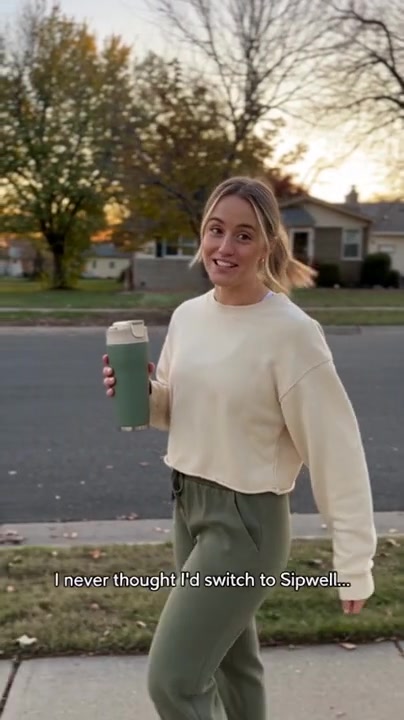
Reference video

Your product
Remake this ad for my travel mug. Keep the opening, shot sequence and pacing. Use my product photos and facts to adapt the demonstration and wording. Show me the plan and total cost first.
Your agent
I’ll check which model accepts your reference and product images, then prepare an adaptation plan and cost estimate.
Example materials
Add EvoLink with the button below. The first time, sign in to EvoLink in your browser and approve; there's no API key to copy.
Sign in to EvoLink when asked and approve, then return to the conversation.
Server URLhttps://mcp.evolink.ai/mcp
Prepare a reference video and clear product photos. Describe the product, its correct use and the claims you can support.
Specify the opening, shot order and pacing you want to retain. Describe the product, presenter, actions and wording to adapt, then check the settings and estimated cost.
Ask your agent to retrieve the completed video. Review product details, motion and audio before using it. Refine your brief and check the new estimate when you need another version.
Connect EvoLink MCP to your supported agent, then provide the same reference, product facts and adaptation instructions. Ask your agent to check the available model tools and estimate the cost before running a task.
Use the task guide to submit materials and retrieve the output. Available controls depend on the model and client; connecting MCP does not by itself run an ad recreation.
Choose a reference for its opening, demonstration or pacing, then prepare your own product materials.
Reference ads and AI-generated creative examples, not verified before-and-after comparisons.
FROM A REFERENCE TO YOUR PRODUCT
Use the reference as a creative direction. Your materials and instructions define the new version.
Choose the opening hook, shot sequence and pacing you want your new product video to follow.
Review the result against your reference. Exact shot matching is not guaranteed.
Use your photos and product facts to adapt the appearance, demonstration and wording.
Match actions to your product’s correct use. Keep claims grounded in your facts.
Check product details, motion and audio. For another version, specify what to change and review the new estimate.
A new submission is a new task, not a shot-by-shot edit.
MATERIALS & REQUIREMENTS
Start with a reference ad and accurate product details.
Choose a demonstration your product can perform. Describe any changes to handling or use, then check product accuracy and motion in the result.
MODEL API PRICING
Ad Clone uses the selected model’s published EvoLink API rates.
FAQ
The details that help you choose, prepare and keep working.
The reference guides the hook, shot sequence and pacing. Your materials define the product. Review the new video; exact shot preservation is not guaranteed.
Ask your agent to find a model supporting reference video and product images. Check its input requirements and available controls before generating.
Yes. Give your connected agent the reference video, your product photos and accurate product facts. Some AI examples also link to their original prompts and materials. The gallery includes original reference ads and AI examples, not verified before-and-after clone comparisons.
Use the selected model’s published API rates and review the task estimate. New submissions are new tasks. See billing information for service charges and failed-task policies.
Ask the submitting agent or API for the task status and video link. Save the file within the model’s result-retention period.
Yes. Connect through EvoLink MCP and follow the task guide. Available controls depend on your model and client.