Access GPT Image 2 — the image model released alongside ChatGPT Images 2.0, also searched as gpt-image-2 or ChatGPT Images API — through EvoLink's unified image API. Test text-to-image, reference-image editing with masks, and the flat-rate GPT Image 2 Beta route before integrating.
OpenAI / Azure·Image Generation·Available
From $0.027 / 1K output image tokens$0.030 official price-10%
Production routeThis rate reflects platform-side availability — only confirmed server errors (HTTP 500 / empty response) count as failures. User-side issues (content moderation, invalid params, cancellation) plus rate limits, timeouts and auth errors are excluded. Before real traffic arrives, empty buckets may display as available.Live
Live
Model Highlights
Prompt-faithful generation with legible in-image text
Use Cases
Ads, posters, infographics, product creative, character sheets
Input
Text prompt with optional reference images and mask
Upload source or reference images for image-to-image and editing. Each one adds image input tokens.
0/16 files
Size
Resolution
Pixel budget for the chosen ratio: 1K about 1.05 MP, 2K about 4.19 MP, 4K is 8.29 MP.
Quality
Rendering effort. It drives the output token count, so it is the single biggest cost lever.
Background
Transparent keeps an alpha channel in the output. This is a Preview feature — results may be unstable.
Estimate ~$0.0281.8608 cr
medium quality + 16:9 @ 1K + 0 reference images x 1
Quoted up front, settled on the token counts the upstream usage object reports.
Ready
History
Results are kept for 24 hours — download anything you want to keep.
Generated GPT Image 2 tasks will appear here.
Know your GPT Image 2 testing cost before you add credits
Start from the cost of a single sample, pick a testing budget, then price your own case in the calculator. The raw token rates are at the bottom.
First Test Cost
GPT Image 2 - 1K - 1:1 - Low - 1 image
-10%1K Low sample
Credits0.3602
One Low-quality image, no reference images
Approx. Cost$0.0053
About … tests with $10 in credits.
In Playground, choose 1K resolution, a 1:1 aspect ratio, Low quality and 1 image with the prompt “Cat”. This is a token-based estimate; the final cost follows actual usage. Longer prompts and reference images add to the cost.
GPT Image 2 testing budget guide
Pick an amount based on how many tests you expect.
Final quality checkHigh - 2K - 1 image - prompt only
$0.386/image-10%
26.2034 cr/image·$0.429 official price
Estimated cost for one generated 1:1 image. Final cost is settled against the token counts the upstream usage object reports.
GPT Image 2 pricing
This page serves two models and they are billed differently. Each block states its own rule, so read the badge before comparing the numbers.
GPT Image 2-10% vs officialToken-basedgpt-image-2
Billed by token, so there is no fixed per-image price. These are the raw rates; what a request actually costs depends on its size, quality, reference images and count. Use the calculator below to price your own case.
Item
Rule
Rate
Billing
Image output tokens
The generated image itself. Token count grows with the resolution tier and the quality tier.
$0.027/1K tokens-10%
1.836 cr/1K tokens$0.030 official price
Output tokens
Image input tokens
Applied to each reference image in image_urls, and to a mask when one is sent.
$0.0072/1K tokens-10%
0.4896 cr/1K tokens$0.0080 official price
Input tokens
Image cached input tokens
Charged only when the upstream usage object reports cached image tokens.
$0.0018/1K tokens-10%
0.1224 cr/1K tokens$0.0020 official price
Input tokens
Text input tokens
Produced by the prompt itself. Typically under 1% of a request.
$0.0045/1K tokens-10%
0.306 cr/1K tokens$0.0050 official price
Input tokens
Text cached input tokens
Charged only when the upstream usage object reports cached text tokens.
$0.0012/1K tokens-10%
0.0765 cr/1K tokens$0.0013 official price
Input tokens
Image output tokens
The generated image itself. Token count grows with the resolution tier and the quality tier. - Output tokens
$0.027/1K tokens-10%
1.836 cr/1K tokens$0.030 official price
Image input tokens
Applied to each reference image in image_urls, and to a mask when one is sent. - Input tokens
$0.0072/1K tokens-10%
0.4896 cr/1K tokens$0.0080 official price
Image cached input tokens
Charged only when the upstream usage object reports cached image tokens. - Input tokens
$0.0018/1K tokens-10%
0.1224 cr/1K tokens$0.0020 official price
Text input tokens
Produced by the prompt itself. Typically under 1% of a request. - Input tokens
$0.0045/1K tokens-10%
0.306 cr/1K tokens$0.0050 official price
Text cached input tokens
Charged only when the upstream usage object reports cached text tokens. - Input tokens
$0.0012/1K tokens-10%
0.0765 cr/1K tokens$0.0013 official price
EVOLINK · PRICE EST.gpt-image-2
× 1 · real-time
Figures are estimates. Final charges are based on actual token usage.
Your estimate
~$0.0050.360
Per $10
≈ 1,806 images
low quality · 1K · 1:1
Official· saves ~10%
~$0.0060.400
Tokens per image
image output196
image input0
text input0
Quality
Size
Resolution
Aspect
Count
1
Ref images
0
Prompt
0 chars · ~0 tokens
GPT Image 2 BetaFlat per callgpt-image-2-beta
One flat rate per call, whatever the aspect ratio - no token accounting and nothing to estimate. Auto or aspect-ratio sizes at the 1K tier only, one image per call. The OpenAI list price has no equivalent for this route, so no official comparison is shown.
Item
Rule
Rate
Billing
1K output
Any aspect ratio or auto, at the 1K tier. One image per call, regardless of prompt length or reference images.
$0.015/image
1.02 cr/image
Per call
1K output
Any aspect ratio or auto, at the 1K tier. One image per call, regardless of prompt length or reference images. - Per call
$0.015/image
1.02 cr/image
Per $10
≈ 637 images
1K each
What GPT Image 2 can create
Generate high-fidelity images from text prompts or reference images, with strong poster layouts, data-dense infographics, character sheets, product creative, and mask-guided editing workflows.
GPT Image 2 was released alongside ChatGPT Images 2.0 and is available through the API as model gpt-image-2. Use it for text-rich generation and high-fidelity editing; ChatGPT may add orchestration and tools that are separate from the raw image model.
Best fit: Text-rich generation and high-fidelity image editing · Cost basis: Prompt, size, quality, and reference-image input · Output boundary: Custom sizes up to a 3840 px edge; large outputs are experimental
Token-billed official route with low/medium/high quality, 1K/2K/4K resolution, explicit pixel sizes, n up to 10, and an inpainting mask.
GPT Image 2 Beta
gpt-image-2-beta
EvoLink's alternative flat-rate route: every 1K image costs the same regardless of prompt length or references, one image per call.
Two ways to use GPT Image 2: EvoLink API or Agent
Use the EvoLink API for product integration and batch jobs, or call it from Codex, Claude, or Gemini for fast creative and development workflows. Both paths share the same EvoLink API key, balance, model routes, and task history.
Option 1
Integrate with the EvoLink API
Best for: product backends, batch jobs, automated workflows
Call EvoLink’s unified image API from your server and control the model ID, parameters, task queue, callbacks, and result storage.
1Validate output and cost with a real brief in Playground
2Create an EvoLink API key in the console
3Pick the model ID that matches your task from the route cards above
4Submit the task and retrieve the result by polling or HTTPS callback
Best for: creative and development tasks in Codex, Claude, and Gemini
Give the Agent your output goal, assets, and acceptance criteria. It can choose the route, assemble the request, track the task, and return the result without requiring you to hand-code every step.
1Set EVOLINK_API_KEY in your local environment; never put it in code or a prompt
2Describe the output goal, references, and the key parameters
3Ask the Agent to call a GPT Image 2 route and save the task ID
4Let the Agent poll the final state, download the result, and report failure reasons
GPT Image 2 effect preview
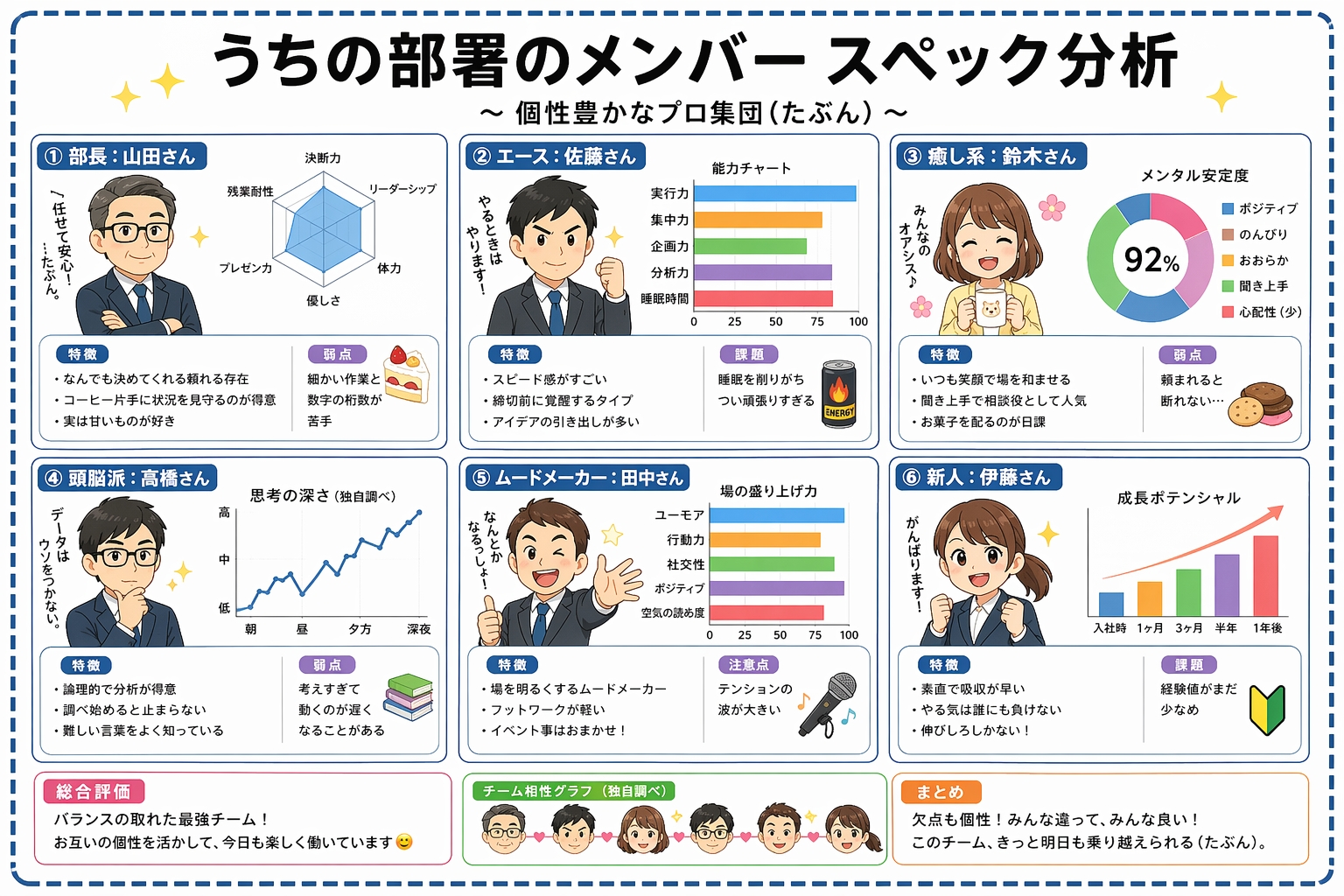
Improved text legibility in data-dense layouts
Charts, labels, and multi-column copy can render more clearly in place, reducing typography cleanup.
Sample output; real results may vary by prompt and settings.
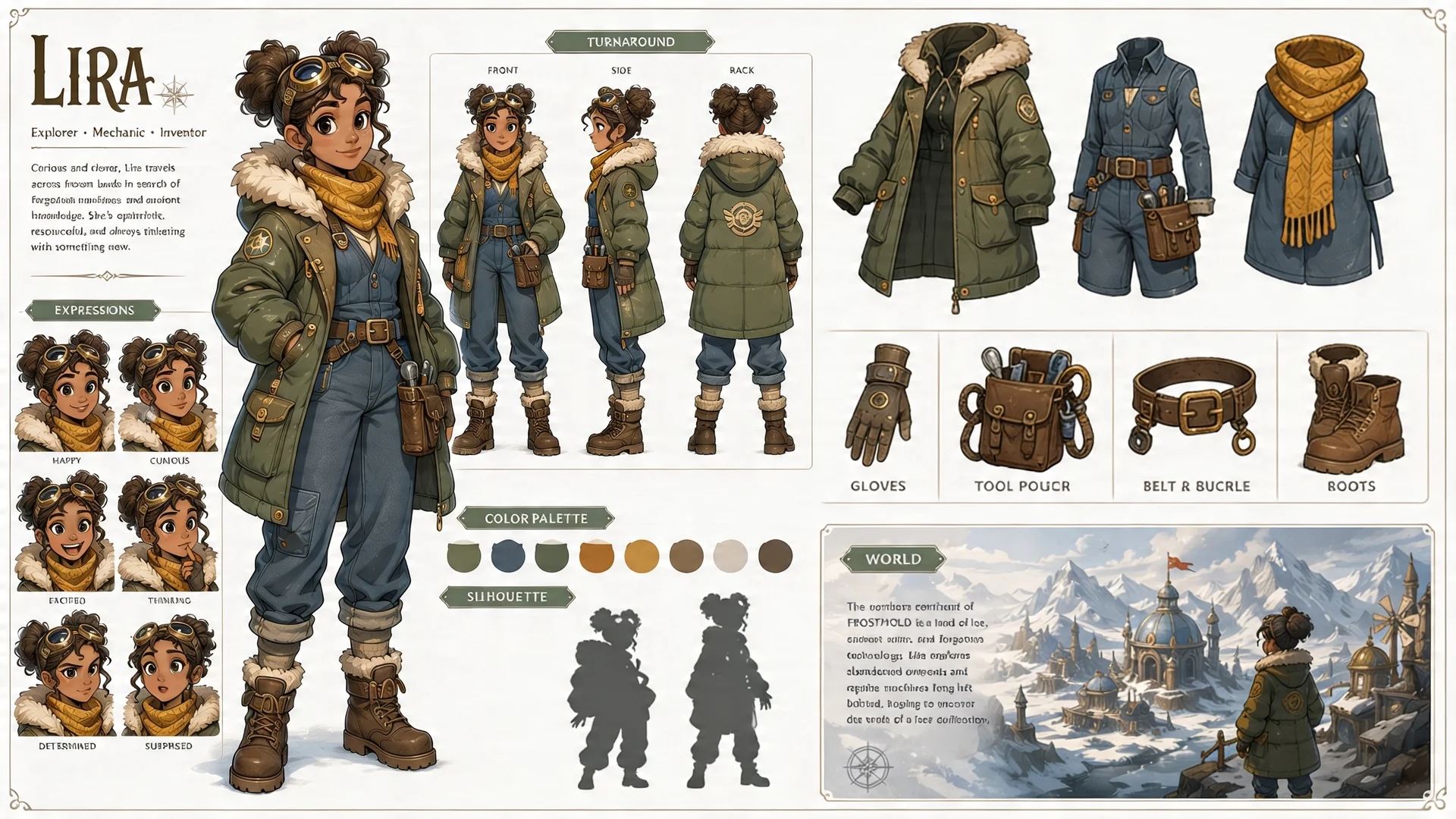
Multi-panel character sheets
Turnaround views, expression grids, and equipment breakdowns can maintain stronger consistency inside one frame.
Sample output; real results may vary by prompt and settings.
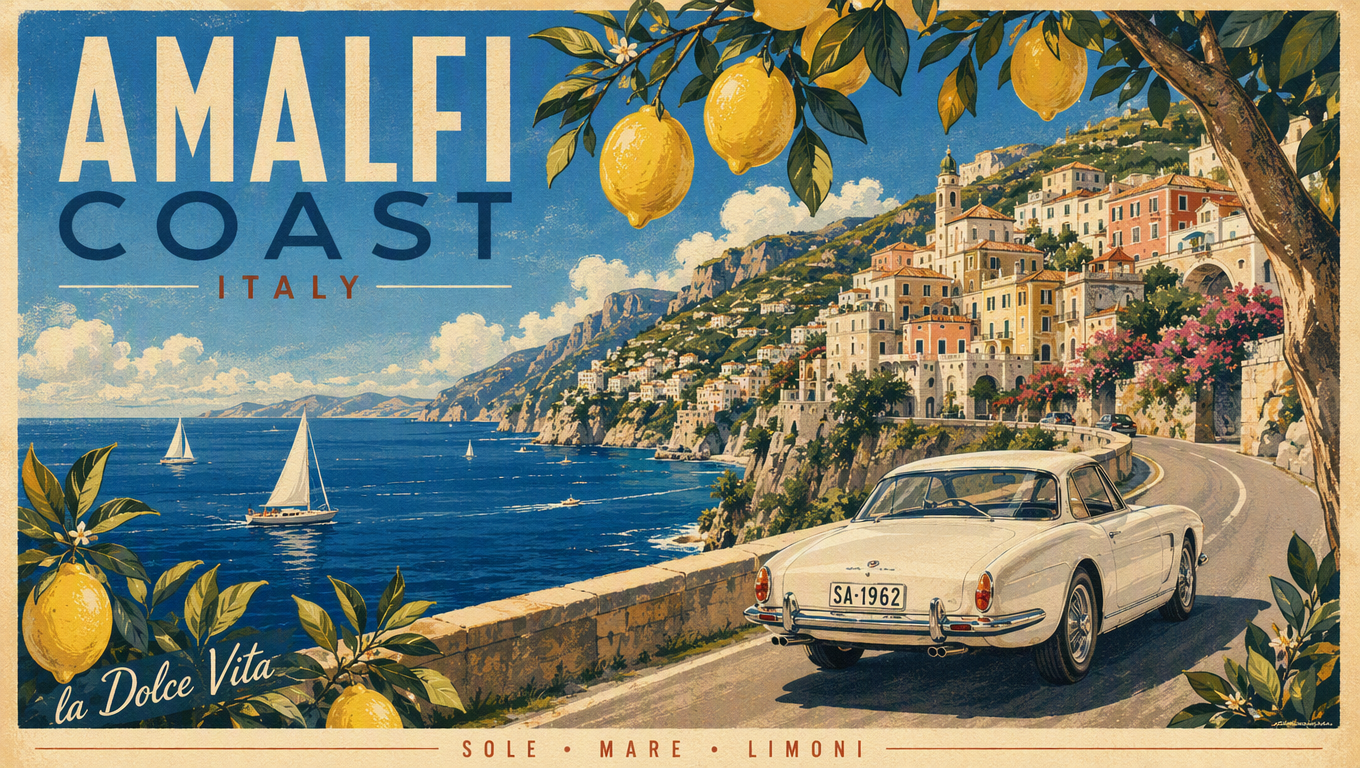
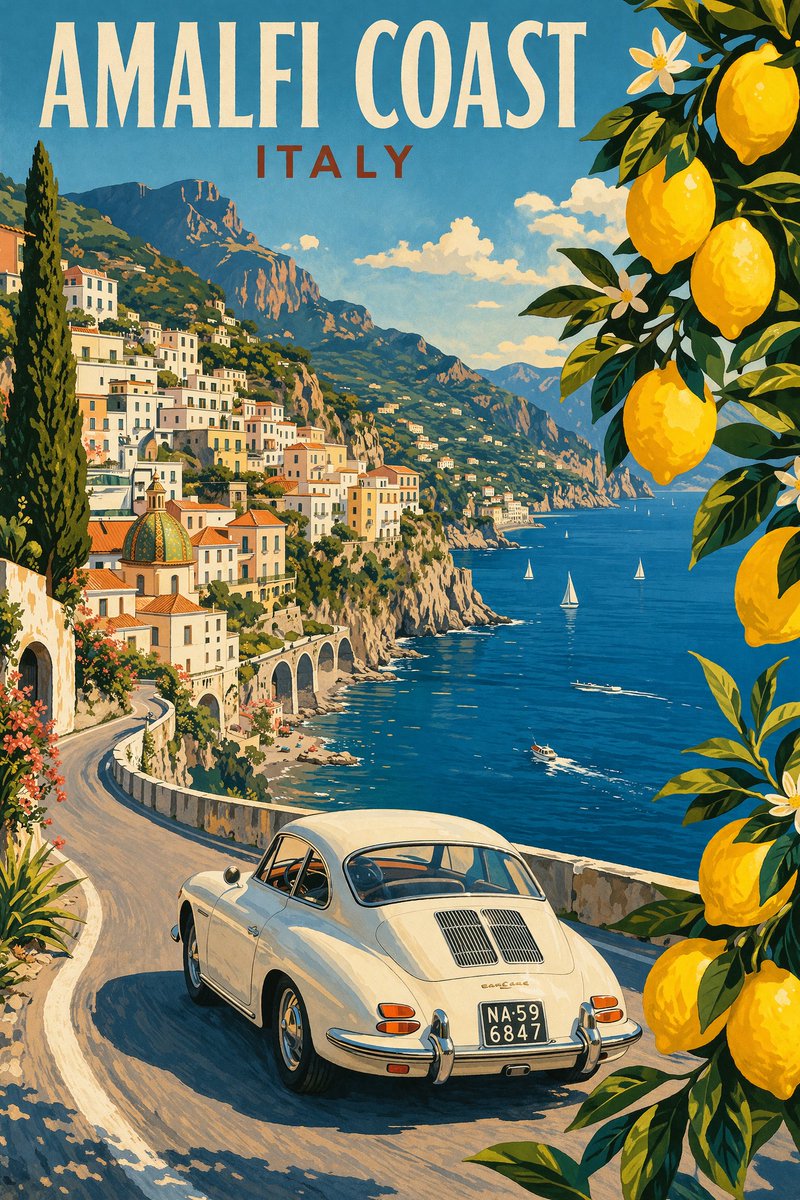
Poster-grade composition and typography
Title, tagline, and credit blocks follow prompted layout more closely, with print-style hierarchy.
Sample output; real results may vary by prompt and settings.
What you can do with GPT Image 2
Text-heavy posters and infographics with GPT Image 2
Prompt titles, taglines, chart labels, and multi-column copy to render in place — the workload GPT Image 2 is most discussed for.
Character sheets and consistent IP art with GPT Image 2
Turnaround views, expression grids, and equipment breakdowns in one frame, with reference images keeping the same identity across generations.
E-commerce product shots and UGC-style ads with GPT Image 2
Turn one product photo into hero images, packaging mockups, lifestyle scenes, and ad creatives that keep the product recognizable.
Batch campaign visuals via the GPT Image 2 API
Generate up to 10 variations per request and script full campaign sets programmatically, keeping one style across the whole batch.
Reference editing, style transfer and masks in GPT Image 2
Guide style, subject consistency, or transformation with up to 16 images in image_urls, or repaint only a masked region with an alpha PNG.
First frames for AI video workflows from GPT Image 2
Generate the key frame here, then animate it with Seedance on the same API key — a workflow searched often enough to have its own guide below.
GPT Image 2 API code example and error handling
This example shows the shortest runnable flow: create a task, save the returned task ID, then poll or wait for an HTTPS callback. Open the API tab for the complete parameter and response reference.
A GPT Image 2 task that reaches a final failed state is not charged. Keep the task ID, inspect the final state, and identify whether the cause is validation, review, or execution before retrying.
Callback not received
callback_url must be a public HTTPS URL, not localhost or a private network address. Always keep the task ID as a polling fallback.
Choose an image model for the job: GPT Image 2 and alternatives
Feature
GPT Image 2
Nano Banana
Seedream
Starting price
~$0.048 / image
Lower-cost options
Per-image tiers
Billing model
Token based
Per generated image
Per image by output tier
Output quality
Low / Medium / High x 1K / 2K / 4K
1K / 2K / 4K by model
1K / 1.5K / 2K
Reference input
Up to 16 images plus mask
Model dependent
Up to 10 images
Best for
Posters, infographics, in-image text
High-quality image generation
Ads, product creative, image editing
Starting price
GPT Image 2~$0.048 / image
Nano BananaLower-cost options
SeedreamPer-image tiers
Billing model
GPT Image 2Token based
Nano BananaPer generated image
SeedreamPer image by output tier
Output quality
GPT Image 2Low / Medium / High x 1K / 2K / 4K
Nano Banana1K / 2K / 4K by model
Seedream1K / 1.5K / 2K
Reference input
GPT Image 2Up to 16 images plus mask
Nano BananaModel dependent
SeedreamUp to 10 images
Best for
GPT Image 2Posters, infographics, in-image text
Nano BananaHigh-quality image generation
SeedreamAds, product creative, image editing
GPT Image 2 key details
GPT Image 2 size and resolution work together
In ratio mode the resolution tier sets the pixel budget (1K is about 1.05 MP, 2K about 4.19 MP, 4K is 8.29 MP). In auto or custom-pixel mode resolution is ignored.
GPT Image 2 quality means rendering effort
Low, medium, and high change how many output tokens the model spends. Iterate prompts on low, then promote the final render to high.
GPT Image 2 billing follows the usage object
Credits are charged against the token counts the upstream usage object reports, so a request is quoted before it runs and settled on the real numbers afterwards.
GPT Image 2 main request parameters
The fields that shape output and cost on POST /v1/images/generations. Generation is asynchronous — poll the returned task ID or use a callback, and save results promptly since image links stay valid for 24 hours. Full schemas and code samples live in the API tab.
Parameter
Type
What it does
model
string · required
'gpt-image-2' for the token-billed official route, or 'gpt-image-2-beta' for the flat-rate 1K route.
prompt
string · required
The text instruction. Prompt tokens are metered as text input on the token route.
size
string · default auto
'auto', one of 15 aspect ratios such as 1:1 or 16:9, or explicit WxH pixels in multiples of 16.
resolution
string · 1K / 2K / 4K
Pixel budget for ratio mode; ignored when size is auto or explicit pixels.
quality
string · low / medium / high
Rendering effort. Drives output-token spend on the token route — iterate on low, promote the final render to high.
background
string · opaque / transparent
Alpha channel of the output. Defaults to opaque; transparent is in Preview and results may be unstable.
output_format
string · png / jpeg / webp
File format of the returned image. Defaults to png; applies to generation and editing. Transparent output needs png or webp.
n
integer · 1–10
Images per request on gpt-image-2; cost scales linearly. GPT Image 2 Beta returns one image per call.
image_urls
array · up to 16
Reference images for image-to-image and editing. Each one adds image input tokens.
mask_url
string · optional
Alpha-channel PNG whose pixel dimensions match the reference image; transparent areas are regenerated.
callback_url
string · optional
HTTPS webhook that receives the task result, as an alternative to polling.
GPT Image 2 production limits to plan for
Text and layout still need review
Text rendering is improved, but exact placement, clarity, and structured composition can still miss the prompt.
Large output is experimental
Custom sizes can reach a 3840 px edge, but outputs with more than 3,686,400 total pixels—the pixel count of 2560x1440—are currently experimental.
Transparent background is in Preview
background: "transparent" is available, but still in Preview — results may be unstable.
Complex requests can take longer
OpenAI notes that complex prompts may take up to two minutes to process.
Token billing is the part of GPT Image 2 most teams find hardest to budget: image output tokens scale with resolution and quality tier, every reference image adds input tokens, and the prompt itself is metered. EvoLink turns that into a quoted number before you commit — the pricing calculator and the Playground both price the exact size, resolution, quality, and reference combination you are about to send.
That changes how you test. Iterate prompts on the low tier, watch what each change does to the estimate, and only promote the final render to high — instead of discovering the cost pattern on the invoice at the end of the month.
Below the OpenAI list price, line by line
The pricing section on this page lists the EvoLink rate next to the official OpenAI rate for every token type — image output, image input, cached input, and text — and shows the current savings on each line, backed by EvoLink's lowest-price guarantee.
Because the comparison is computed from live SKU prices rather than a marketing claim, you can verify it at the moment you integrate, and re-check it whenever your volume grows enough for the difference to matter.
Two billing routes on one page
gpt-image-2 and gpt-image-2-beta are served side by side: the official token-billed route with the full 1K/2K/4K, quality-tier, mask, and multi-reference surface, and a flat-rate route where every 1K image costs the same regardless of prompt length or references.
In practice, teams put drafts, prompt iteration, and bulk 1K jobs on the flat route where cost is perfectly predictable, and reserve the token route for 2K/4K finals, masks, and reference-heavy edits. Switching is a model-ID change, not a vendor migration.
One API key across image, video, audio and LLM routes
The same API key that calls gpt-image-2 also calls Seedance for video, Nano Banana 2 and Seedream for alternative image routes, and the LLM catalogue — one balance, one task history, one authentication path.
That matters for image work specifically because pipelines rarely end at a still: generate the key frame with GPT Image 2, animate it with Seedance, and fall back to another image model when a job fits it better — without maintaining separate provider accounts, keys, and billing records.
Task status you can audit before you pay
Every generation reports submitted, processing, completed, or failed, with error details in the response and the console. Failed tasks are not treated as successful billable generations, so a bad batch of jobs does not quietly become a bill.
For production systems this is the difference between "request sent" and "image delivered": poll the task, verify the final state, and reconcile spending against per-task records in the console when you need to explain a number.
GPT Image Model Family
Compare GPT Image generations under one EvoLink account and API key, then choose by output quality, latency, and cost.
Generate high-fidelity images from text prompts or reference images, with strong poster layouts, data-dense infographics, character sheets, product creative, and mask-guided editing workflows.
GPT Image 1.5
Previous OpenAI image route with fixed 1024-class sizes, token billing, and settled production behaviour.
GPT Image 2 is the API-accessible image model released alongside ChatGPT Images 2.0, with model ID gpt-image-2. ChatGPT may combine image generation with reasoning, web search, or multi-image orchestration, so the raw API model should not be treated as identical to every ChatGPT product workflow.
What is the difference between GPT Image 2 and GPT Image 2 Beta?
They are separate EvoLink route variants. gpt-image-2 uses the token-billed official route with low/medium/high quality, 1K/2K/4K resolution, explicit WxH pixels, n up to 10, and an inpainting mask. gpt-image-2-beta is EvoLink's alternative fixed-price route for 1K output and one image per call; it is not an official OpenAI model ID.
How much does GPT Image 2 cost?
It is billed by token. Image output tokens dominate the bill and scale with resolution and quality tier; image input tokens are added per reference image; text input tokens come from the prompt. The Playground estimates the selected combination before you submit. If you want one fixed per-image price instead, GPT Image 2 Beta bills a flat rate per call, and the pricing calculator estimates your per-image cost.
How does EvoLink GPT Image 2 pricing compare with OpenAI?
The pricing section compares the current EvoLink rate with the OpenAI list price and shows any savings available at the time you check. Use the calculator for your exact size, quality, and reference-image combination instead of relying on a universal per-image claim.
Should I use the Image API or the Responses API for GPT Image 2?
With the Image API, choose gpt-image-2 directly for generation or editing. With the Responses API, choose a mainline model that supports the image_generation tool; the tool handles image-model selection for conversational or multi-step workflows. EvoLink provides its own unified route for direct model access.
Can I preview before integrating the API?
Yes. Use the Playground to test output quality, estimate credits, and inspect the request JSON before wiring it into your product.
What is the difference between size and resolution?
size picks the shape - auto, one of 15 aspect ratios, or explicit WxH pixels. resolution picks the pixel budget for ratio mode only, and is ignored when size is auto or explicit pixels.
Are reference images billed?
Yes. Every image in image_urls adds image input tokens. A mask is reserved as one extra input image at quote time and settled against the real upstream usage.
What are the limits on custom pixel sizes?
Width and height must be multiples of 16, total pixels must fall between 655,360 and 8,294,400, no edge may exceed 3840 px, and the aspect ratio must stay between 1:3 and 3:1. Outputs with more than 3,686,400 total pixels—the pixel count of 2560x1440—are currently experimental.
Can I generate multiple images in one request?
On gpt-image-2 yes - n accepts 1 to 10 and the cost scales linearly. GPT Image 2 Beta returns a single image per call.
How does the inpainting mask work?
mask_url takes a PNG with an alpha channel whose pixel dimensions match the reference image exactly. Transparent pixels mark the area to regenerate, opaque pixels are preserved. Sent without a reference image, the mask is dropped.
What if a generation fails?
Check the task status and error details in the response or console. Failed tasks should not be treated as successful billable generations.
What are the main GPT Image 2 limitations?
Complex prompts may take up to two minutes. Text placement, recurring-character consistency, and precise structured composition can still need iteration.