Seedance 2.5 已上线 EvoLink立即体验

Seedream 5.0 Pro Prompts

面向可控图像生成、编辑、多参考图构图和生产级视觉工作流的来源佐证 prompt 示例。

浏览官方和来源佐证的 Seedream 5.0 Pro prompt 模式,选择后可直接带入 EvoLink Playground。

我们会将这条 prompt 带入 Seedream 5.0 Pro Playground。

在找 Seedream 5.0 Pro API?

打开模型页查看定价、Playground 测试入口和 EvoLink 图像生成 API 契约。

打开 Seedream 5.0 Pro API

精选 Seedream 5.0 Pro Prompt 示例

精选官方与社区优秀案例,想看更多素材可以去 GitHub 指南

官方出品案例20

Static editIntermediateInteraction Control



区域框定向物体编辑

用彩色框和物体描述告诉 Seedream 5.0 Pro 每个区域应该生成或修改什么。

Red box: A huge blue-furred head with a ferocious squished expression, gazing at the bubble ahead. Green box: A transparent bubble reflecting the indoor lights. Yellow box: A large warm gray-beige yarn ball. Blue box: A stack of building blocks including a warm dark gray arch, a warm light gray half-cylinder, a lake blue cylinder, a deep lake blue ramp, and a cobalt blue half-disc. Purple box: A grass green tasseled blanket draped over the sofa.

region controlannotation
Static editIntermediateAnchor Editing

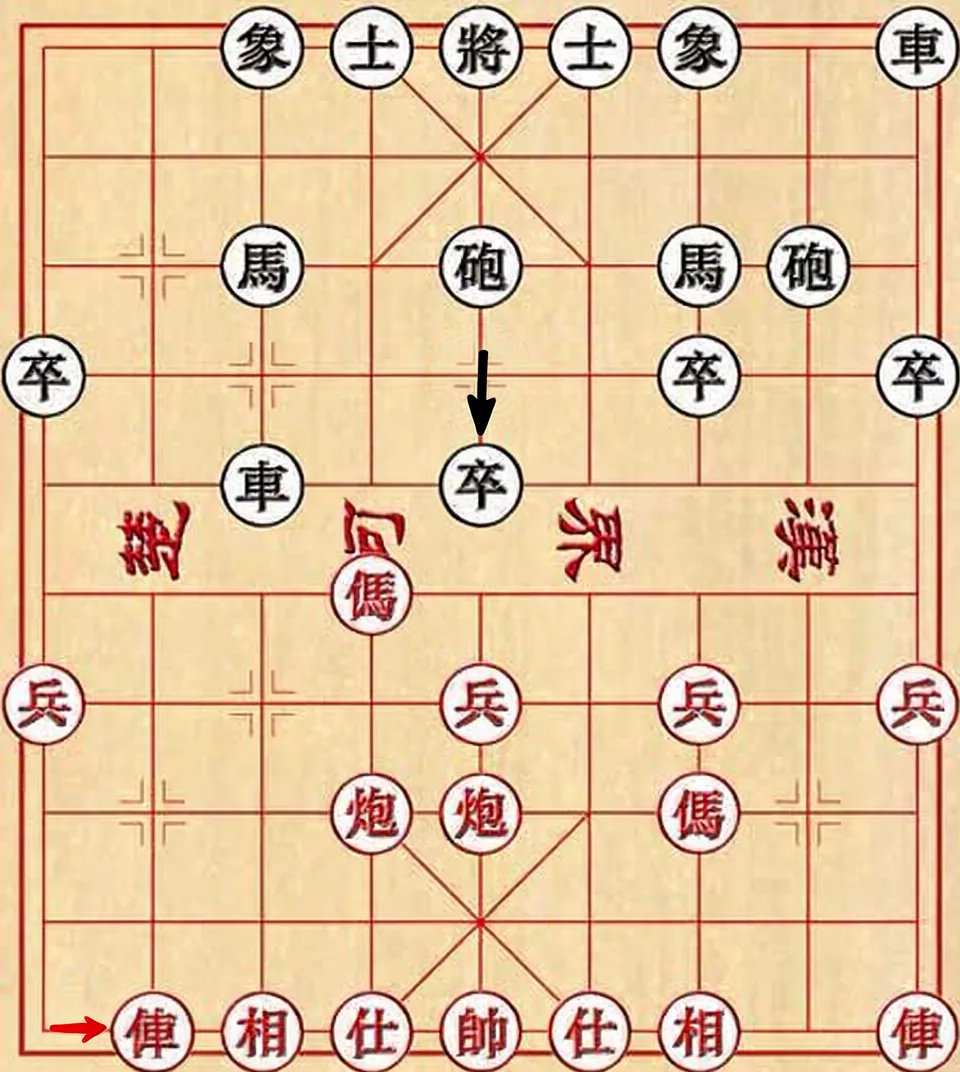
锚点位置网格编辑

在网格状场景中,通过位置和移动方向精确移动指定对象,而不是重画整张图。

Move the red car in the lower-left corner one grid cell to the right, and move the black pawn in the second column from the left of the black-square position one grid cell downward.

anchor editpositioning
Static imageAdvancedMulti-Reference

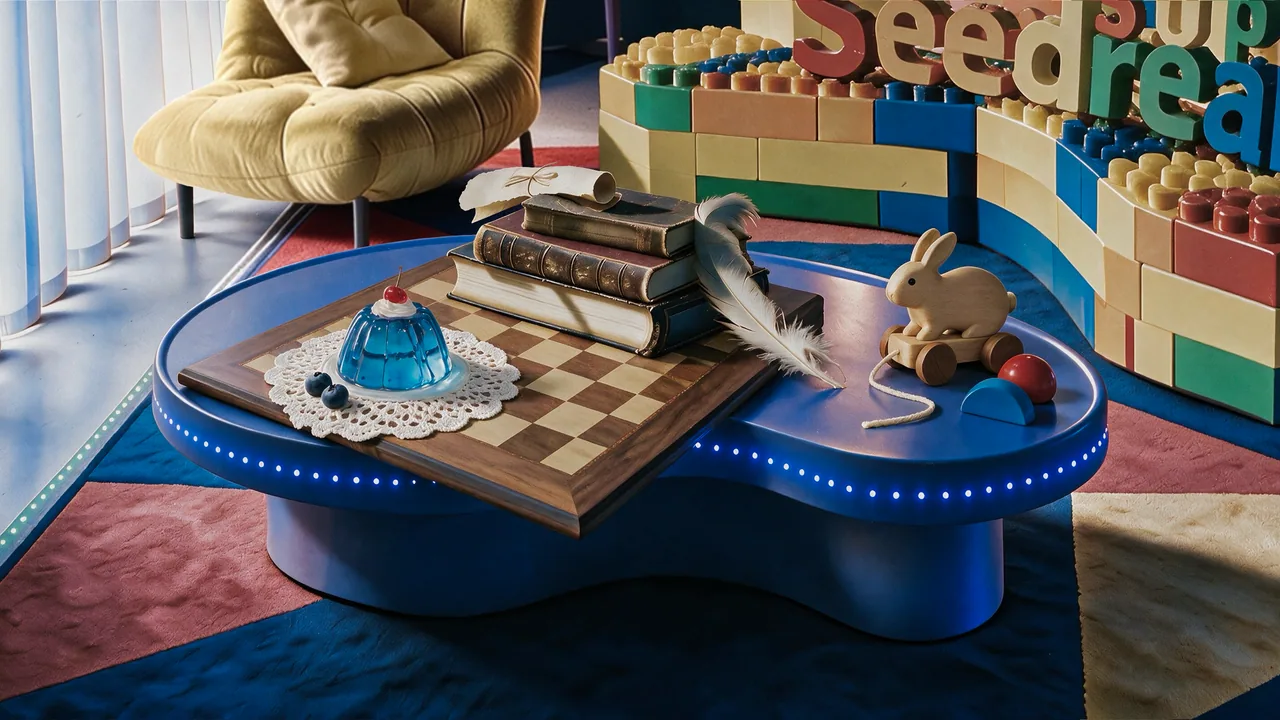
多参考图静物构图

把多张白底产品参考图组合成真实静物摄影图,同时保留木纹、皮革、蕾丝等材质细节。

Precisely cut out the objects from my seven white-background reference photos and arrange them into a realistic still-life photography image according to the specified layout. Make sure the perspective, lighting, and spatial relationships are correct. Faithfully preserve material details such as wood grain, leather, lace, jelly glass, and feathers, creating a high-quality image that feels realistic and playful, with a blend of vintage and modern aesthetics.

multi-referencestill life
Static editAdvancedMaterial Editing

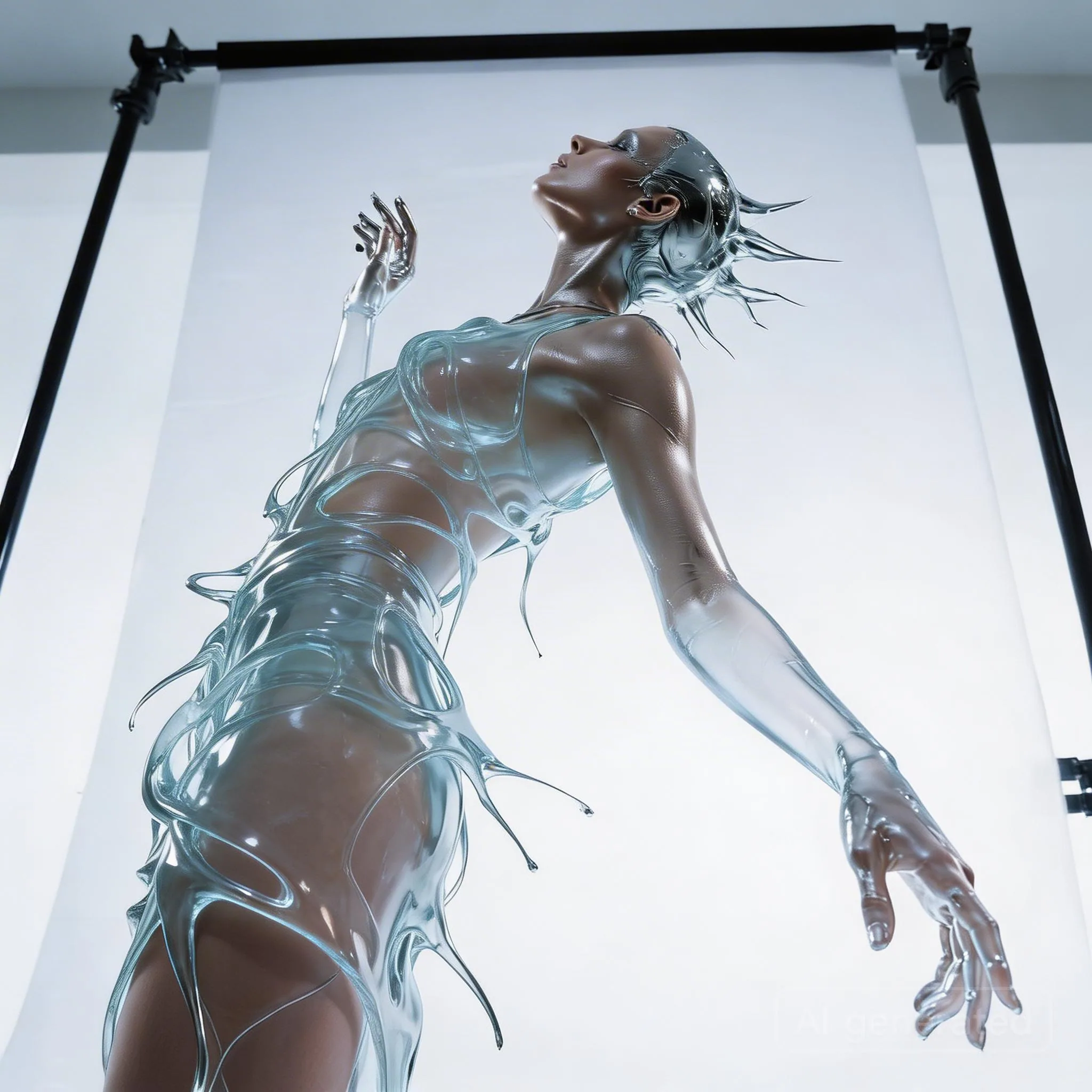
透明水感礼服材质替换

保持模特姿态和裙装轮廓不变,将银色金属材质改成透明水或玻璃质感。

Keep the model's pose and the flowing shape of the liquid dress unchanged. Change the clothing material from silver metal to completely transparent clear water (or glass). Through the liquid water, the model's skin details are visible. Lighting changes from reflection to refraction.

material swapfashion
Static editBeginnerMulti-Reference

多参考图服装替换

用第二张参考图里的服装替换第一张人物图的穿搭,适合电商和造型变体测试。

Replace the clothing in image 1 with the outfit from image 2.

outfit transferfashion
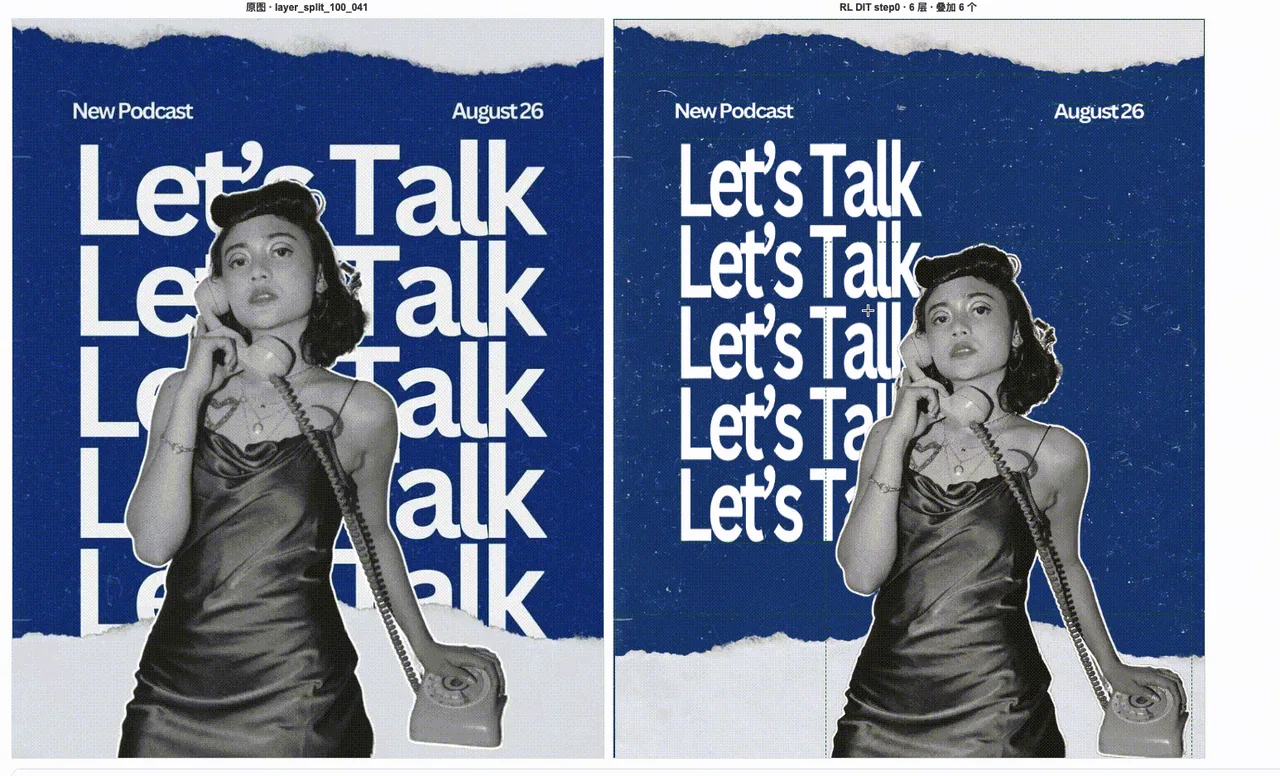
Static editAdvancedLayer Separation

海报素材图层分离

把设计海报拆成背景、主体、文字和装饰元素等可复用图层,服务后续排版和变体制作。

Separate this designed poster into editable production layers: one clean background layer, one foreground character layer, one typography layer, and separate decorative element layers. Preserve the original composition, edges, transparency, and visual hierarchy so the assets can be reused in downstream layout tools.

layer separationposter
Static imageIntermediateText Rendering

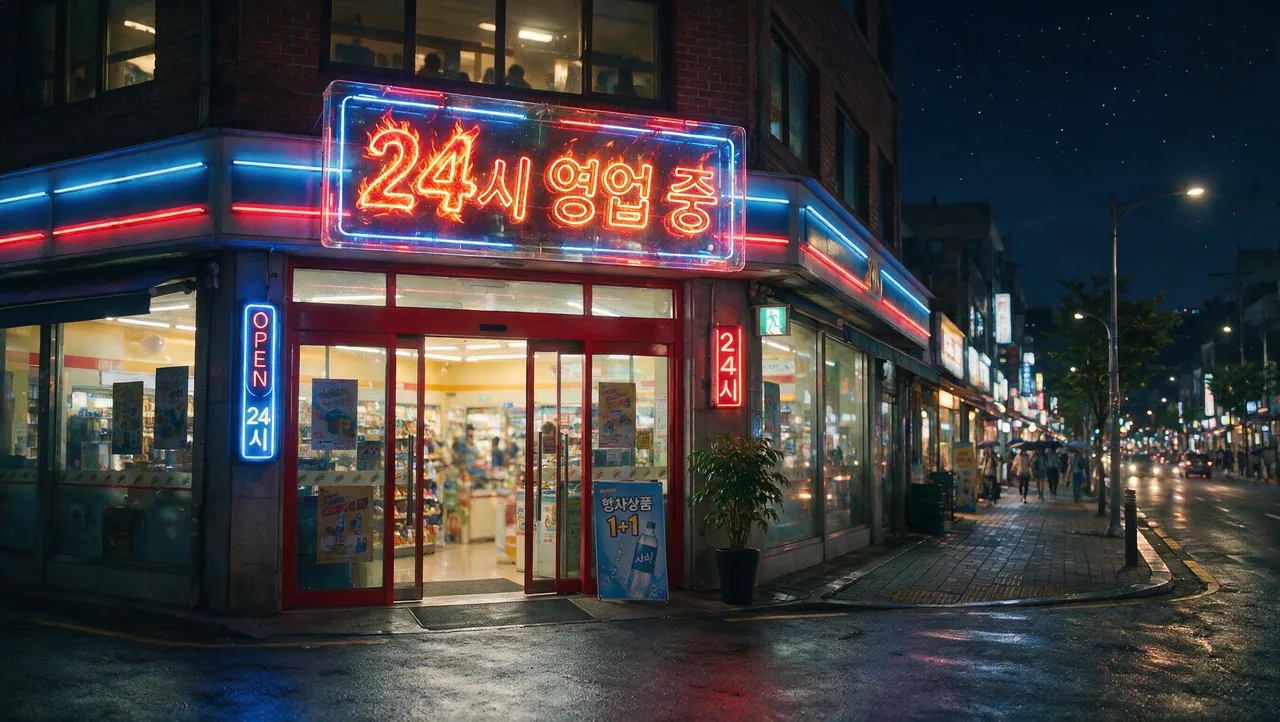
多语种招牌文字渲染

生成带韩语、英语等非英文文字的商业招牌,强调可读排版、准确拼写和生产可用布局。

Create a clean commercial storefront sign with the exact Korean text "24시 영업 중" and a smaller English subtitle "Open 24 hours". Keep the typography readable, centered, and evenly spaced. Use realistic daylight, polished storefront materials, and a simple production-ready layout with no extra words.

multilingualsignage
Static imageAdvancedCinematic Concept

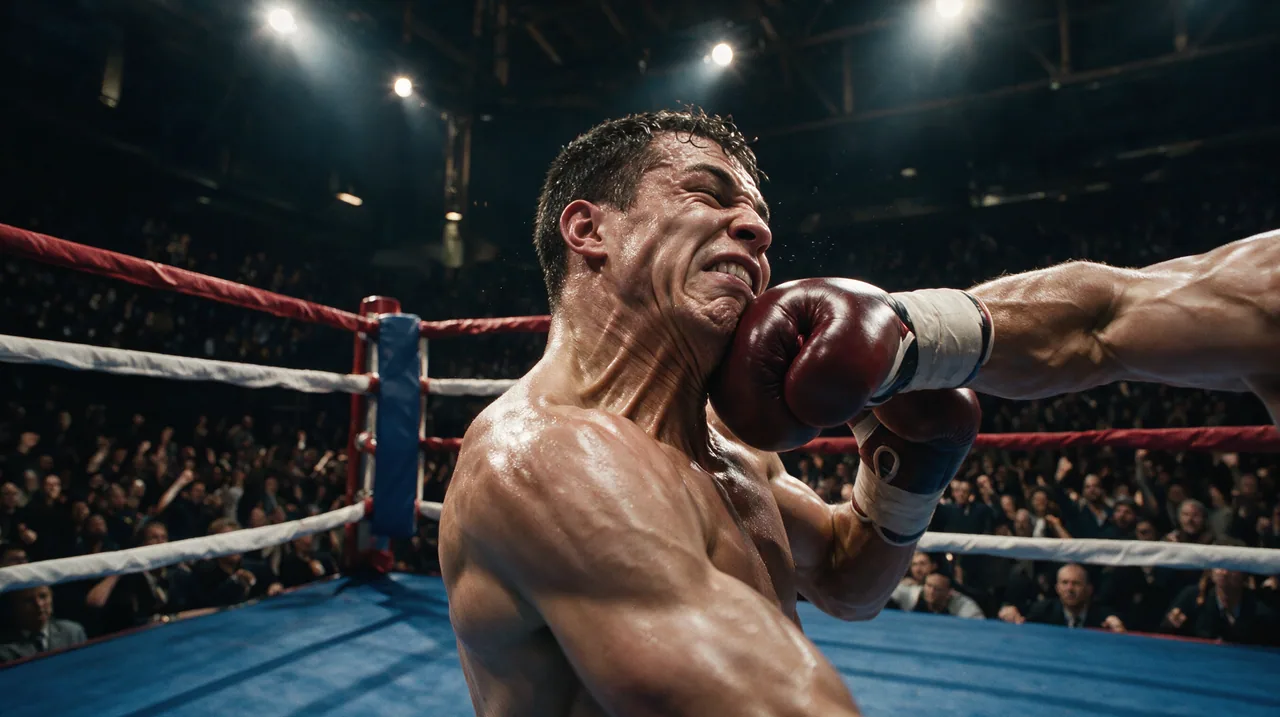
电影感动作概念帧

生成一张兼具动作调度、空气感和叙事张力的电影级关键帧,适合短剧和广告前期概念。

Create a cinematic action keyframe for a sports drama: two boxers in a decisive mid-fight moment, sweat and dust visible in the air, strong rim lighting, intense but realistic facial expressions, shallow depth of field, dynamic composition, premium film still quality. Keep the anatomy natural and the scene grounded, with no fantasy effects and no extra text.

cinematicaction
Static imageIntermediateText Rendering

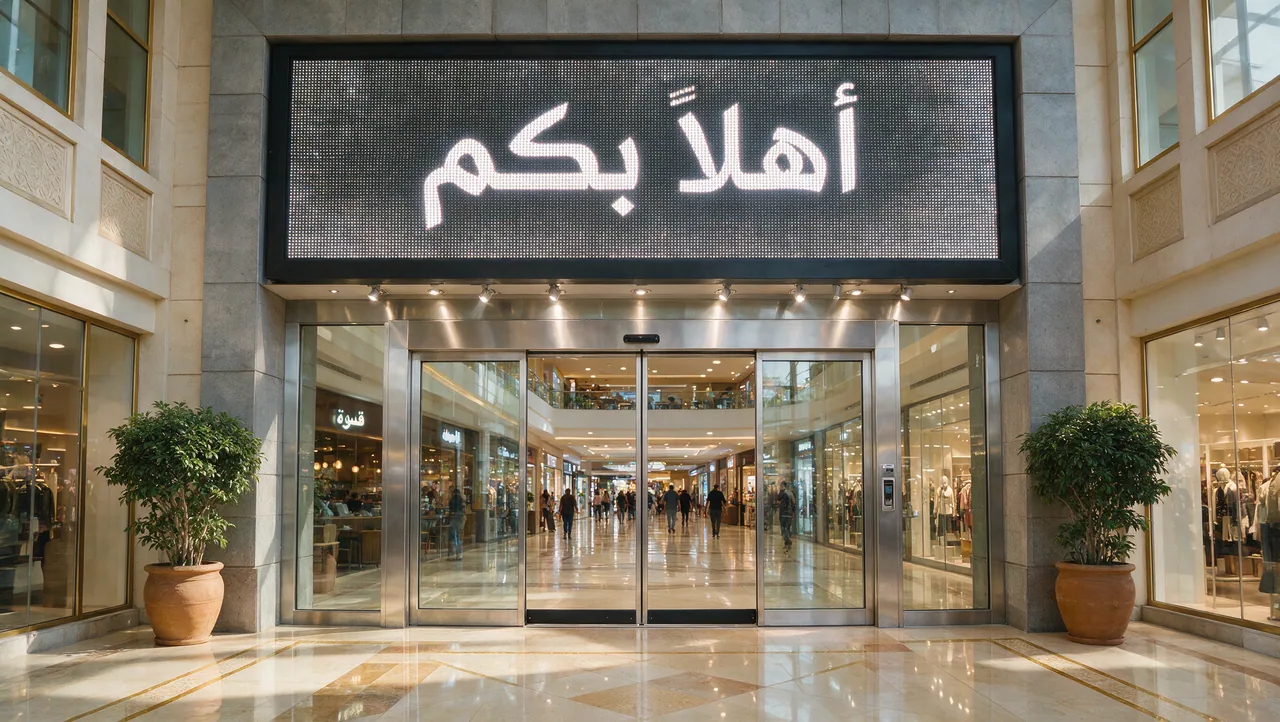
阿拉伯语欢迎招牌文字渲染

生成带阿拉伯语欢迎文字的真实商场入口招牌,重点检查文字准确性、排版和商业光照。

Create a realistic shopping mall entrance sign with the exact Arabic text "أهلاً بكم". Keep the typography large, centered, and readable. Use polished stone, glass storefronts, warm daylight, and clean commercial architecture. Do not add extra words or misspell the Arabic text.

Arabicsignage
Static editIntermediateInteraction Control


箭头标注局部编辑

用箭头和标注框告诉 Seedream 5.0 Pro 精确修改哪个局部区域,并保持其他部分不变。

Use the arrows and annotation boxes in the reference image as editing instructions. Modify only the marked target areas, follow the direction indicated by each arrow, and preserve the unmarked background, lighting, object identity, and original composition.

arrowsannotation

Static editBeginnerSketch Editing


涂鸦引导物体生成

把粗略涂鸦当作位置参考,生成符合场景的真实物体,并保留原图背景。

Use the doodles in the reference image as rough placement guides. Convert each doodle into a realistic object that matches the surrounding scene, while keeping its approximate position, scale, and orientation. Preserve the original background and avoid changing areas without doodles.

doodlesketch
Static editIntermediateSketch Editing


色块版式控制

把色块作为粗略构图地图,控制物体位置、主色调和整体版式。

Use the colored blocks in the reference image as a layout map. Generate realistic scene elements that match each block's position and dominant color, keep the overall composition balanced, and preserve clean edges between the main regions without adding extra clutter.

color blocklayout
Static editIntermediateSketch Editing

线稿结构控制

用线稿锁定轮廓、边界和相对位置,再生成具备真实光照和材质细节的画面。

Use the line sketch as the structural guide for the final image. Preserve the main silhouette, object boundaries, and relative positions from the sketch, then render the scene with realistic lighting, material detail, and clean depth separation.

line sketchstructure
Static editBeginnerSketch Editing

简单草图真实细化

把简单草图细化成完整真实图像,同时保留粗略版式、主体位置和比例意图。

Refine this simple sketch into a polished realistic image. Keep the rough layout, main subject placement, and intended proportions, but replace the sketch marks with coherent materials, natural lighting, and clean production-ready detail.

simple sketchrefinement

Static editAdvancedLayer Separation

生日海报图层分离

把活动海报拆成背景、文字、主体、道具和装饰层,方便后续复用到新排版。

Separate this birthday poster into reusable production layers: clean background, main typography, foreground subject, product or prop elements, and decorative accents. Preserve the original visual hierarchy, transparent edges, spacing, and color relationships so each layer can be reused in new layouts.

layer separationposter

Static editAdvancedLayer Separation

饮品海报图层分离

把饮品营销海报拆成产品、文字、背景、阴影和视觉特效层,方便广告素材复用。

Separate this beverage marketing poster into production-ready layers: product container, liquid or ingredient elements, background, headline typography, secondary copy, shadows, and decorative effects. Keep edges clean and preserve the original lighting direction and product emphasis.

layer separationbeverage
Static editAdvancedLayer Separation


人物与界面图层分离

把人物视觉拆成角色、背景、界面面板、文字和前景特效层,方便二次排版。

Separate this character-centered visual into editable layers: character, background, interface panels, typography, foreground effects, and decorative details. Keep the character identity, UI alignment, transparent edges, and depth ordering intact for downstream recomposition.

layer separationcharacter
Static editAdvancedLayer Separation


赛车海报图层分离

把赛车或运动海报拆成主体、动态特效、文字、背景和图形元素层,方便活动物料复用。

Separate this racing poster into clean editable layers: vehicle or athlete subject, background environment, motion streaks, smoke or particle effects, headline typography, secondary information, and sponsor-style graphic elements. Preserve speed, perspective, and lighting while making each layer reusable.

layer separationracing
Static editAdvancedLayer Separation


时尚海报图层分离

把时尚活动海报拆成模特、服装细节、文字、背景和装饰设计层,用于多尺寸物料复用。

Separate this fashion campaign poster into reusable layers: model, garment details, background, headline typography, smaller copy, lighting accents, and decorative design elements. Preserve the fashion silhouette, fabric detail, hair edges, and original editorial composition.

layer separationfashion

创作者优秀案例8

Static editBeginnerMulti-Reference

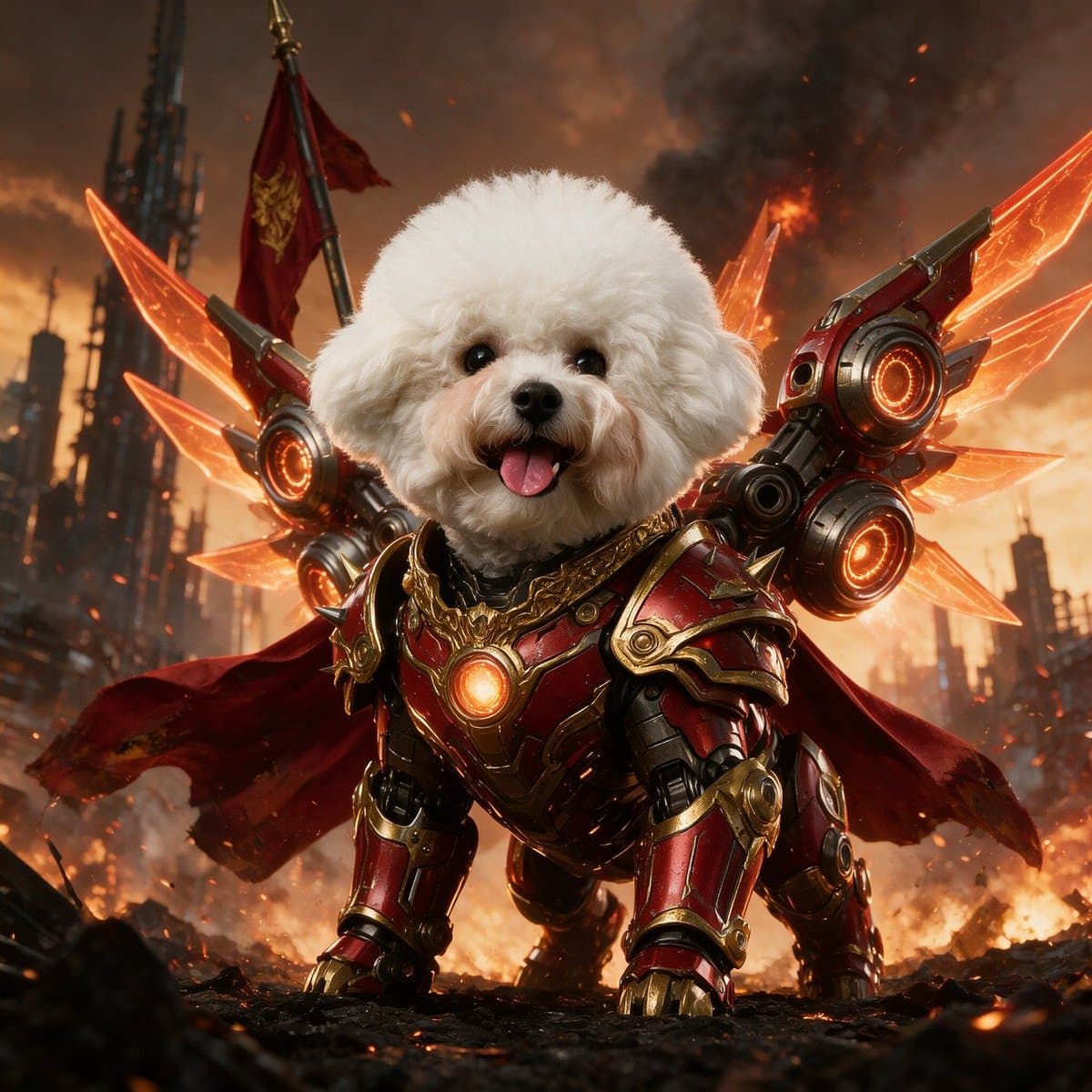
把宠物照片变成机甲版

一句话指令就能把普通宠物照片变成细节丰富的机甲版本,同时保留原本的姿势和角色。

a pic of my cat, asked for a mecha version

image inputtransformation
Static imageBeginnerPoster & UI

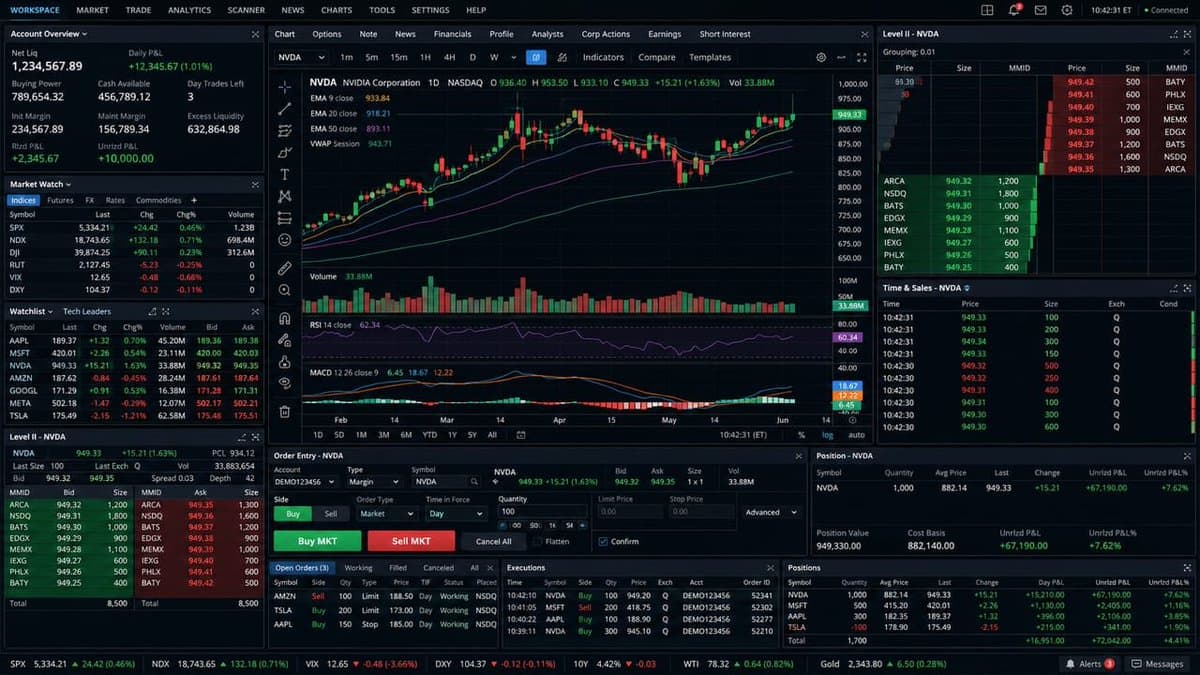
交易终端界面

一句话生成完整的交易终端界面——K 线、订单簿、买卖盘、成交量和时间戳一应俱全。

a full trading terminal — K-lines, order book, bid/ask, volume, timestamps

interfaceui
Static imageBeginnerTechnical & Sequence

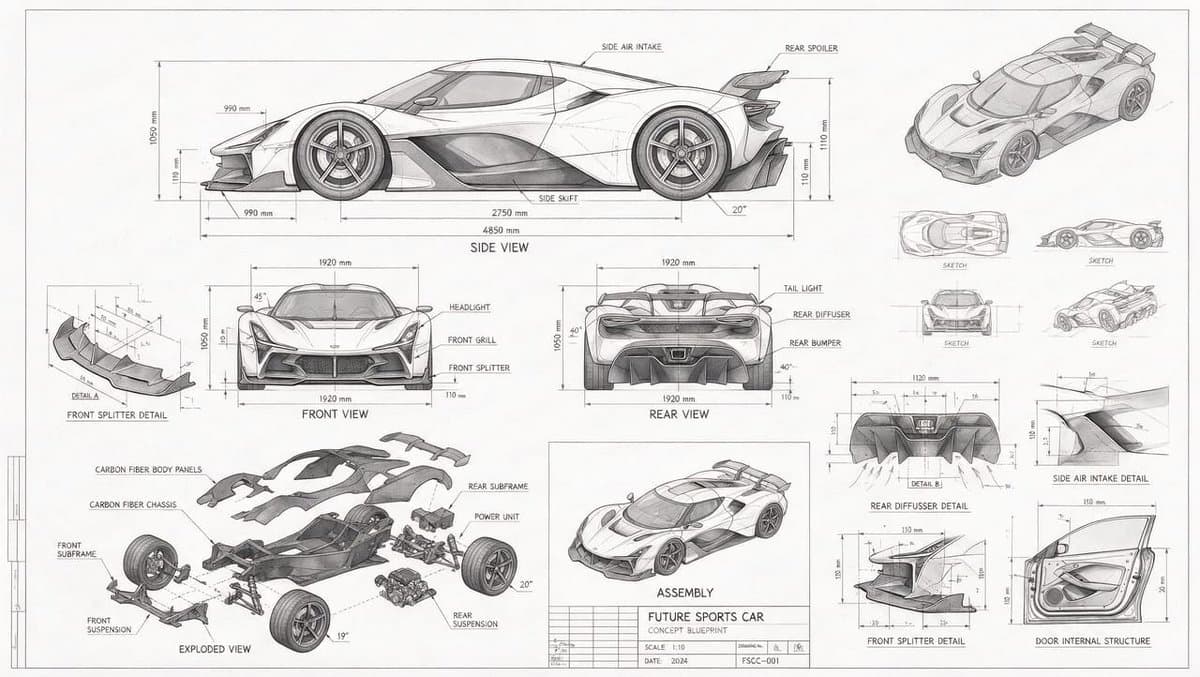
概念车技术蓝图

生成蓝图风格的概念车工程图,包含多视图、爆炸拆解件和大量尺寸标注。

a blueprint-style technical drawing of a concept car: front/side/rear views, exploded parts, measurements everywhere

blueprinttechnical
Static imageIntermediateTechnical & Sequence

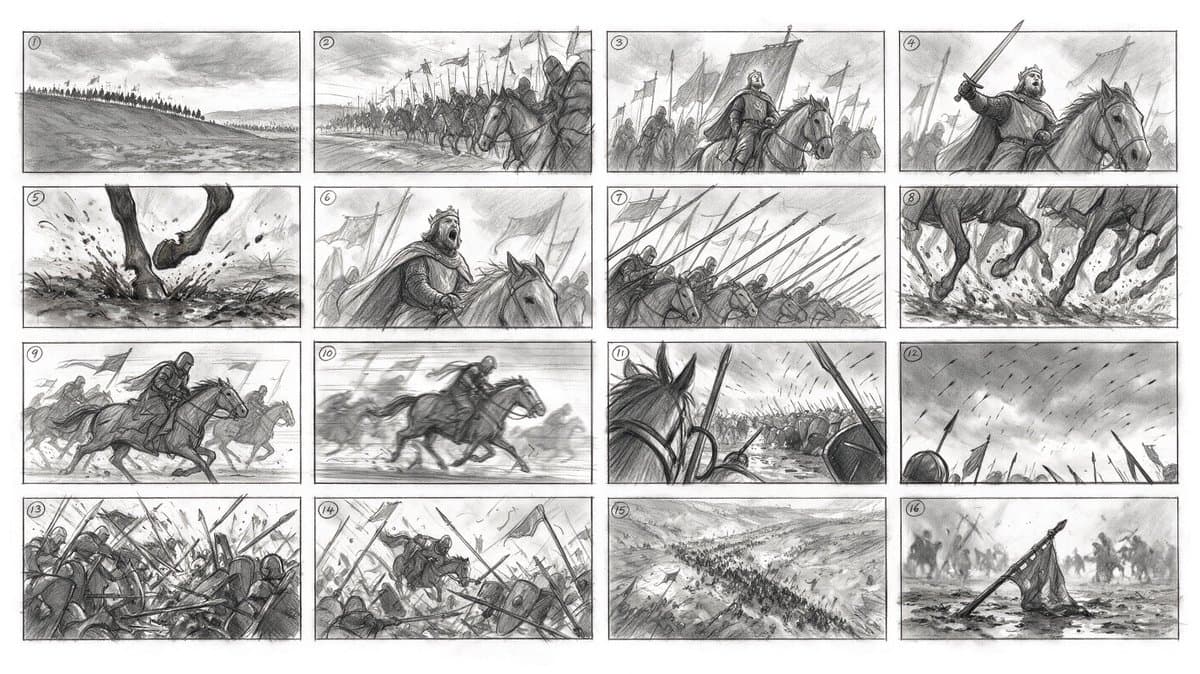
一句话生成 16 格分镜

用一条提示词生成带编号的 16 格分镜,角色保持一致、整段骑兵冲锋的运镜逻辑连贯。

16-panel storyboard from ONE prompt: numbered frames, consistent characters, coherent camera logic across a whole cavalry charge

storyboardsequence
Static imageBeginnerCinematic Concept

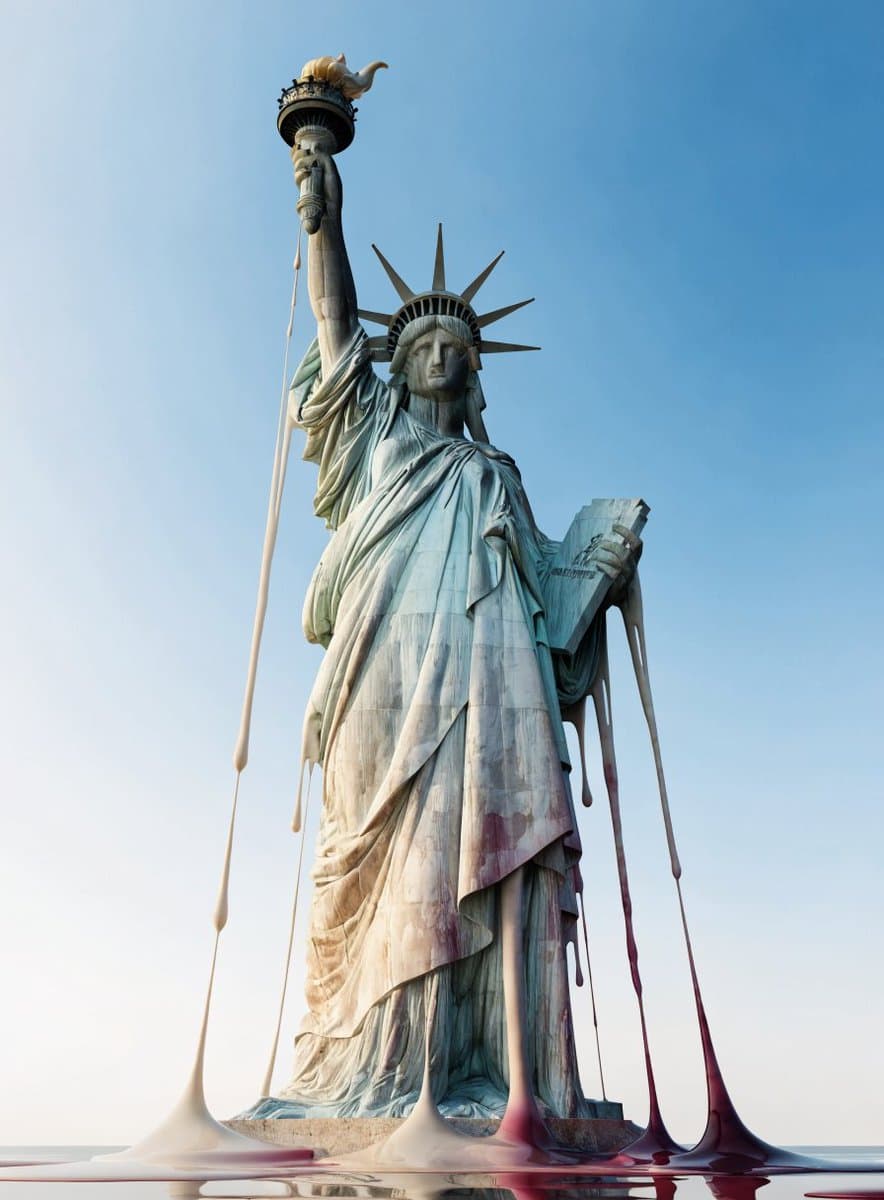
融化的世界地标

三个词的提示词,把著名世界地标重构成像蜡一样融化的超现实概念画面。

world's landmarks, melting like wax

surrealconcept
Static imageBeginnerCinematic Concept

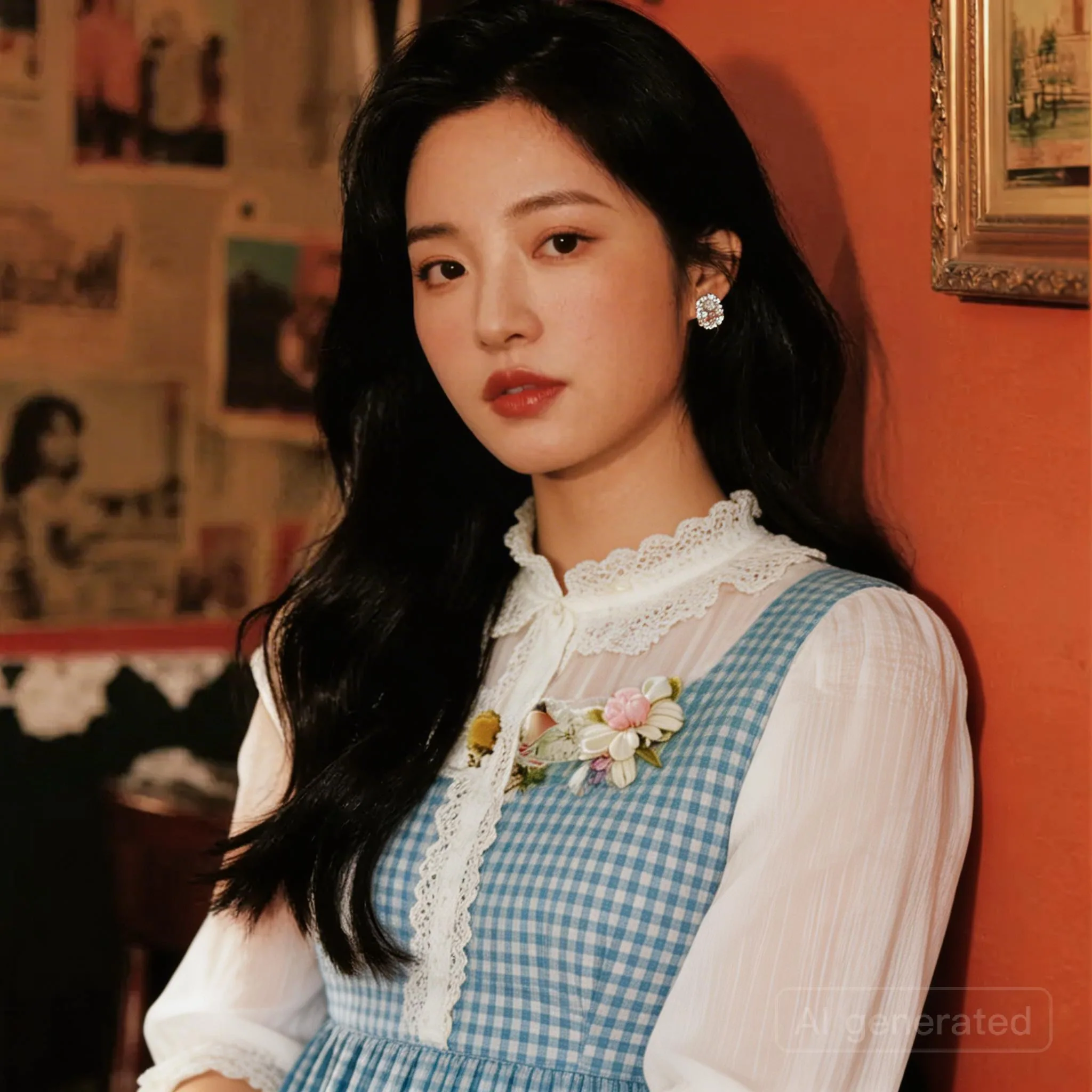
黄金时刻的自然手机随拍

一句朴素描述就能得到自然光线、随手抓拍质感的逼真手机照片。

a Korean girl in her twenties on her iPhone in San Francisco at sunset

photorealportrait
Static imageBeginnerCinematic Concept

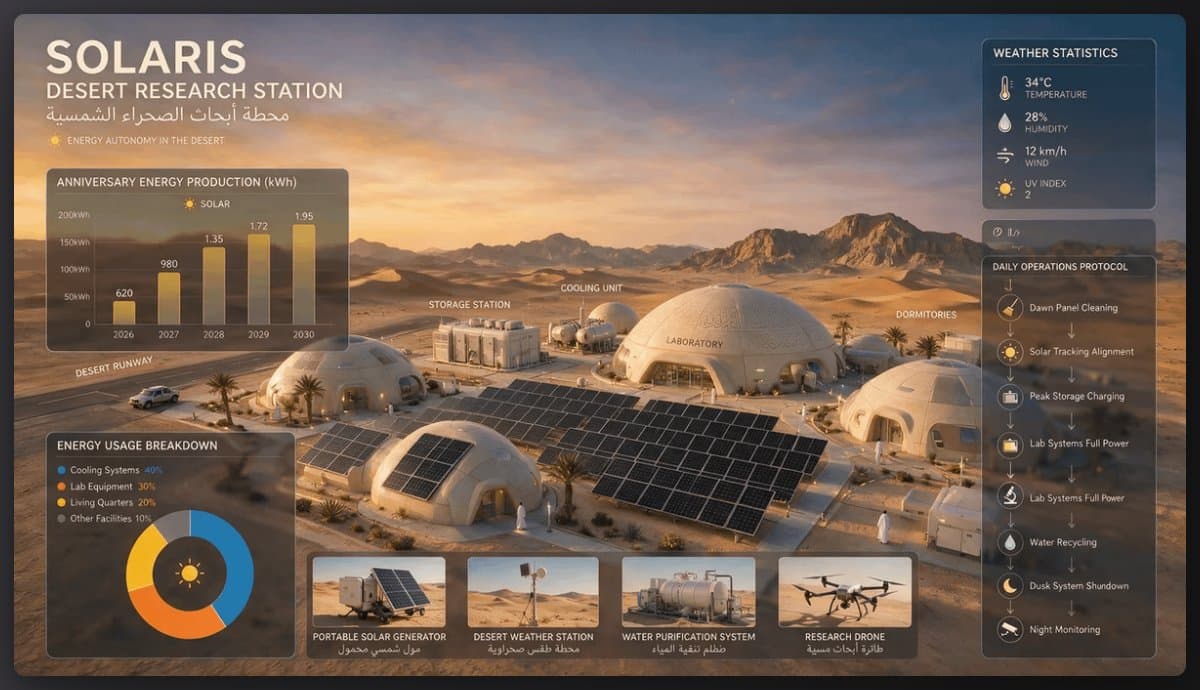
太阳能沙漠研究站

一条提示词设计出太阳能沙漠研究站,包含穹顶建筑、太阳能板和各类功能设备。

A solar-powered research station in a desert, featuring domed structures, solar panels, and various equipment for energy and research management.

concept artenvironment
Static imageBeginnerDesign Variations

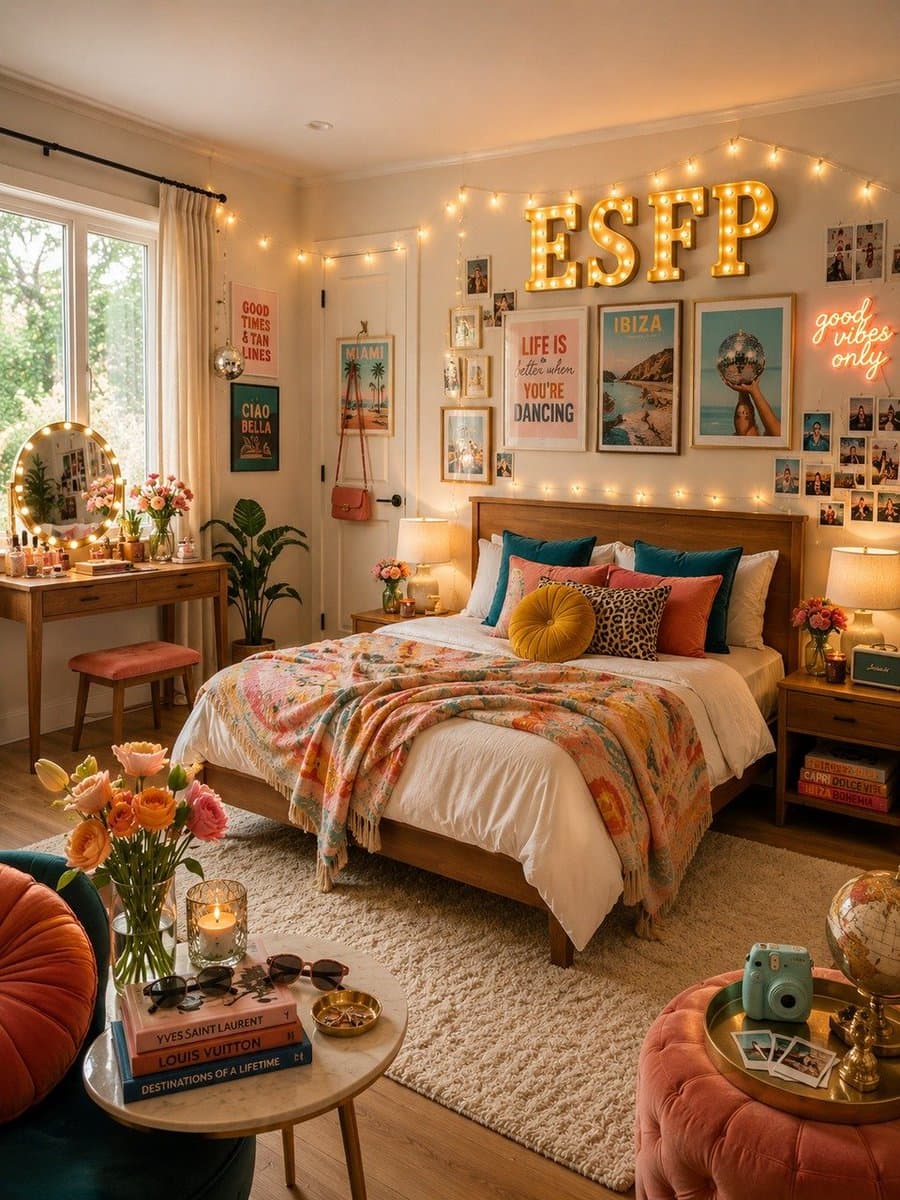
MBTI 卧室设计合集

一句短提示词生成一整套卧室内饰,为每种 MBTI 人格类型定制不同风格。

design a bedroom for each MBTI type

interior designvariations

如何写出更好的 Seedream 5.0 Pro Prompt

给每张参考图分配清晰角色,例如主体、服装、材质、Logo 或版式。
先写清楚必须保持不变的内容,再描述你要改什么。
当目标区域很重要时,使用空间锚点、彩色框或版式语言。
多语种文字要用引号写出精确文案,并明确要求不要出现额外文字。

Seedream 5.0 Pro Prompt 常见问题

什么样的 Seedream 5.0 Pro prompt 更容易稳定?

好的 prompt 会把目标编辑、需要保持不变的元素、参考图角色、材质行为和输出约束分开写清楚。对生产图像工作流尤其重要,因为身份、版式和文字都需要稳定。

Seedream 5.0 Pro 可以使用多张参考图吗?

可以。EvoLink 将 Seedream 5.0 Pro 定位在文生图、图生图和多参考图编辑工作流,最多支持 10 张输入图。建议明确写 image 1、image 2、主体参考、服装参考、Logo 参考等角色。

局部编辑 prompt 应该怎么写?

先在参考图里用彩色框、箭头、坐标或明确锚点标出目标区域,再用短句分别描述每个区域。不要把多个区域混成一句模糊指令。

Seedream 5.0 Pro 适合做文字渲染吗?

Seedream 5.0 Pro 的多语种文字渲染有明显提升,但生产团队仍然应该把精确文字放进引号里,要求不要出现额外文字,并在发布前人工检查拼写。

如何把这个页面的 prompt 带到 EvoLink?

点击卡片上的 Use,或者把 prompt 粘贴到顶部输入框。页面会在本地保存 prompt,并打开 Seedream 5.0 Pro Playground 继续生成。