

Kimi K3.1 Pro Release: What Changed and What Comes Next

What the Kimi K3.1 Pro release changes
Moonshot describes K3.1 Pro as K3 with substantially more post-training compute. Its release describes improvements to reinforcement learning, long-context inference, sandbox execution and evaluation infrastructure. Those training changes explain the intended direction; they are not a guarantee that every prompt becomes faster or more accurate.
| Area | What changed or stayed | Application decision |
|---|---|---|
| Model generation | Further post-training of K3 | Evaluate task completion, not a presumed new architecture |
| Context and vision | Long context and visual understanding continue from K3 | Test retrieval and supported image formats on the selected route |
| Long-running work | Moonshot emphasizes coding, 3D and financial workflows | Check the entire deliverable and tool sequence |
| Serving options | Pro and Highspeed | Compare end-to-end time and billing on identical tasks |
| Weights | Full release announced by November 4, 2026 | Verify artifacts and license before planning self-hosting |
Choose an access channel before choosing a plan
Hosted product access, developer API usage and downloadable weights are different products. An app feature does not automatically appear as a field in an API request, and a Kimi Code subscription does not fund an EvoLink balance.
| Channel | What to verify | Next action |
|---|---|---|
| Kimi app and Work | Account eligibility and the feature's tool environment | Check that product's current plan |
| Kimi Code | Client model IDs, allowances and supported clients | Follow Kimi Code documentation |
| Moonshot developer API | Provider credentials, model IDs and billing | Use the provider's API documentation |
| EvoLink gateway | EvoLink credentials, selected route and current account rates | Open the model page and its linked Chat documentation |
| Self-hosting | Published artifacts, license and deployment requirements | Wait for verifiable release artifacts before committing infrastructure |
kimi-k3.1-pro and kimi-k3.1-pro-highspeed. Keep these separate from another service's identifiers. The EvoLink Chat reference governs the gateway request contract; provider examples govern direct Moonshot requests.Turn the demonstrations into deliverable checks
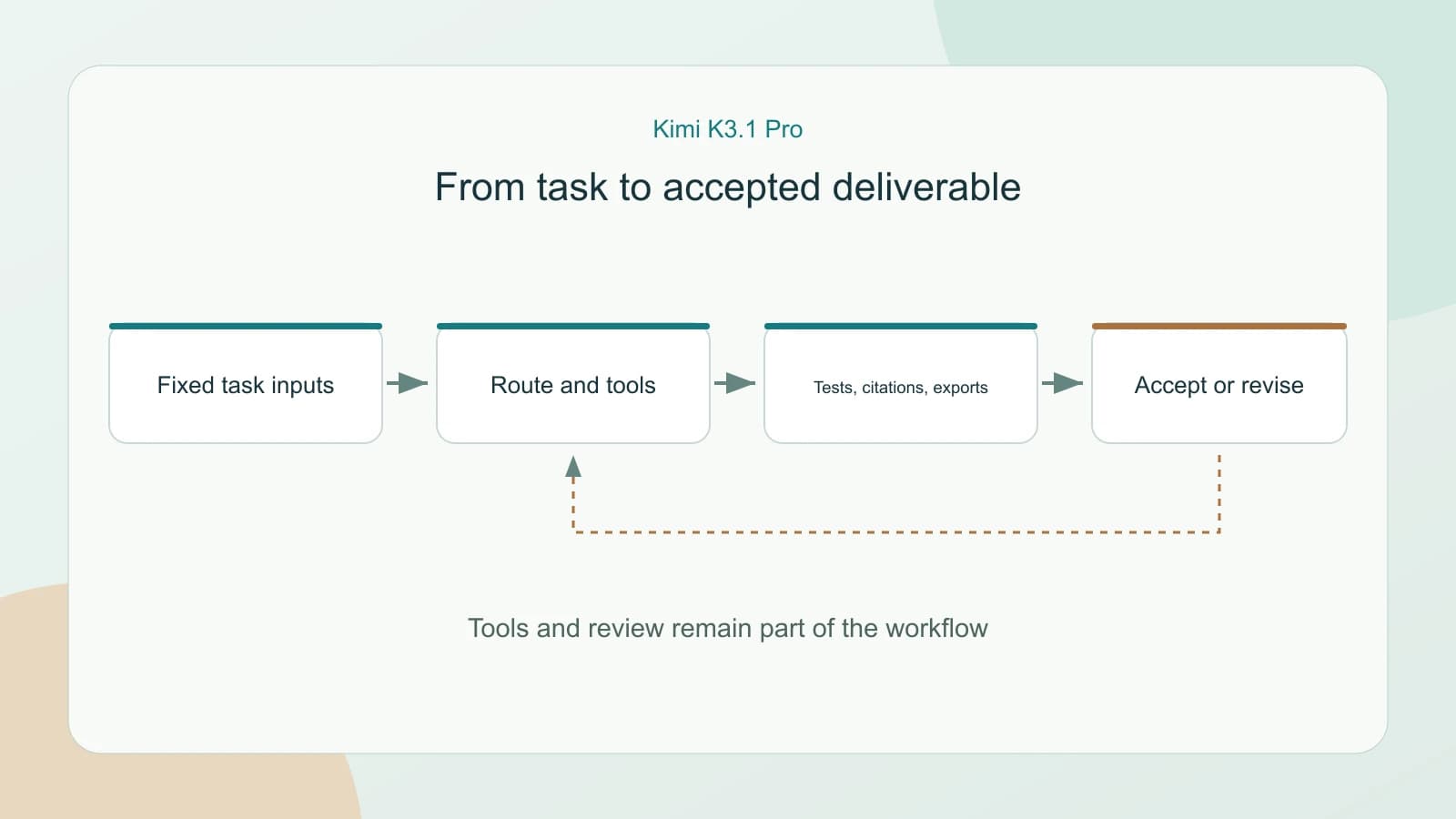
The launch's coding, interactive scenes and financial examples point to useful evaluation tasks. They do not demonstrate that a bare model response is a finished application, a native video, a production CAD asset or a verified financial conclusion.
| Workload | Give the model | Accept only after |
|---|---|---|
| Repository repair | One issue, a fixed commit and regression tests | Tests pass and the patch preserves existing behavior |
| Frontend or 3D experience | A reference, interactions and the required runtime | Layout, interaction and exported artifacts work in the target environment |
| Research or modeling | Source documents and explicit questions | Citations resolve and numerical relationships remain consistent |
| Long-document analysis | Known answers and source locations | Retrieval remains correct within the shared context budget |
For example, a Three.js task needs a browser and runtime checks. Blender or CAD scripting needs the corresponding tools and an export check. A model that can write those scripts is not automatically a hosted rendering service. Keep the tool environment fixed when comparing versions.
Read launch benchmarks with their conditions attached
Moonshot's charts and independent evaluations use different harnesses. Do not combine their scores into one ranking. A benchmark position also cannot establish gateway reliability, latency or account-level cost. The right acceptance check is still a completed task in your environment.
Pro or Highspeed: separate output speed from completion time
Moonshot describes Highspeed as delivering approximately 2–3× the output speed with the same model capabilities. This is a provider claim about serving speed, not an EvoLink measurement or a promise that an agent finishes 2–3× faster. Tool calls, builds, retrieval and retries still consume time.
Start with Pro for a cost baseline. Evaluate Highspeed when output generation is a material part of interactive waiting time. Use the existing model-page calculator and current account rates rather than assuming that all billing dimensions scale together. Cached input, cache writes and search require their own accounting.
What the open-weight announcement means
The release says full model weights will be published by November 4, 2026. Treat that as the announced schedule, not proof that weights and license have already been inspected. Before self-hosting, verify the official repository, artifact completeness, license, supported serving stack and realistic hardware requirements.
Do not copy K3's license or deployment requirements onto K3.1 Pro. Hosted access can be evaluated separately while those details are checked. If self-hosting is the requirement, hold the infrastructure purchase until those facts are available.
Start with one task through EvoLink
Choose one workload with an explicit success condition. Save its inputs, runtime and review criteria, then record the selected model, elapsed time, usage, retries and final accepted result. Keep the current route available while testing. This makes the unified gateway useful as a model-selection boundary without assuming identical behavior across models.
FAQ
Is Kimi K3.1 Pro a new architecture?
Moonshot calls it a post-trained version of K3. Do not infer a new architecture or a larger context window from the new version number.
Are K3.1 and K3.1 Pro separate models?
The release names Pro and Pro Highspeed. Shortened community references to K3.1 do not prove a separate standard-tier API model.
Is Highspeed always the better choice?
No. Its advertised output speed must be weighed against the selected route's rates and the proportion of task time spent waiting for tools or retries.
Does a Kimi membership include EvoLink requests?
No. Kimi membership, Kimi Code, the Moonshot developer API and EvoLink use separate credentials and billing arrangements.
Does the 3D demonstration mean native video generation?
No. Writing scene or modeling code, running tools and exporting media is a workflow; it does not establish a native video-generation API.
Are the weights already available?
The cited release announces publication by November 4, 2026. Verify official artifacts and license before treating self-hosting as available.
Does one million tokens guarantee complete document recall?
No. Context is a shared input, reasoning and output budget. Test retrieval, citations and usable output on your documents.
What should an existing K3 user do first?
Compare one real task under the same acceptance criteria. Use the upgrade guide to decide when to retain K3 and when to move a workload.


