GPT Image 2.6 vs Nano Banana 2.1: Which Should You Choose?
Compare GPT Image 2.6 and Nano Banana 2.1 for editing, search, GIFs, 4K sizes and pricing, with product ad and storefront examples.
 EvoLink TeamProduct Team
On this page
GPT Image 2.6 vs Nano Banana 2.1: what is different?
Here is what each model supports through EvoLink’s image API:
| Feature or setting | GPT Image 2.6 | Nano Banana 2.1 |
|---|---|---|
| Generate from references and continue editing | Supported | Supported |
| Reference images per request | Up to 16 | Up to 14 |
| Built-in search controls | No search controls | Web search and image search |
| Separate annotation input | markup_url for a transparent markup layer | No separate annotation layer |
| GIF output | Supported | Still-image output |
| 4096 × 4096 square output | Exceeds pixel and edge limits | Available at 4K |
| Native 8:1 output | Outside the 1:3–3:1 range | Supported |
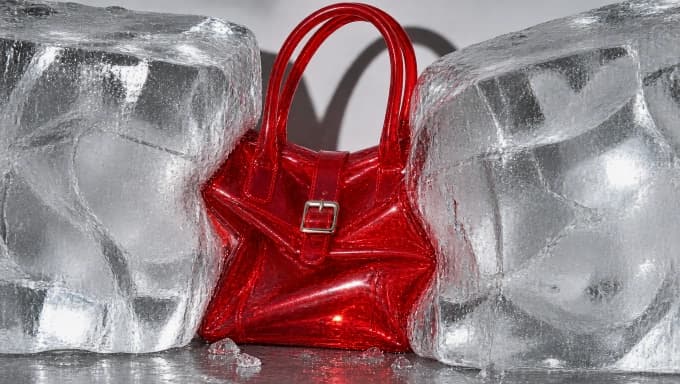
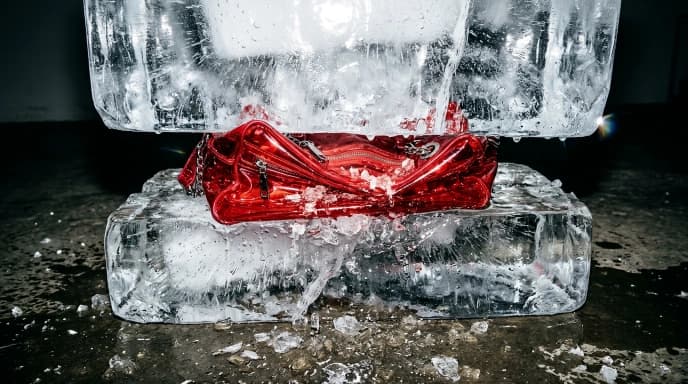
Product ads: how does each model show a bag compressed by ice?
Both models can generate product ads. These two images use the same prompt, asking for a bag compressed by blocks of ice:
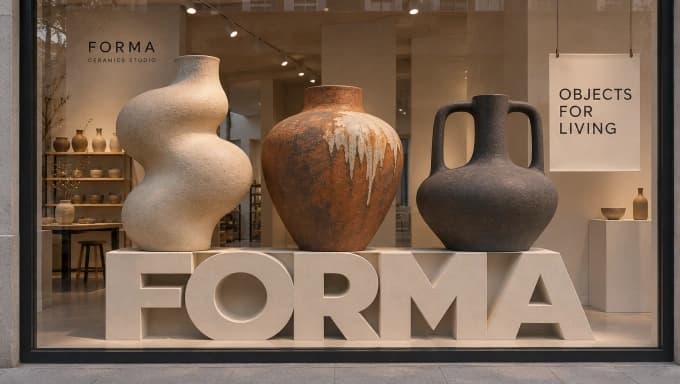
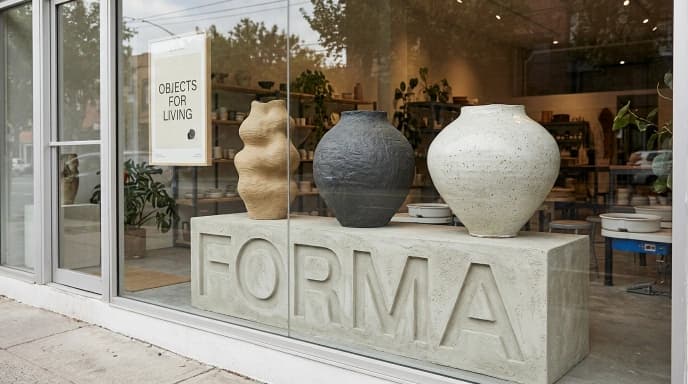
Text and composition: two views of the same FORMA storefront
Reference-image editing: how do annotation inputs differ?
image_urls and a text description of the changes. Either can also use the previous result as the reference for another edit.markup_url to mark the area to edit. Nano Banana 2.1’s EvoLink API has no separate annotation-layer field; it uses reference images and text instructions. See the GPT Image 2.6 API reference.4K resolution: how do image sizes and aspect ratios differ?
8:1 and 1:8; GPT Image 2.6 on EvoLink supports 1:3 through 3:1. For a native 8:1 banner or a 4096 × 4096 square, choose Nano Banana 2.1.GPT Image 2.6 vs Nano Banana 2.1 pricing: how are they billed?
quality parameter, but it does different things: Nano Banana’s quality: "2K" sets resolution; GPT Image’s quality: "high" sets rendering quality. Compare costs using the actual dimensions and quality settings.A three-image campaign includes the cost of every generation and edit used to make it. If search is enabled, add the query charges; one generation can run several searches. Manual retouching and typesetting cost extra.
Using GPT Image 2.6 and Nano Banana 2.1 through EvoLink
POST /v1/images/generations with the same EvoLink API key. Nano Banana 2.1’s model ID is gemini-nano-banana-2.1.quality to set rendering quality and complexity to adjust planning before generation. Nano Banana uses quality for resolution and thinking_level to adjust thinking. Search, annotation and GIF parameters also differ, so use the request example for the model you choose. OpenAI image-generation guide.GPT Image 2.6 vs Nano Banana 2.1 FAQ
How do the models differ for a set of product images?
Both support product references, scene changes and successive edits. Nano Banana 2.1 adds built-in search and output options such as 4096 × 4096 and 8:1. GPT Image 2.6 offers a separate annotation input and GIF output.
What is different about text and composition?
Both can generate text. In the FORMA images above, both include the sign and poster. Sunburst faces the window directly; Nano Banana 2.1 shows it from the side and includes more of the street.
Can Nano Banana 2.1 create GIFs?
Nano Banana 2.1’s image API produces still images. To generate GIFs through EvoLink, use GPT Image 2.6 Flare or Sunburst.
Does 4K mean the same size in both models?
No. Nano Banana 2.1 offers a 4096 × 4096 square. GPT Image 2.6 on EvoLink has an 8,294,400-pixel limit and a maximum edge of 3840 pixels.
How does pricing differ?
GPT Image 2.6 charges by token usage. Nano Banana 2.1 on EvoLink charges by output resolution, plus reference images, actual search queries, text and thinking. The number of generations and edits also affects the total.
Can I switch between the models through one API?
Yes. Flare, Sunburst and Nano Banana 2.1 use the same EvoLink image API and key. Change the model ID and use that model’s parameters.