

Gemini Omni Flash vs Gemini Omni 1.1 Flash: Is It Worth Upgrading?

gemini-omni-flash-preview endpoint is scheduled for deprecation on September 30, 2026. It also adds scene extension, first-and-last-frame interpolation, and resolution controls from 360p through upscaled 4K.Gemini Omni Flash vs 1.1: the verified differences
The original public Preview arrived on June 30, 2026. Google released 1.1 as GA on August 27. The table below keeps the comparison to facts that Google currently documents.
| Decision factor | Original Gemini Omni Flash Preview | Gemini Omni 1.1 Flash | Why it matters |
|---|---|---|---|
| Lifecycle | Public Preview | Generally available | 1.1 is the durable production target; the Preview endpoint has a deprecation date |
| Gemini API model ID | gemini-omni-flash-preview | gemini-omni-1.1-flash | Direct Gemini API integrations must not treat the two IDs as interchangeable |
| Output per generation | 3–10 seconds, 720p, 24 FPS | 3–10 seconds, 360p/720p/upscaled 1080p/upscaled 4K, 24 FPS | 1.1 adds draft and delivery resolution choices; it does not become a 40-second one-shot model |
| Video extension | Not listed in the Preview release; added as a new 1.1 capability | Extends at the end in increments up to 10 seconds, with a 40-second cumulative ceiling | Products can build iterative continuation instead of regenerating the full scene |
| Prior context for extension | Not applicable: extension was not listed for the Preview release | Analyzes up to 10 seconds of prior context; Google contrasts this with previous extension systems that used roughly the final second | More of the preceding action can inform the continuation |
| First-and-last-frame interpolation | Not listed in the Preview release; added as a new 1.1 capability | Two ordered images define the start and end of the generated shot | Useful for match cuts, loops, reveals, or fixed transition endpoints |
| Resolution control | Preview release documented 720p | 360p, 720p default, 1080p upscale, 4K upscale | Teams can separate cheap iteration from higher-resolution delivery |
| Conversational editing | Supported through the Interactions API | Retained, with the new controls added | The core conversational workflow remains familiar |
| Native audio with video | Supported | Supported | Audio is not the main reason to upgrade; control and lifecycle are |
There is no official public benchmark proving that 1.1 wins every visual-quality prompt. Google calls it a production-ready update with improved control, but its model card still warns that complete edit consistency, complex motion, and perfectly accurate text remain challenging. Treat “more controllable” as supported; treat “always better-looking” as a test hypothesis.
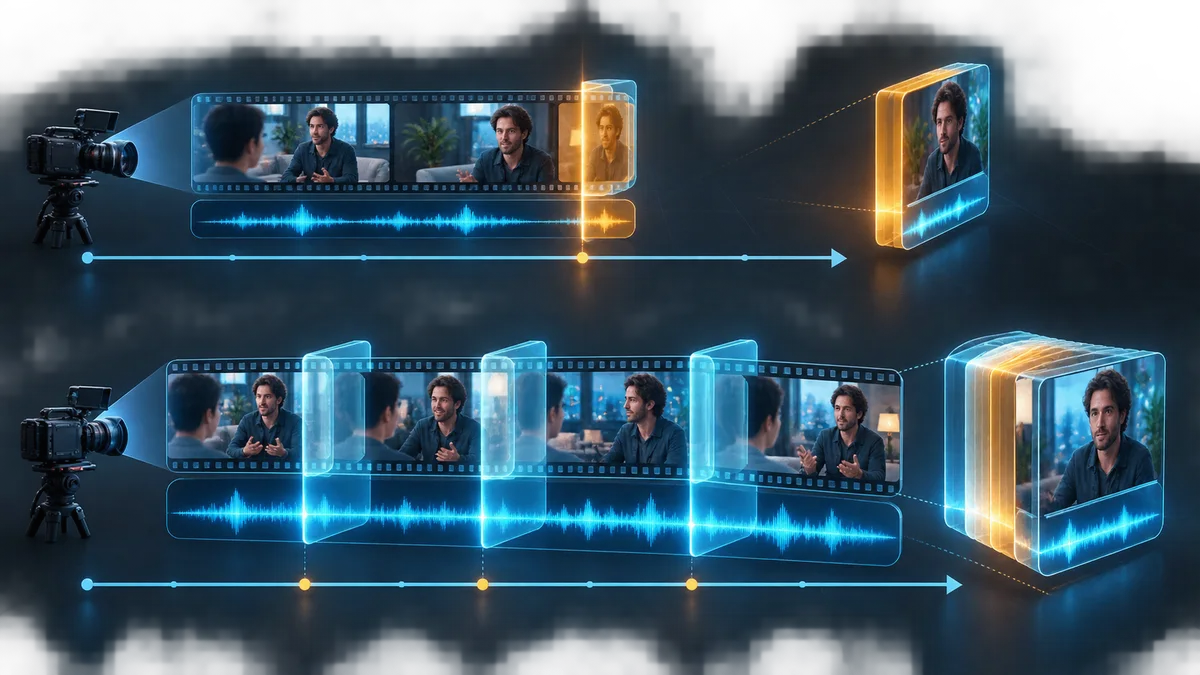
The biggest upgrade is not one-shot length
What changed is the continuation workflow. Google says 1.1 can analyze up to 10 seconds of previous context, compared with previous models that referenced roughly the final second. That gives the model more evidence about the subject, motion, camera direction, and narrative beat before it generates the next section. It should improve the conditions for continuity, but it is not a guarantee that identity, physics, dialogue, or composition will survive every extension.
This matters for creator tools that expose “continue this shot,” branching story tools, product-demo builders, and short-form editors. It matters less for a service that always generates isolated five-second clips and never extends them.
When 1.1 creates a genuinely new product workflow
Controlled transitions from a first and last frame
The new interpolation control is more than another input option. Two ordered images define the opening and closing composition, while the model generates the motion between them. That is a concrete fit for product reveals, room-to-room camera moves, before/after transitions, loops, and shots that must land on an approved end frame.
The old Preview could animate images and edit generated video conversationally, but Google did not list explicit first-and-last-frame interpolation in the Preview release. If your application currently tries to approximate a fixed ending through prompt language alone, this is one of the strongest reasons to test 1.1.
Draft at 360p, promote after approval
Version 1.1 adds a 360p draft tier alongside the 720p default. Google reports that 360p can generate up to 60% faster and at one third of the cost of 1.1's standard 720p tier, based on system throughput. That is a vendor measurement, not an EvoLink price promise, but the workflow is useful: generate several low-resolution candidates, approve one prompt and reference package, then rerun the approved setup at the required delivery tier.
Who should upgrade now—and who should test first
| Workload | Recommendation | Reason |
|---|---|---|
| Production integration still pinned to the Preview ID | Upgrade now | The Preview endpoint is scheduled for deprecation on September 30, 2026 |
| “Continue this shot” or branching-scene product | Upgrade and validate | Extension plus a larger prior-context window changes the workflow materially |
| Fixed start/end transition, loop, or product reveal | Upgrade and validate | First-and-last-frame interpolation is a direct new control |
| High-volume prompt and storyboard iteration | Test 360p drafts | The draft tier can reduce iteration time and cost before promotion |
| Delivery pipeline asking for 1080p or 4K files | Test the upscale | The outputs are upscaled and still require visual acceptance checks |
| Stable isolated 3–10 second 720p generation | A/B test before full replacement | The lifecycle still requires migration, but the creative gain may be smaller |
| Workflow requiring guaranteed identity or perfect text across edits | Keep a fallback | Google's model card still lists consistency and accurate text as limitations |
“Test first” does not mean “ignore the deprecation.” It means separating two decisions: move away from an endpoint with a deadline, and decide whether 1.1 is already good enough to become the only production route for every shot type.
A production upgrade gate for EvoLink users
Do not compare two cherry-picked demo clips. Use the same prompt, reference assets, duration, output tier, and number of attempts. Then judge the complete path from request to an accepted shot; EvoLink's current Omni 1.1 routes do not expose a seed parameter.
| Gate | What to measure | Suggested pass condition |
|---|---|---|
| Capability | Extension, interpolation, draft tier, upscale | Required 1.1-only workflow completes without manual workaround |
| Visual continuity | Subject, wardrobe, camera direction, lighting, motion | Reviewers accept continuity across the extension boundary |
| Instruction adherence | Required actions, exclusions, ending composition | No new critical failure versus the old route |
| Audio continuity | Voice, timing, ambience, music transition | No unacceptable cut, voice drift, or timing break |
| Usable-shot rate | Accepted outputs divided by attempts | 1.1 meets or exceeds the old route for the target shot class |
| Latency | Queue plus generation time at the chosen resolution | Fits the product's interactive or batch SLA |
| Successful-shot cost | Total spend divided by accepted outputs | Fits budget after retries, edits, inputs, and upscaling |
| Reliability | Failures, moderation outcomes, retries, rate limits | Fallback policy handles the observed failure envelope |
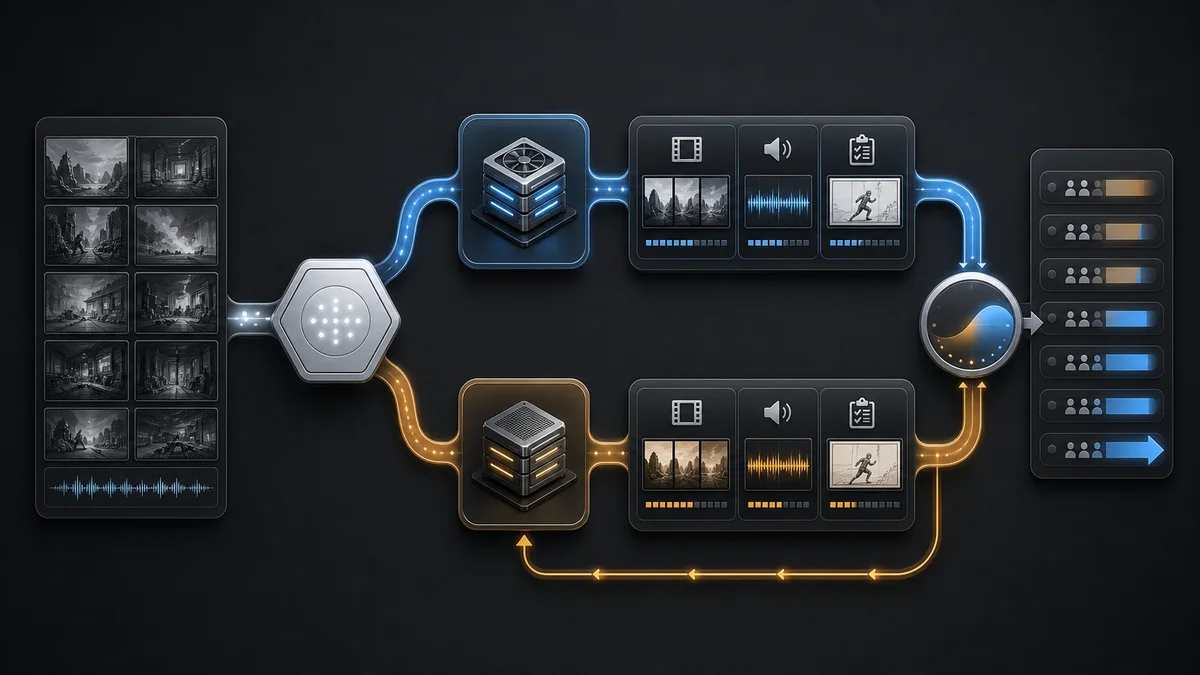
Recommended rollout: migrate the dependency, graduate the workload
- Inventory direct Google IDs, EvoLink route IDs, stored templates, and queued jobs separately.
- Reproduce a small baseline set on the old workflow before the Preview endpoint disappears.
- Test 1.1 by shot class, starting with extension and first/last-frame jobs where the upgrade has clear value.
- Keep the same acceptance rubric and record usable-shot cost, not only cost per generated second.
- Send a small traffic percentage to 1.1, then increase it only after quality, latency, and failure gates pass.
- Preserve a task-level fallback during the observation window; do not make one model the universal route by default.
- Complete the endpoint migration before September 30 even if some creative workloads still need an alternate model fallback.
FAQ
Is Gemini Omni 1.1 Flash simply a renamed Gemini Omni Flash?
No. It retains the conversational generation and editing foundation, but Google lists video extension, first-and-last-frame interpolation, and resolution control as significant new 1.1 capabilities. It also changes the public Gemini API lifecycle from Preview to GA.
Is “Gemini Omni 1” the official name of the old model?
gemini-omni-flash-preview. “Gemini Omni 1” or “1.0” is useful as an informal search alias, not as the official model name.Does 1.1 generate 40 seconds in one request?
No. One generation or extension remains 3–10 seconds. Google describes up to 40 seconds as a cumulative result after repeated extensions.
Does 1.1 read the full previous 40-second video every time?
No. Google says the extension workflow can analyze up to 10 seconds of prior context. Forty seconds is the cumulative output ceiling, not the context read on every turn.
Is 1.1 always better in visual quality?
There is no official public A/B benchmark proving a universal quality win. The verified upgrade is stronger control and a GA lifecycle. Test quality on your own shot classes and acceptance rubric.
Are 1080p and 4K native outputs?
No. Google's release notes explicitly identify 1080p and 4K as upscaled outputs. The default remains 720p.
Must every production team switch before September 30?
gemini-omni-flash-preview needs a migration plan before its scheduled deprecation. That does not require sending every workload to 1.1 without testing; another validated model can remain a task-level fallback.What is the safest first 1.1 workload to test?
Choose a task that uses a clear new control: continue a short scene, interpolate between an approved first and last frame, or generate several 360p drafts before promoting one setup. These workloads make the upgrade value measurable.


