

Gemini Omni Flash GA Migration: Move Preview Calls to 1.1

gemini-omni-1.1-flash. The older Gemini API ID gemini-omni-flash-preview is scheduled for deprecation on September 30, 2026.Current Gemini Omni status
| Item | Verified status on August 28, 2026 |
|---|---|
| Public model name | Gemini Omni 1.1 Flash |
| Gemini API lifecycle | Generally available (GA) |
| Stable Gemini API ID | gemini-omni-1.1-flash |
| Legacy Gemini API preview ID | gemini-omni-flash-preview |
| Preview deprecation date | September 30, 2026 |
| Output per generation or extension | 3–10 seconds, 24 FPS |
| Resolution choices | 360p, 720p, 1080p upscale, 4K upscale |
| New 1.1 controls | Video extension, first-and-last-frame interpolation, resolution control |
Google's current pricing page had not yet published a separately verified 1.1 price that we could safely copy when this article was updated. Do not carry the old preview price into a production budget by assumption. EvoLink settles its routes from live token usage; check the model page or console for the current route price.
Do not confuse the three model-ID layers
The similar names describe different access surfaces:
| Surface | ID | What it means |
|---|---|---|
| Gemini API stable | gemini-omni-1.1-flash | Google's GA public model ID |
| Gemini API legacy preview | gemini-omni-flash-preview | Old ID to migrate before September 30 |
| Vertex AI / Agent Platform preview channel | gemini-omni-1.1-flash-preview | Separate channel-specific ID used in EvoLink's upstream verification |
| EvoLink unified video API | Five gemini-omni-1.1-flash-* route IDs | Task-specific EvoLink IDs for generation, editing, and extension |
EvoLink exposes text-to-video, image-to-video, reference-to-video, video edit, and video extend as separate route IDs on one asynchronous video endpoint. They are not alternate Google model IDs. This separation lets an application validate task-specific parameters and compare another video route without rebuilding authentication, status polling, or cost logging.
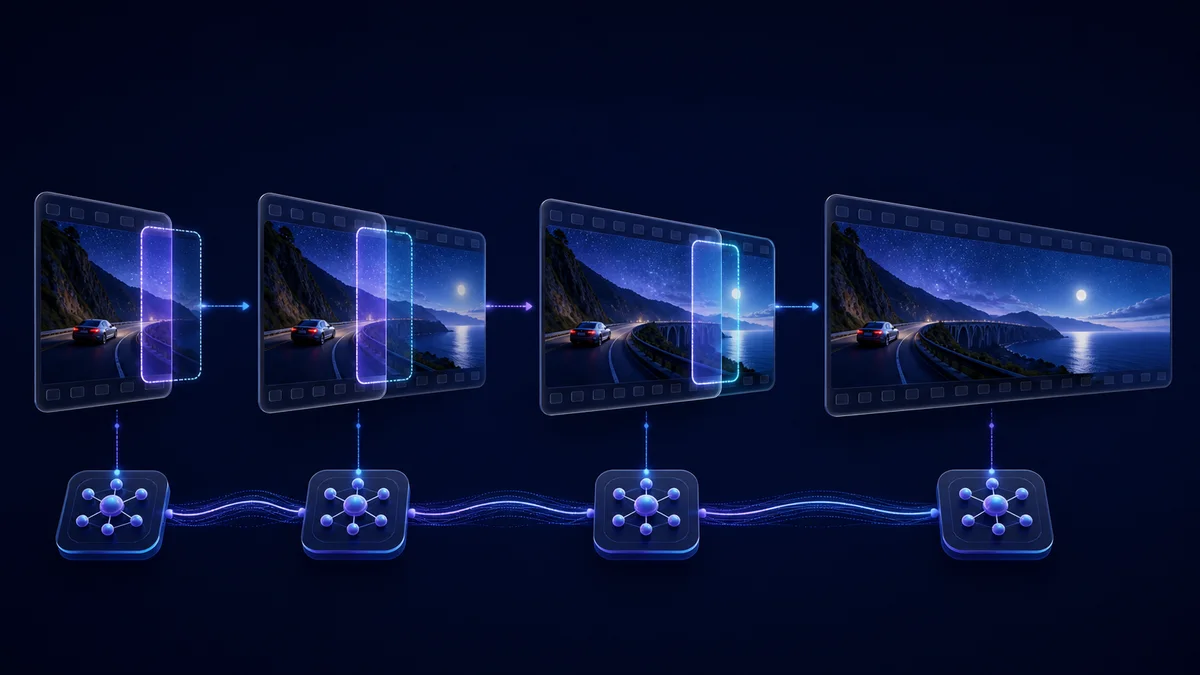
What "up to 40 seconds" actually means
duration is the number of seconds appended, not the final total. Repeated extension all the way to 40 seconds has not yet been verified end to end on the current EvoLink route, so the product page does not advertise a one-shot or guaranteed 40-second EvoLink output.Migration checklist
- Search application code, environment variables, and stored job templates for
gemini-omni-flash-preview. - If you call the Gemini API directly, move to
gemini-omni-1.1-flash; do not substitute the Agent Platform preview ID. - Recheck response parsing and task history because the Interactions API is stateful for conversational editing.
- Retest resolution handling. The default remains 720p; 1080p and 4K are upscaled outputs and have higher token cost.
- Treat extension
durationas appended seconds. Validate 3–10 on your side instead of relying on upstream clamping. - Load-test quotas and keep retry/backoff logic. EvoLink testing observed a 429 with four concurrent upstream requests.
- Keep a fallback route for production workloads whose quality, latency, or regional constraints differ by task.
Limits that still matter
top_p, stop sequences, and a separate negative-prompt parameter remain unsupported. Write exclusions into the normal prompt.Google also documents restrictions for extending uploaded videos with spoken dialogue and regional limits for uploaded-video extension in the EEA, Switzerland, and the United Kingdom. Multi-turn extension of model-generated video is a different workflow from uploading a long finished clip.
FAQ
Is Gemini Omni 1.1 Flash generally available?
gemini-omni-1.1-flash GA on August 27, 2026.When is gemini-omni-flash-preview deprecated?
Google's release notes list September 30, 2026. Migrate and regression-test before that date.
Is gemini-omni-1.1-flash-preview the stable model ID?
gemini-omni-1.1-flash.Can one API call generate 40 seconds?
No. One generation or extension returns 3–10 seconds. Forty seconds is the cumulative ceiling after repeated multi-turn extensions.
Are 1080p and 4K native outputs?
No. Google explicitly describes both as upscaled outputs. The default remains 720p.
What does duration mean for video extension?
It is the number of seconds appended to the input, not the final output length.
Can I reuse the old preview price for 1.1?
Do not assume that. Use a currently verified provider price or EvoLink's live route price and keep the two scopes separate.


