Production routeThis rate reflects platform-side availability — only confirmed server errors (HTTP 500 / empty response) count as failures. User-side issues (content moderation, invalid params, cancellation) plus rate limits, timeouts and auth errors are excluded. Before real traffic arrives, empty buckets may display as available.Live
Test Qwen Image 3.0 output quality, estimate credit usage, and generate a sample before you formally integrate.
Create image task
Fixed to qwen-image-3.0-pro
Reference images (optional)
Add up to 3 reference images for image-to-image. Leave empty for text-to-image.
0/3 files
Size
The model auto-selects the resolution from your prompt.
Count
Smart rewrite
Watermark
Negative prompt (optional)
Seed (optional)
Estimate ~$0.0684.59 cr
2K · 1 image(s) × 4.59 cr · text-to-image
Ready
History
Results are kept for 24 hours — download anything you want to keep.
Generated Qwen Image 3.0 tasks will appear here.
Know your Qwen Image 3.0 testing cost before you add credits.
EvoLink bills this route per generated image at the current account price. Capacity may vary while upstream access remains limited.
First Test Cost
Standard · 1K · 1 image, no input images
Minimum charge
Credits1.836
One generated image
Approx. Cost$0.027
About 354 images with $10 in credits.
In Playground, select Standard, 1K and 1 image with no references for this price. Output is billed per generated image at the 1K or 2K tier. Reference images are billed separately, so image-to-image costs more than text-to-image.
Testing Budget Guide
Pick an amount based on how many images you expect.
Estimated cost for generated images. Final cost is based on the number actually generated.
Model Pricing
Model tier
Item
Rule
Rate
Billing
Qwen Image 3.0 Pro
Output image - 1K
Generated image with a total area of 2,250,000 pixels or less.
$0.036/image2.448 cr/image
Per image (× n)
Qwen Image 3.0 Pro
Output image - 2K
Generated image larger than 2,250,000 pixels in total area.
$0.068/image4.59 cr/image
Per image (× n)
Qwen Image 3.0 Pro
Reference image
Each reference image sent for image-to-image editing (up to 3).
$0.0027/image0.1836 cr/image
Per reference image
Qwen Image 3.0 Pro
Output image - 1K
Generated image with a total area of 2,250,000 pixels or less. - Per image (× n)
$0.036/image2.448 cr/image
Qwen Image 3.0 Pro
Output image - 2K
Generated image larger than 2,250,000 pixels in total area. - Per image (× n)
$0.068/image4.59 cr/image
Qwen Image 3.0 Pro
Reference image
Each reference image sent for image-to-image editing (up to 3). - Per reference image
$0.0027/image0.1836 cr/image
Total = reference images x input rate + generated images x output tier rate. Text-to-image has no reference-image charge. With size=auto the tier is unknown at submit time, so credits are held at the 2K rate and the difference is refunded on settlement.
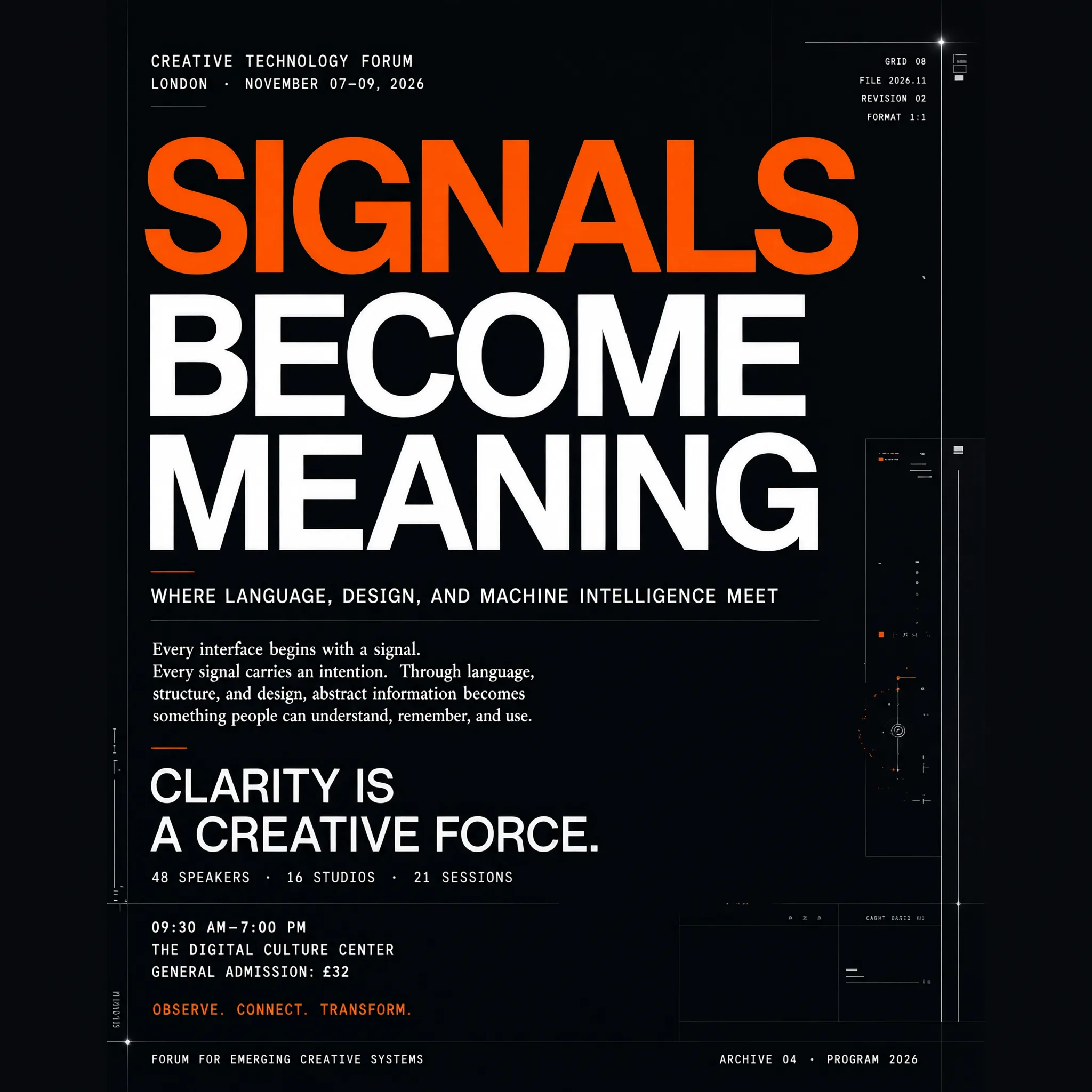
Choose Qwen Image 3.0 for text-heavy production visuals.
Use it when a single brief must coordinate exact copy, multiple layout zones, multilingual typography, reference roles, and a final delivery format. The practical question is not whether one demo looks good, but whether the model lowers revision work and cost per accepted image for your workflow. EvoLink keeps generation, editing, billing, evaluation, and fallback routes in one account so teams can answer that question with production-like tests.
Highest fidelity tier with a separate 2K output rate — the default identity of this page for text-heavy production visuals.
Qwen Image 3.0
qwen-image-3.0
Standard tier with a lower per-image rate, and 1K and 2K priced the same — same request contract as Pro.
Key Qwen Image 3.0 API parameters
modelstring
Select Standard or Pro through the model ID.
image_urlsstring[]
Omit for text-to-image, or send 1–3 public image URLs for editing.
ninteger
Generate 1–6 images; the default is 1.
qualityenum
Choose 1K or 2K when using a ratio size; custom pixel dimensions determine the billing tier.
Two ways to use Qwen Image 3.0: EvoLink API or Agent
Use the EvoLink API for product integration and batch jobs, or call it from Codex, Claude, or Gemini for fast creative and development workflows. Both paths share the same EvoLink API key, balance, model routes, and task history.
Option 1
Integrate with the EvoLink API
Best for: product backends, batch jobs, automated workflows
Call EvoLink’s unified image API from your server and control the model ID, parameters, task queue, callbacks, and result storage.
1Validate output and cost with a real brief in Playground
2Create an EvoLink API key in the console
3Pick the model ID that matches your task from the route cards above
4Submit the task and retrieve the result by polling or HTTPS callback
Best for: creative and development tasks in Codex, Claude, and Gemini
Give the Agent your output goal, assets, and acceptance criteria. It can choose the route, assemble the request, track the task, and return the result without requiring you to hand-code every step.
1Set EVOLINK_API_KEY in your local environment; never put it in code or a prompt
2Describe the output goal, references, and the key parameters
3Ask the Agent to call a Qwen Image 3.0 route and save the task ID
4Let the Agent poll the final state, download the result, and report failure reasons
Qwen Image 3.0 signature capabilities
Authentic micro-level detail
Render fine textures, lighting, reflections, materials, and small visual details with greater realism.
Official capability; validate output against your own prompts.
Precise text and structured layouts
Generate reports, newspapers, presentations, storyboards, and other information-dense compositions with clear hierarchy.
Official capability; validate output against your own prompts.
Knowledge-rich visuals
Turn detailed instructions and world knowledge into annotated educational diagrams and structured explainers.
Official capability; validate output against your own prompts.
Qwen Image 3.0 production workflows to test
Infographics and education with Qwen Image 3.0
Turn a detailed brief into worksheets, exam pages, explainers, slide-like graphics, and structured knowledge visuals.
Localized marketing with Qwen Image 3.0
Produce campaign variants with native typography for multilingual ads, ecommerce banners, menus, and launch assets.
Product and UI concepts with Qwen Image 3.0
Prototype web pages, game screens, livestream interfaces, product packaging, and text-heavy creative directions.
Reference-guided editing in Qwen Image 3.0
Use 1-3 images to guide subject, composition, style, or transformation in the same image workflow.
Reports and editorial layouts with Qwen Image 3.0
Draft annual-report covers, research summaries, newspapers, and presentation spreads with named zones, exact headings, charts, and review checkpoints.
Storyboards and shot planning with Qwen Image 3.0
Describe several panels, camera changes, dialogue, and continuity rules in one structured brief, then review every panel rather than only the composite.
Menus, packaging and commerce with Qwen Image 3.0
Test product cards, menus, labels, and packaging concepts where hierarchy and multilingual copy matter; manually verify regulated text, prices, barcodes, and QR codes.
Restoration and annotation with Qwen Image 3.0
Use a source image for restoration, callouts, or visual explanation while checking identity, untouched regions, and every generated annotation.
Qwen Image 3.0 API code example and error handling
This example shows the shortest runnable flow: create a task, save the returned task ID, then poll or wait for an HTTPS callback. Open the API tab for the complete parameter and response reference.
A Qwen Image 3.0 task that reaches a final failed state is not charged. Keep the task ID, inspect the final state, and identify whether the cause is validation, review, or execution before retrying.
Callback not received
callback_url must be a public HTTPS URL, not localhost or a private network address. Always keep the task ID as a polling fallback.
Where Qwen Image 3.0 fits in an image stack
Decision factor
Qwen Image 3.0
Nano Banana
GPT Image
Primary strength
Text-rich complex layouts
Flexible creative generation
Generation and editing workflows
Prompt depth
Up to 4.5K tokens
Model dependent
Model dependent
Text and layout
10px text; 12 languages
Strong general rendering
Strong general rendering
Reference input
1-3 images
Model dependent
Supported
Route stage
Live
Varies by model
Varies by model
Primary strength
Qwen Image 3.0Text-rich complex layouts
Nano BananaFlexible creative generation
GPT ImageGeneration and editing workflows
Prompt depth
Qwen Image 3.0Up to 4.5K tokens
Nano BananaModel dependent
GPT ImageModel dependent
Text and layout
Qwen Image 3.010px text; 12 languages
Nano BananaStrong general rendering
GPT ImageStrong general rendering
Reference input
Qwen Image 3.01-3 images
Nano BananaModel dependent
GPT ImageSupported
Route stage
Qwen Image 3.0Live
Nano BananaVaries by model
GPT ImageVaries by model
What to know before integrating Qwen Image 3.0
Qwen Image 3.0 routing
Send only a prompt for text-to-image, or include 1-3 image references for image-to-image and guided editing workflows. The 4.5K-token input window supports detailed layout, typography, style, color, object, and knowledge constraints in one brief. Name the artifact, audience, canvas, zones, exact copy, visual rules, invariants, and acceptance criteria. Add length only when it defines a real relationship or review rule. State whether each image controls the subject, identity, pose, composition, palette, lighting, or style, and list what must remain unchanged. Ambiguous multi-reference prompts often blend the wrong attributes.
Qwen Image 3.0 task lifecycle
Keep the returned task ID. Poll /v1/tasks/{task_id} or use callback_url for the final state; download results within 24 hours. The EvoLink route is live, but upstream access remains limited. Start with a controlled workload and measure queue behavior, latency, output acceptance, retries, and capacity before moving critical traffic.
Qwen Image 3.0 billing
Output fees follow the selected tier and the number of images generated. Reference images are charged separately. Failed tasks are refunded. Treat small-text readability, spelling, layout, formulas, chart relationships, and factual accuracy as separate review gates. A polished knowledge graphic can still contain a wrong label or invented fact.
Why access Qwen Image 3.0 through EvoLink
One Gateway
Use one EvoLink API key for Qwen and other image, video, audio, and language model routes.
Faster Model Evaluation
Test Qwen beside other image routes without creating a separate vendor account, billing setup, and integration stack.
Shared Billing
Use one balance and one console to compare spend across test and production image workloads.
Async Task Visibility
Track submitted, processing, completed, and failed image tasks through the same EvoLink workflow.
Route Choice and Fallback
Keep alternative image routes available for workload-based selection, cost comparison, and failover.
Qwen Image Model Family
Compare Qwen image routes under one EvoLink account and API key, then choose by editing depth, reference workflow, and cost.
Qwen Image 3.0
Current
Use it when a single brief must coordinate exact copy, multiple layout zones, multilingual typography, reference roles, and a final delivery format. The practical question is not whether one demo looks good, but whether the model lowers revision work and cost per accepted image for your workflow. EvoLink keeps generation, editing, billing, evaluation, and fallback routes in one account so teams can answer that question with production-like tests.
Qwen Image 3.0 Pro
Use it when a single brief must coordinate exact copy, multiple layout zones, multilingual typography, reference roles, and a final delivery format. The practical question is not whether one demo looks good, but whether the model lowers revision work and cost per accepted image for your workflow. EvoLink keeps generation, editing, billing, evaluation, and fallback routes in one account so teams can answer that question with production-like tests.
Yes. The route is live on EvoLink. Upstream access remains limited, so verify capacity and behavior with your own workload before moving critical production traffic.
What model ID should I use?
Use qwen-image-3.0-pro with the EvoLink image generation endpoint shown in the API tab.
What makes Qwen Image 3.0 different from 2.0?
The 3.0 release emphasizes richer content, more authentic detail, and deeper knowledge, including up to 4.5K-token prompts, 10px text, and native rendering in 12 languages.
Does it support image editing?
Yes. Add 1-3 reference images to guide an image-to-image edit, or omit references for text-to-image generation.
How many images can one request return?
The n parameter supports 1-6 generated images per request. Cost follows the number of successful outputs.
How much does it cost on EvoLink?
Cost depends on the selected model tier, output size, number of generated images, and any reference images. Check the live Pricing tab for the current account rate and billing breakdown.
Which image sizes are supported?
Four ways to set size: auto (the model picks a resolution), a quality tier (1K/2K), an aspect ratio such as 1:1 or 16:9, or custom WIDTHxHEIGHT pixels. Custom pixels use total pixels 262,144–4,194,304 with aspect ratio 1:16–16:1, and size works with any n (1–6).
What does prompt_extend do?
prompt_extend lets the model expand a short prompt before generation. Use it for exploration, but keep it controlled when exact wording and layout instructions matter.
What is the difference between Standard and Pro on this page?
Both tiers use the same EvoLink image workflow and parameter contract. Standard is the lower-cost option; Pro is the higher-fidelity tier and uses a separate 2K output rate. Test both with the same acceptance set before choosing a default.
Can I rely on the 10px text claim for final assets?
Treat 10px text as a vendor-stated capability, not a guarantee that every character will be correct. Review spelling, punctuation, formulas, contrast, and readability at the final delivery size after resizing or compression.
Which languages should I test?
Qwen states that the model natively renders 12 languages, but a headline claim does not replace locale QA. Build a test set for the exact scripts, punctuation, fonts, brand terms, and mixed-language layouts your product will publish.
Does Deep Knowledge make diagrams factually accurate?
No. It helps the model express knowledge-rich formats, but generated facts, equations, chart relationships, dates, labels, and medical or scientific content still require source-based human review.
How should I structure a long prompt?
Start with the artifact and audience, then define canvas and zones, exact quoted copy, visual style, reference roles, invariants, and an acceptance checklist. Do not turn the full 4.5K-token allowance into one unstructured paragraph.
How do I use multiple reference images without mixing them up?
Assign one explicit role to each image, such as subject, pose, composition, or style. State which source attributes must be preserved and which may change; then review identity and untouched regions separately.
Is Qwen Image 3.0 open source or available for self-hosting?
No official Qwen Image 3.0 weights, model card, or self-hosting license were verified in the current official release material. Do not plan a local deployment until Qwen publishes the artifacts and terms.
What should I measure during evaluation?
Record model tier, prompt, references, parameters, output size, queue and generation latency, retries, credits, acceptance reason, and fallback use. Compare cost per accepted image, not only the listed price per generated image.
Is it production-ready?
The EvoLink route is live, but production readiness is workload-specific. Start with a canary, then expand only after measuring latency, acceptance rate, queue behavior, retries, and capacity.
When should I use another image model?
Keep a fallback when your workflow prioritizes mature capacity, a different editing style, or provider-specific features over Qwen Image 3.0’s text-rich layout strengths.