

Gemini Omni 1.1 Flash vs Seedance 2.5: Which Video Route Fits?

Neither is the universal winner. The useful difference is workflow shape: Omni produces or appends 3–10 seconds per step and is designed around iterative interaction; Seedance can build a 4–30 second scene in one pass and accepts a much larger reference package. Both are available as task-specific routes behind the same EvoLink API key, so a production system can route by shot instead of choosing one vendor for every job.
Decision table
| Decision factor | Gemini Omni 1.1 Flash | Seedance 2.5 | Practical choice |
|---|---|---|---|
| One request | 3–10 seconds | 4–30 seconds, or auto duration | Seedance for a complete 15–30s story in one call |
| Extension | Adds 3–10s; Google documents multi-turn extension up to 40s cumulative | Adds 4–30s or auto; provider supports multiple extension rounds | Omni for controlled short continuation; Seedance for larger additions |
| Extension context | Last up to 10s in Google's multi-turn workflow | Provider positions 2.5 for long-form and multi-round extension | Test continuity on the exact route and footage |
| First/last frames | Two ordered images interpolate start to end | Rich multimodal references and editing | Omni for a fixed start/end transition |
| Reference capacity on EvoLink | Up to 10 images plus one optional video on the reference route | Up to 30 images, 10 videos, 10 audio assets; max 50 total | Seedance for reference-heavy production |
| Uploaded audio reference | Not supported | Supported on reference-to-video | Seedance when an audio asset must drive the result |
| Output tiers | 360p, 720p, upscaled 1080p and 4K | 480p, 720p, 1080p; no EvoLink 4K tier | Omni for 360p drafts or 4K upscale; Seedance for verified 1080p |
| Billing | Actual input, video-output, and thinking tokens | Per-second rate; video-input routes also bill input duration | Compare a complete scene, not just the headline rate |
| EvoLink routes | Five: T2V, I2V, R2V, edit, extend | Five: T2V, I2V, R2V, edit, extend | Same integration surface for routing |
When Gemini Omni 1.1 Flash is the better route
Use Omni when the creative decision happens in short, controlled steps. First-and-last-frame interpolation is a concrete advantage for a product reveal, match cut, loop, or transition where the opening and closing composition are both fixed. Its 360p tier also makes prompt iteration cheaper before a team approves a 720p or upscaled delivery.
Omni is also the more natural fit for conversational editing. Google's Interactions API can carry a previous interaction into the next edit or extension. The headline "40 seconds" belongs to that multi-turn design: it is not a 40-second one-shot generation. Each turn adds at most 10 seconds, and the combined clip can reach 40 seconds.
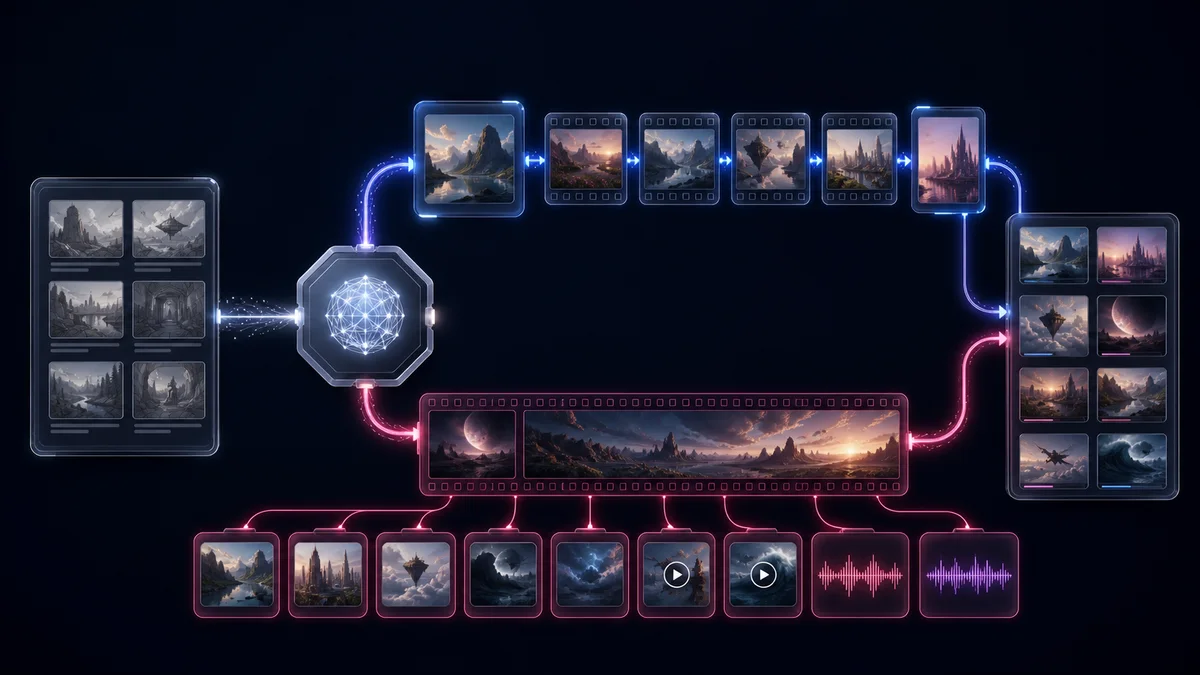
When Seedance 2.5 is the better route
Use Seedance when the prompt and references need to describe a complete sequence in one request. ByteDance officially supports up to 30 seconds in a single generation, which is materially different from stitching together several 10-second steps. That helps tutorials, short drama scenes, multi-shot ads, and creator videos that need setup, development, and payoff inside one output.
Seedance also accepts far more reference material on the EvoLink route: images for characters and products, video for movement or camera language, and uploaded audio for pacing or sound direction. Its timestamp-level editing and larger media contract suit production teams that arrive with a storyboard, reference pack, and audio plan.
Cost comparison without the misleading shortcut
| Example on EvoLink | Approximate current cost | What the number excludes or assumes |
|---|---|---|
| Omni 1.1, T2V, 5s, 720p | ~$0.44 | Default token rates and thinking reserve; no media input |
| Omni 1.1, T2V, 10s, 4K upscale | ~$2.59 | Video output plus small reserve; 4K is upscaled |
| Seedance 2.5, T2V, 5s, 720p | ~$1.48 | Current per-second route price |
| Seedance 2.5, T2V, 5s, 1080p | ~$2.66 | Includes the current limited-time 1080p rate |
This is not proof that Omni is always cheaper. An Omni edit or extension adds input-video tokens, while a Seedance reference route can use a lower video-input rate but charge both input and output duration. Compare the whole request contract and the number of attempts needed to obtain a usable shot.
A production routing pattern that uses both
- Classify the shot before submitting: transition, short continuation, long scene, reference-heavy shot, or audio-led shot.
- Route fixed-start/end transitions and short iterative edits to Gemini Omni 1.1 Flash.
- Route 11–30 second scenes and large multimodal reference packs to Seedance 2.5.
- Generate the cheapest useful preview tier first: Omni 360p or Seedance 480p.
- Promote only an approved prompt and reference pack to 720p, 1080p, or 4K upscale.
- Log final cost, latency, moderation result, and usable-shot verdict by route.
- Keep the other model as a task-level fallback instead of retrying the same route indefinitely.
model value changes by shot.Production caveats
EvoLink has verified one Omni extension request, but not the complete repeated-extension path to 40 seconds. Do not design an SLA around cumulative 40-second EvoLink output until that path passes end-to-end testing. Omni 1080p and 4K are upscaled, not native capture tiers.
For Seedance, the one-pass 30-second capability is official, but longer output can increase the chance that one section of the story needs regeneration. Its large reference allowance also makes prompt and asset-role discipline more important. In either route, benchmark with your characters, camera motion, dialogue, and content-policy edge cases.
FAQ
Which model generates a longer video in one request?
Seedance 2.5. It supports up to 30 seconds in one generation; Gemini Omni 1.1 Flash returns 3–10 seconds per generation or extension.
Does Gemini Omni generate 40 seconds at once?
No. Forty seconds is Google's cumulative ceiling after repeated multi-turn extensions of up to 10 seconds each.
Which model is better for first-and-last-frame control?
Gemini Omni 1.1 Flash has an explicit two-image interpolation workflow where image order sets the first and last frame.
Which model accepts audio references?
Seedance 2.5. Gemini Omni generates synchronized audio but does not accept an uploaded audio reference.
Which model supports more references?
Seedance 2.5 on EvoLink supports up to 30 images, 10 videos, and 10 audio assets, with 50 assets total. Omni's reference route supports up to 10 images plus one optional video.
Is Gemini Omni's 4K output native?
No. Google identifies 1080p and 4K as upscaled outputs.
Which model is cheaper?
The current short text-to-video examples favor Omni, but input media, resolution, duration, and retries can reverse the result. Use the live estimator for the exact route.
Can I switch between them with one API key?
Yes. Both use EvoLink's asynchronous video generation workflow; choose a task-specific model ID and keep the same authentication and task polling.


