
Topaz Video Upscale API
Upload a video for upscaling (MP4/MOV/MKV, max 50MB)
Click to upload or drag & drop
Supported formats: MP4, MOV, MKV
Maximum file size: 50MB; Maximum files: 1
Click Generate to see preview
History
Max 20 items0 running · 0 completed
Results are valid for 24–72 hours and are then permanently deleted — download anything you want to keep.
Use after generation, before delivery
Use Topaz Video Upscale as the final step after AI video generation. Improve video quality, recover detail, and upscale blurry or compressed clips before final delivery.
Best fit for the final quality step. Use after Seedance, Kling, Sora, or other video generation workflows Improve blurry, soft, or compressed clips before delivery Choose 1x cleanup or 2x and 4x upscale with predictable per-second pricing
Public page name: Topaz Video Upscale API. Request model ID: topaz-video-upscale.

Billing Rules
- •Duration is rounded up to 1 decimal place (e.g. 12.34s → 12.4s)
Pricing
| Model | Mode | Upscale Factor | Price |
|---|---|---|---|
| Topaz Video Upscale | Video Enhancement | 1x | $0.055/ second(3.7 Credits) |
| Topaz Video Upscale | Video Enhancement | 2x | $0.055/ second(3.7 Credits) |
| Topaz Video Upscale | Video Enhancement | 4x | $0.088/ second(5.92 Credits) |
If an upstream route is unavailable, EvoLink can use the next available option where fallback coverage exists, helping teams keep costs and operations predictable.
Where teams use Topaz Video Upscale API
Enhance AI-generated videos before final delivery
Use Topaz Video Upscale after Seedance, Kling, Sora, or other video models when the motion is right but the output still feels soft, compressed, or not clean enough for final delivery. This is the practical second step many teams want after generation.

Improve blurry or compressed short-form videos
Upgrade UGC, social clips, ecommerce demos, and creator content when the source video is too soft, noisy, or compression-heavy. Add an API-based video enhancer step instead of manually fixing each clip.

Upgrade source footage without re-rendering everything
Use Topaz for archival clips, B-roll, drone footage, or intermediate assets that need a cleaner final export. When the content is usable but the quality is not, upscaling is often faster than a full regeneration cycle.
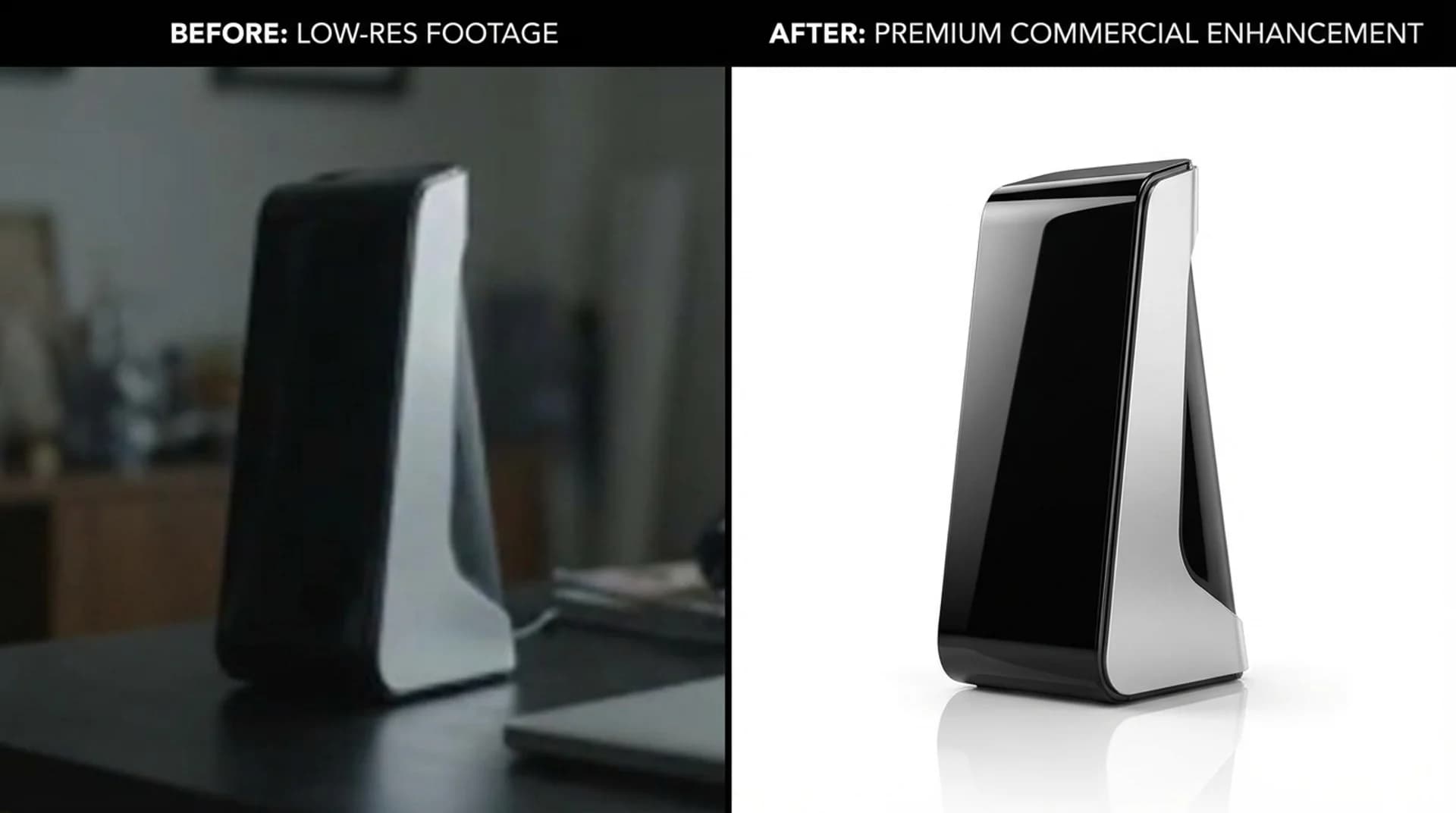
Why teams use Topaz as a second-step video enhancer
Topaz fits the common workflow where video generation handles concept and motion first, then enhancement handles final clarity, detail recovery, and delivery quality.
Built for the final quality pass
Use it after generation, editing, or compression when you need cleaner output without redoing the whole shot.
1x enhancement or 2x and 4x upscale
Choose between quality cleanup at the same resolution or larger delivery outputs when the use case calls for more pixels.
Predictable API pricing for production workflows
Per-second billing is straightforward for queue-based video pipelines, batch processing, and budget planning.
How to add Topaz Video Upscale to a video pipeline
Treat Topaz as a post-processing step after generation, editing, or export. Connect once through EvoLink and run video enhancement in three simple steps.
Step 1 — Prepare the source clip
Take the video you already generated or exported from Seedance, Kling, Sora, or your own media pipeline. Host it on an accessible URL. Supported formats: MP4, MOV, MKV. Maximum file size: 50MB.
Step 2 — Choose 1x, 2x, or 4x and submit
Select whether you want quality enhancement only or a larger output. Send the request with your video URL and receive a task ID for tracking.
Step 3 — Store the enhanced delivery file
Poll the task status or use a callback URL. Download the enhanced video from the result URL within 24 hours and store it in your own delivery pipeline.
Topaz Video Upscale API capabilities
What developers and video teams need from an AI video upscaler
Use after AI video generation
Topaz works well when a generated clip already has the right motion and composition, but still needs a cleaner final output before delivery.
1x quality enhancement
Run a quality-improvement pass without changing the output resolution when you mainly want better clarity, sharper detail, and less softness.
2x and 4x upscale options
Choose larger delivery outputs when you need more resolution for client delivery, reposting, or higher-quality exports.
AI detail recovery for soft or compressed clips
Topaz neural networks recover edge definition and visible detail from low-resolution or compression-heavy inputs more effectively than basic interpolation.
Async API with MP4, MOV, and MKV input support
Submit enhancement tasks with MP4, MOV, or MKV inputs and retrieve results by polling or callback. This fits queue-based media systems, short-form clips, and batch post-processing well.
Per-second billing
Billing is based on input video duration, not output file size. 1x and 2x share the same rate; 4x costs 1.6x more.
Topaz Video Upscale API FAQs
Everything you need to know about the product and billing.
API Reference
Select endpoint
Authentication
All APIs require Bearer Token authentication.
Authorization:
Bearer YOUR_API_KEY/v1/videos/generationsCreate Upscale Task
Topaz Video Upscale (topaz-video-upscale) enhances video resolution using AI-powered upscaling. Supports 1x, 2x, and 4x upscale factors.
Asynchronous processing mode, use the returned task ID to query status.
Generated video links are valid for 24 hours, please save them promptly.
Request Parameters
modelstringRequiredDefault: topaz-video-upscaleVideo upscale model name.
topaz-video-upscalevideo_urlsarrayRequiredVideo URL list for upscaling. Only the first URL is used.
Notes
- 1 video per request
- Max size: 50MB per video
- Formats: MP4, MOV, MKV
- URLs must be directly accessible by the server
https://example.com/video.mp4model_params.upscale_factorstringRequiredDefault: 2Video upscale factor. Determines output resolution relative to input.
| Value | Description |
|---|---|
| 1 | Enhance quality without changing resolution |
| 2 | 2x resolution (default) |
| 4 | 4x resolution (higher cost) |
Notes
- Billing is based on video duration × upscale factor; 4x costs 1.6× more than 1x/2x
2callback_urlstringOptionalHTTPS callback address after task completion.
Notes
- Triggered on completion or failure
- HTTPS only, no internal IPs
- Timeout: 10s, Max 3 retries
- Max length: 2048 chars
https://your-domain.com/webhooks/video-task-completed