

Nano Banana 2 Lite Batch Image Generation: Low-Cost 1K Workflows

Fast Verdict
What Low-Cost 1K Changes
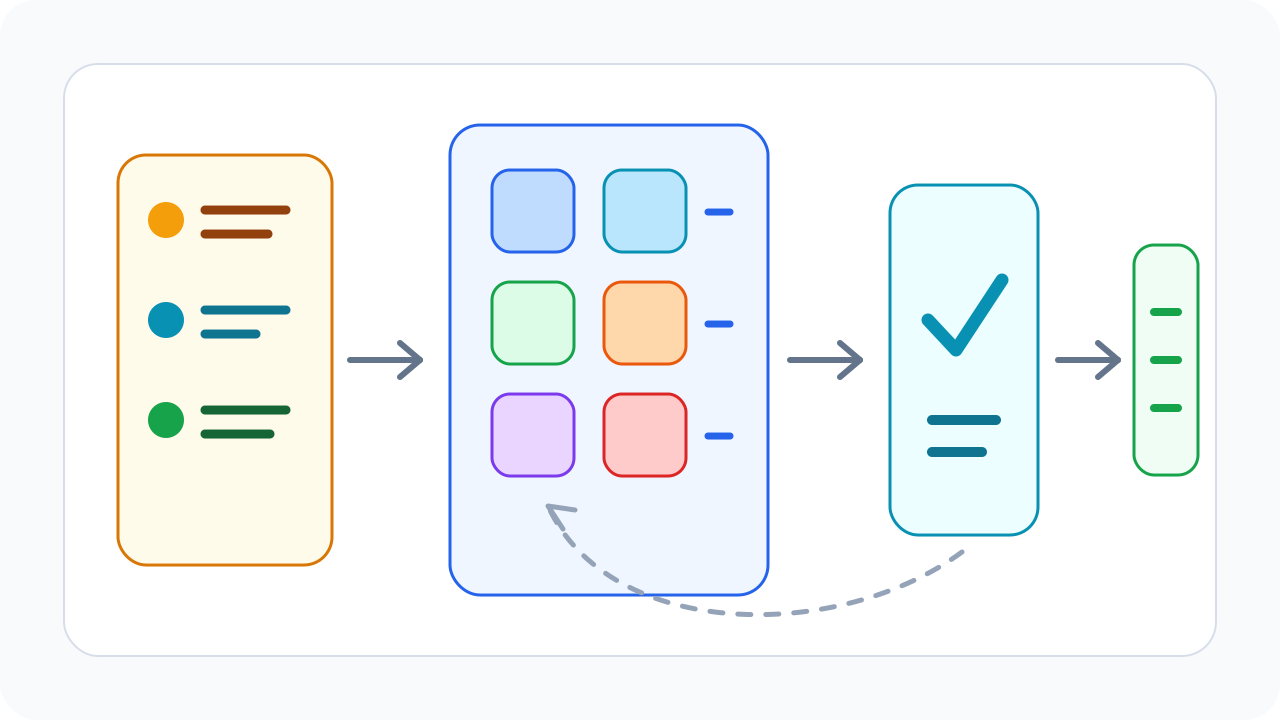
When image generation cost and latency fall, teams can change product behavior. Instead of asking a user to write one perfect prompt, the product can generate multiple options, let the user choose a direction, and only spend higher-resolution budget after a candidate is selected.
| Before Lite-first routing | With Lite-first routing |
|---|---|
| One or two careful generations | Many fast candidates |
| Users over-edit prompts before seeing options | Users choose from visual directions |
| Final route used too early | Final route reserved for approved images |
| Cost measured per request only | Cost measured per accepted image |
| Batch jobs feel risky | Batch exploration becomes manageable |
The value is not simply "more images for less money." A useful batch system turns image generation into a managed production queue: why each batch exists, who reviews it, when it should rerun, and when selected images should move to the final route.
Who This Article Is For
This guide is for teams that already use image generation inside a product or repeatable operations flow, not for someone testing a few standalone prompts.
- Product teams building ecommerce images, SKU cards, marketplace listings, or catalog refreshes
- Growth teams producing recurring social ads, landing-page images, thumbnails, and campaign variants
- Developers adding avatars, stickers, backgrounds, previews, or template generation inside an app
- Engineering teams that want one API gateway for draft routes, final routes, cost control, and fallback
If your job is a single high-quality final image, print output, brand hero creative, or 2K/4K delivery, the answer is not "use Lite for everything." Use Lite to discover direction, then escalate the small set of approved candidates.
Three Common Batch Patterns
Batch generation is not one generic action. Different products need different batch structures; otherwise teams generate many images without a clear review standard.
| Batch pattern | Input structure | Best fit | Lite's role |
|---|---|---|---|
| SKU x variants | One product, multiple backgrounds, angles, and styles | Ecommerce listings and product cards | Find usable product presentation quickly |
| Campaign x creative angle | One campaign, multiple audiences, benefits, and visual directions | Social ads and landing pages | Expand creative exploration before media spend |
| User input x previews | User-provided content with several preview options | Avatars, stickers, editors, templates | Reduce waiting time and trial cost |
All three patterns fit Lite because early outputs do not need to be final-delivery assets. The product needs enough visual directions for a user or reviewer to make a decision.
Batch Workflows That Fit Lite
| Workflow | Batch size pattern | Why Lite fits |
|---|---|---|
| Ecommerce thumbnail drafts | 5-20 variants per SKU | Most variants are rejected before final review |
| Social ad concepts | 10-50 creative directions per campaign | Marketers need range before committing spend |
| Marketplace listing refresh | Hundreds of small image tasks | 1K previews are enough for selection |
| Sticker or avatar packs | Dozens of style variations | Fast iteration matters more than maximum resolution |
| Internal moodboard generation | Many loose visual ideas | The goal is direction discovery, not final delivery |
The common thread is rejection. Batch systems generate many candidates, and most candidates do not ship. Lite makes sense when you expect this rejection and want the product to explore cheaply.
Design The Input Matrix
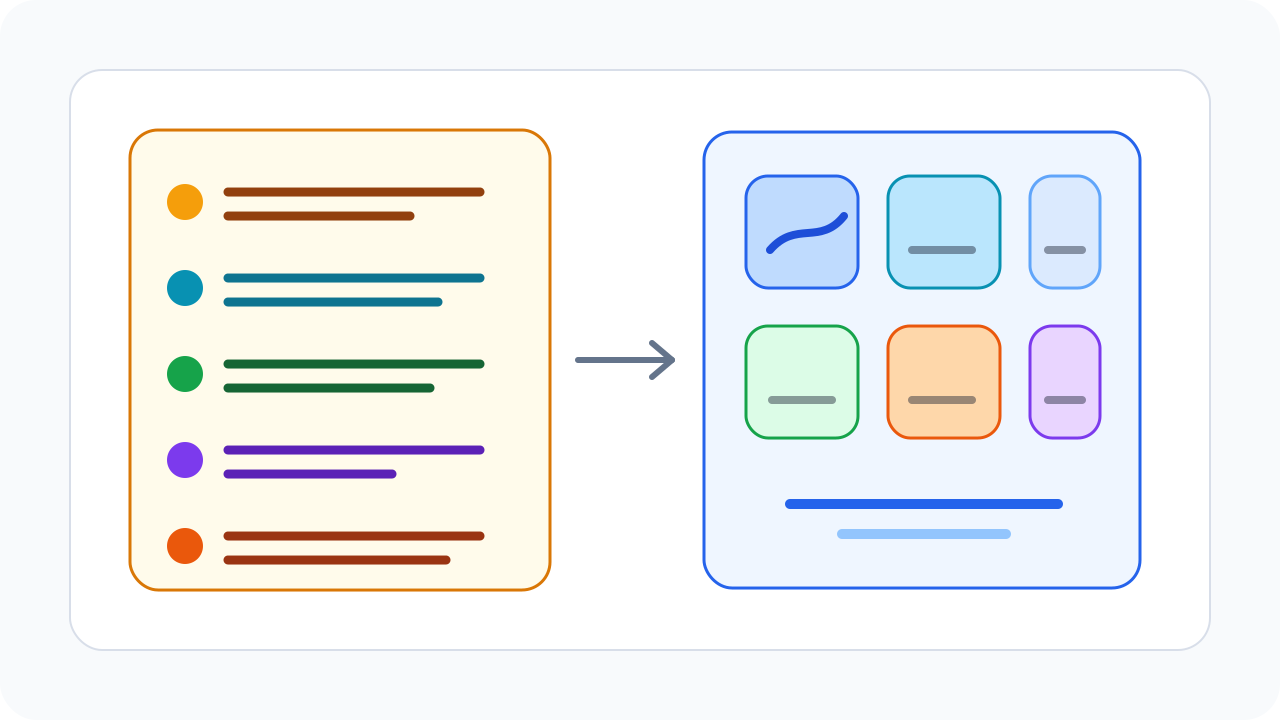
The easiest way to waste a batch job is to paste one long prompt over and over. A more reliable pattern is to split prompts into structured variables that can be measured, reused, and improved.
| Input variable | Example | Why manage it separately |
|---|---|---|
| Subject | "white running shoe", "coffee cup", "fitness app avatar" | Defines the core object |
| Scene | "clean desk", "morning outdoor light", "minimal ecommerce background" | Controls first impression |
| Style | "real product photo", "light illustration", "social ad creative" | Matches the channel |
| Composition | "centered", "left whitespace", "square thumbnail" | Affects cropping and layout |
| Constraint | "no text", "single product", "clean background" | Reduces review and rework failures |
| Escalation condition | "approved candidate", "hero visual shortlist" | Decides when to use Nano Banana 2 |
This makes failure easier to diagnose. If a batch is weak, the team can see whether the subject, scene, style, constraint, or escalation rule is the problem instead of rewriting the entire prompt blindly.
A Practical SKU Batch Example
Imagine an ecommerce team refreshing listing images for 50 SKUs. Do not push every product directly to the final route. Split the work into three layers:
| Stage | Images per SKU | Goal | Recommended route |
|---|---|---|---|
| First exploration | 6-10 1K candidates | Find background, angle, and visual direction | Nano Banana 2 Lite |
| Refinement | 3-5 variants in the chosen direction | Converge on reviewable options | Nano Banana 2 Lite |
| Final export | 1-2 approved images | Create final or higher-resolution assets | Nano Banana 2 |
This is easier to control than generating final images from the start. If the first round performs poorly, fix the prompt template or product data before increasing the model tier.
Recommended EvoLink Pipeline
| Step | Route | Product decision |
|---|---|---|
| Generate directions | Nano Banana 2 Lite | Produce several 1K candidates quickly |
| User or reviewer selection | No generation route | Let the product filter before spending more |
| Refine selected concepts | Nano Banana 2 Lite | Keep iteration cheap while direction is unstable |
| Final export | Nano Banana 2 | Use higher-resolution route only for chosen assets |
| Fallback and rerun | EvoLink model routing | Keep campaign jobs from blocking on one route |
Your app should label Lite as fast 1K exploration, not as a hidden cheap substitute. Nano Banana 2 should be labeled as the final or higher-resolution route.
Add Review States To The Product
A production batch workflow needs more than a regenerate button. It should expose review states that show whether generated images are actually moving users forward.
| State | User action | System action |
|---|---|---|
| Candidate | Browse Lite outputs | Show batch, variables, and generation time |
| Shortlisted | Save or mark useful images | Record accepted-output rate |
| Refine | Generate more variants from selected outputs | Stay on Lite while direction is unstable |
| Final | Choose a delivery asset | Route to Nano Banana 2 or another final route |
This gives teams measurable decisions instead of more images with less judgment.
Cost Guardrails
For batch workflows, the dangerous metric is cost per request. It can look low while the workflow still wastes budget on too many unusable images.
| Metric | What it tells you |
|---|---|
| Accepted-output rate | Whether Lite candidates are useful enough |
| Attempts per accepted image | Real cost of a usable image |
| Time to accepted image | Whether faster iteration improves workflow speed |
| Escalation rate | How often users need Nano Banana 2 after Lite |
| Rerun rate after final export | Whether final route is triggered too early |
A practical cost formula is:
Cost per usable image = Lite exploration cost + rerun cost + final escalation cost
Lite is only valuable if it improves accepted-output economics. If 100 Lite images produce one useful candidate, the real cost is not low. If 30 candidates create six usable shortlist items, Lite is improving production efficiency.
When To Escalate To Nano Banana 2
Escalation should happen after selection, not before. Use Nano Banana 2 when a candidate becomes a likely final asset, when a user requests higher-resolution export, or when the image enters a human brand-review step.
| Trigger | Escalate? | Reason |
|---|---|---|
| User is still exploring direction | No | Keep the workflow in the low-cost trial phase |
| User favorites an image | Not automatically | A favorite shows direction, not final delivery |
| User clicks final export | Yes | The asset has entered the delivery stage |
| Image enters brand review | Yes | Review usually needs more quality headroom |
| Batch acceptance is low | No | Fix inputs and prompts before using a more expensive route |
Do not escalate every batch item automatically. That removes the economic reason to use Lite in the first place.
Common Mistakes
| Mistake | What happens | Better approach |
|---|---|---|
| Starting with very large batches | Budget disappears before quality is understood | Validate acceptance rate with small batches |
| Upgrading every Lite output | Lite cost advantage disappears | Upgrade only selected final candidates |
| Not recording prompt variables | Failures cannot be diagnosed | Separate subject, scene, style, and constraints |
| Measuring only request success | Successful generation is not the same as usable output | Track accepted-output rate |
| Presenting Lite as the final-quality route | User expectations break | Label it as fast 1K exploration |
Rollout Checklist
- Add Nano Banana 2 Lite as the default batch draft route.
- Cap initial batch size by workflow type, such as 8 variants for SKU images or 20 concepts for ads.
- Track accepted-output rate and attempts per accepted image from day one.
- Add a visible "upgrade final" action that routes selected images to Nano Banana 2.
- Keep route-specific pricing visible in the EvoLink pricing table before scaling.
- Review failed or low-acceptance batches weekly and improve prompt templates.
How This Fits The Lite Article Cluster
This article owns the batch production method: how to turn a low-cost 1K route into a controlled candidate-image system instead of an unlimited regenerate button.
FAQ
Is Nano Banana 2 Lite good for batch generation?
Yes, when the batch is mostly drafts, variants, previews, or candidate images. It is less suitable as the final route for high-resolution output.
Should every Lite output be upgraded to Nano Banana 2?
No. Upgrade only selected candidates. Automatic escalation can erase the cost advantage of Lite-first routing.
What is the right batch size?
Start small. Use 5-20 variants for user-facing workflows and expand only if accepted-output rate stays healthy.
How should teams estimate cost?
Track attempts per accepted image, rerun cost, and escalation rate, not only vendor list price or cost per request.
Where should developers check model ID and live pricing?
What should be the default route?
For draft-heavy batch workflows, use Lite by default and keep Nano Banana 2 available for selected final assets.


