Nano Banana 2 vs Nano Banana Pro API: Pricing (2K/4K) + When to Use (2026)

TL;DR
| Feature | Nano Banana 2 | Nano Banana Pro |
|---|---|---|
| Model | Gemini 3.1 Flash Image | Gemini 3 Pro Image |
| Speed | ⚡ Fast (Flash) | Slower (Pro) |
| Image Quality | Near-Pro fidelity | Highest fidelity |
| Text Rendering | Strong | Highest accuracy |
| Subject Consistency | 5 characters + 14 objects | Multi-image reference |
| Resolution | 512px – 4K, multiple ratios | Up to 4K |
| Google price (2K) | $0.101 | $0.134 |
| Google price (4K) | $0.150 | $0.240 |
| EvoLink price (2K) | $0.0806 | — |
| EvoLink price (4K) | $0.1210 | — |
| Best for | Fast iteration, batch, cost-sensitive | Max quality, precise text, hero assets |
Gemini App Default Model Change (Feb 2026)
On February 26, 2026, Google officially released Nano Banana 2 — built on Gemini 3.1 Flash Image — and immediately made it the default image generation model in the Gemini App, replacing Nano Banana Pro.
This is a significant shift. Nano Banana Pro (Gemini 3 Pro Image) held the top spot since November 2025. Google's decision to swap it out for a Flash-based model signals that Nano Banana 2 has closed the quality gap enough to justify the speed and cost advantages for most use cases.
Pro and Ultra subscribers can still switch back to Nano Banana Pro via the regenerate menu in Gemini App. But for API users, the real question is: which model should you route your requests to?
What is Nano Banana 2?
gemini-3.1-flash-image-preview vs gemini-3-pro-image
gemini-3.1-flash-image-preview). Its core pitch: Pro-level output quality at Flash-level speed.Key capabilities confirmed by Google's official blog:
- Subject consistency across up to 5 characters and 14 objects in a single generation — useful for campaigns, product lines, and character-driven content.
- Improved instruction following — complex, multi-detail prompts are rendered more faithfully than previous Flash models.
- Resolution range from 512px to 4K with support for multiple aspect ratios (square, portrait, landscape, widescreen).
- Visual quality improvements in lighting, texture, and fine detail over the original Nano Banana (Gemini 2.5 Flash Image).
Nano Banana 2 is available through the Gemini App, Google Search (AI Mode + Lens), AI Studio, the Gemini API, Vertex AI, Flow (zero credits), Ads, and third-party gateways like EvoLink.
What is Nano Banana Pro?
Its standout numbers:
- 4K resolution output with exceptional detail.
- Best text rendering accuracy — the best in the Nano Banana family for generating readable text inside images (signs, labels, UI mockups, posters).
- Maximum visual quality — richer color accuracy, sharper edges, and more photorealistic output compared to Flash-based models.
With Nano Banana 2 taking over as the default, Google now positions Nano Banana Pro for "specialized tasks requiring maximum factual accuracy." Think hero product shots, print-ready assets, and anything where every pixel matters more than turnaround time.
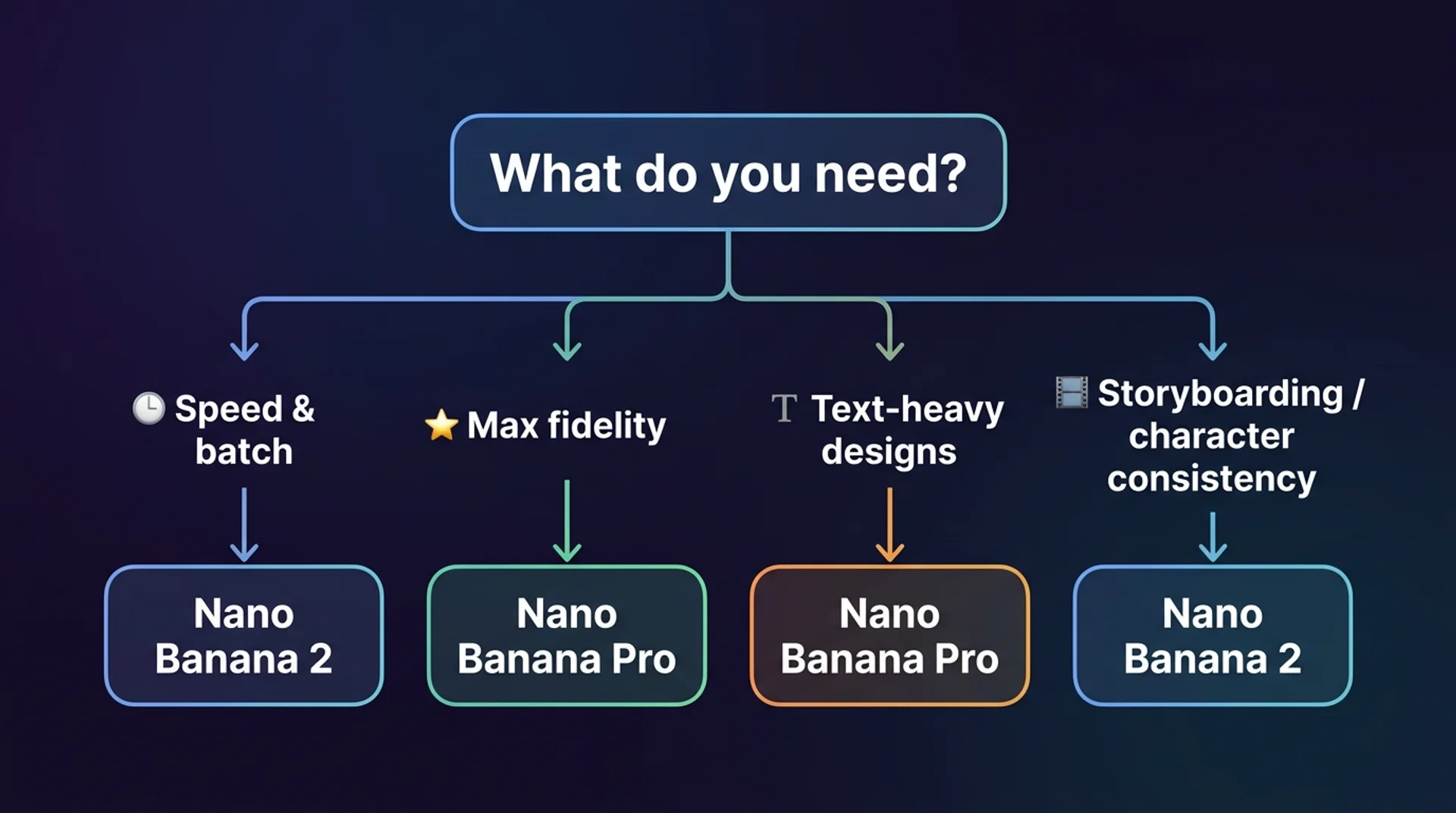
Head-to-Head Comparison
Speed & Latency — Winner: Nano Banana 2
Flash-class model, roughly 2–3x faster generation than Pro. For batch workflows generating hundreds or thousands of images, this compounds fast. A/B tests on ad creatives, variations in a loop — Nano Banana 2's latency advantage translates directly into shorter feedback cycles.
Image Quality & Fidelity — Winner: Nano Banana Pro (narrow margin)
Pro still shows more accurate color reproduction, sharper fine details at high resolution, and better handling of complex lighting (reflections, subsurface scattering, volumetric light). But Nano Banana 2 has narrowed the gap considerably. For most social media, marketing, and web content, the difference is hard to spot. Google replacing Pro with Nano Banana 2 as the Gemini App default is itself a strong signal.
Text Rendering — Winner: Nano Banana Pro
Both handle text-in-image well. Pro's accuracy is the benchmark. Nano Banana 2 is close but no published number yet. For short text (headlines, labels, buttons) both are reliable. For longer text blocks or small font sizes, Pro is safer.
Subject Consistency — Winner: Nano Banana 2
Structured consistency: up to 5 characters and 14 objects maintained across a workflow. Explicitly designed for storyboarding and narrative sequences. Pro supports 14 reference images, but Nano Banana 2's character-specific tracking is a meaningful upgrade for multi-scene workflows.
Nano Banana 2 API Pricing (2K vs 4K)
| Resolution | EvoLink (Nano Banana 2) | Google Official (Nano Banana 2) | Google Official (Pro) |
|---|---|---|---|
| 2K | $0.0806 | $0.101 | $0.134 |
| 4K | $0.1210 | $0.150 | $0.240 |
Through EvoLink, Nano Banana 2 costs about 20% below Google's official pricing. For 10,000 images/month at 2K, that's $204 saved monthly compared to Google direct.
Pricing source & methodology: Google official prices are from the Gemini API pricing page — Nano Banana 2 (Gemini 3.1 Flash Image): 2K = $0.101, 4K = $0.150; Nano Banana Pro (Gemini 3 Pro Image): 2K = $0.134, 4K = $0.24. "2K" and "4K" refer to equivalent billing tiers as defined by Google's per-image output resolution pricing brackets, not exact pixel dimensions. All prices are subject to change; refer to the official pricing page for the latest rates.
When to Use Which
| Scenario | Recommended | Why |
|---|---|---|
| Rapid prototyping & A/B testing | Nano Banana 2 | Flash speed, fast iteration |
| Hero product photography | Nano Banana Pro | Maximum fidelity |
| Batch content (100+ images) | Nano Banana 2 | Speed + cost at scale |
| Text-heavy designs (menus, posters) | Nano Banana Pro | Best text accuracy |
| Storyboarding & character sequences | Nano Banana 2 | 5 chars + 14 objects consistency |
| Print-ready 4K assets | Nano Banana Pro | Highest detail |
| Budget-sensitive production | Nano Banana 2 | ~20% cheaper via EvoLink |
| Interactive real-time editing | Nano Banana 2 | Low latency |
The practical approach: default to Nano Banana 2 for everything, then selectively route to Pro for the 10-20% of tasks that need maximum fidelity.
Quick Decision Guide: Nano Banana 2 vs Nano Banana Pro
Not sure which model to pick? Use this checklist:
- Pick Nano Banana 2 if you need batch generation (100+ images), low latency, or fast iteration for A/B tests.
- Pick Nano Banana Pro if you need small-font text, long copy, or poster-level readability (it's the safer choice for text-heavy designs).
- Pick Nano Banana 2 if you need multi-character narrative consistency for storyboards or campaigns — supports up to 5 characters + 14 objects consistency in a single workflow.
- Pick Nano Banana Pro if you need the absolute highest fidelity for hero images, print assets, or "every pixel matters" work.
- Pick Nano Banana 2 via EvoLink if budget is a primary constraint (typically ~20% cheaper than direct).
Still unsure? Default to Nano Banana 2 — it covers most production use cases, then route to Pro only for the text/fidelity edge cases.
How to Access Both via EvoLink
import requests

API_KEY = "your-evolink-api-key"
BASE_URL = "https://api.evolink.ai/v1"

# Generate with Nano Banana 2
response = requests.post(
    f"{BASE_URL}/images/generations",
    headers={
        "Authorization": f"Bearer {API_KEY}",
        "Content-Type": "application/json"
    },
    json={
        "model": "gemini-3.1-flash-image-preview",
        "prompt": "A photorealistic golden retriever puppy sitting in a sunlit meadow",
        "n": 1,
        "size": "1024x1024"
    }
)

task_id = response.json()["id"]

# Poll for result
import time

while True:
    result = requests.get(
        f"{BASE_URL}/tasks/{task_id}",
        headers={"Authorization": f"Bearer {API_KEY}"}
    ).json()
    if result["status"] == "completed":
        image_url = result["output"]["image_url"]
        break
time.sleep(5)"gemini-3-pro-image". Everything else stays the same.FAQ
A: It depends on your priorities. Nano Banana 2 is faster and cheaper, with strong subject consistency (5 characters + 14 objects). Nano Banana Pro produces higher-fidelity output with the best text rendering accuracy. For most production workloads, Nano Banana 2 offers the better speed-to-quality ratio. For maximum visual precision, Pro is still the top choice.
A: Yes. Nano Banana Pro remains fully available via the API, Vertex AI, and AI Studio. In the Gemini App, Pro/Ultra subscribers can access it through the regenerate menu. Google has not announced any deprecation timeline.
A: Through EvoLink, Nano Banana 2 costs $0.0806/image (2K) and $0.1210/image (4K) — about 20% below Google's official pricing of $0.101 and $0.150 respectively.
A: No. Nano Banana 2 = Gemini 3.1 Flash Image (speed-optimized). Nano Banana Pro = Gemini 3 Pro Image (quality-optimized). Distinct models, different performance profiles.
A: Default to Nano Banana 2. It covers most production use cases with faster output and lower cost. Reserve Pro for maximum fidelity or precise text rendering — hero images, print assets, text-heavy designs.
model parameter — use "gemini-3.1-flash-image-preview" for Nano Banana 2 and "gemini-3-pro-image" for Pro. Same API key, same endpoint, same request format. No code changes beyond the model string.A: Yes. Nano Banana 2 supports resolutions from 512px up to 4K with multiple aspect ratios (square, portrait, landscape, widescreen). Google confirmed the full resolution range at launch. 4K pricing through EvoLink is $0.1210/image vs Google's official $0.150.