

GPT Image 2 vs Nano Banana 2 in 2026: Which Image API Fits Your Workflow?
- GPT Image 2 is easier to justify when your team wants the newest OpenAI image route and prefers to stay close to OpenAI's current image-model naming and workflow.
- Nano Banana 2 is easier to justify when you want a Google image route that is already positioned as production-ready, with simple official pricing and strong editing-first positioning.
TL;DR
- Choose GPT Image 2 when your stack or roadmap is OpenAI-first and you want to evaluate the newest OpenAI image path now.
- Choose Nano Banana 2 when you want a route with clearer Google-side production positioning and a simpler official per-image pricing signal.
- On official public pricing, GPT Image 2 has tiered costs by quality and size, while Nano Banana 2 uses a simpler image-output pricing model in Google's Gemini API docs.
- For many teams, this is really a decision between newest-route adoption and production-ready Google image routing.
What is officially documented
The official documentation story is already different before you compare image quality.
| Model | What is clearly documented | Current pricing shape | Best fit |
|---|---|---|---|
| GPT Image 2 | OpenAI's current image-generation guide includes GPT Image 2 in the GPT Image comparison table and pricing examples | Per-image costs vary by quality and output size, plus text and input-image tokens can matter | Teams moving toward the newest OpenAI image route |
| Nano Banana 2 | Google's Gemini docs position Nano Banana 2 as Gemini 2.5 Flash Image for image generation and editing, and Google announced it as generally available on October 2, 2025 | Official Gemini pricing uses a simple per-image output estimate for images up to 1024x1024 | Teams that want a more straightforward Google production route |
That difference matters operationally:
- GPT Image 2 asks you to think more carefully about quality tier and total request cost.
- Nano Banana 2 is easier to reason about if your team wants a quick official per-image baseline.
Pricing: simple baseline vs tiered output choices
| Model | Official pricing signal | What to watch |
|---|---|---|
| GPT Image 2 | 1024x1024 square pricing in OpenAI's current image-generation guide: low $0.006, medium $0.053, high $0.211 | Total cost can also include prompt tokens and input-image tokens, especially in edit workflows |
| Nano Banana 2 | Google's Gemini pricing page lists $0.039 per image for output images up to 1024x1024 on the standard tier | Simpler to budget at the official-doc level, though your full app cost still depends on input usage and workflow |
This leads to a practical reading:
- If your team wants one simple official image-output number, Nano Banana 2 is easier to reason about.
- If your team wants to optimize aggressively around quality tier and is comfortable with more pricing nuance, GPT Image 2 can be more flexible.
Workflow fit: where each model is easier to justify
The smarter comparison is about buyer intent, not vague claims about "better art."
| If your main priority is... | Start with | Why |
|---|---|---|
| Newest OpenAI image route | GPT Image 2 | Best fit if your internal model strategy is OpenAI-first and future route naming matters |
| Google production readiness | Nano Banana 2 | Google publicly states Gemini 2.5 Flash Image is generally available and ready for production |
| Simple official per-image pricing | Nano Banana 2 | Google's docs provide an easier default pricing signal for up to 1024x1024 output |
| Fine-grained quality-tier decisions | GPT Image 2 | OpenAI's guide gives low, medium, and high pricing levels instead of one simple output estimate |
| OpenAI stack continuity | GPT Image 2 | Cleaner when your team already prefers OpenAI image docs and workflows |
| Google-native image generation and editing | Nano Banana 2 | Gemini's image-generation docs and GA announcement position it as a mature Google image route |
Side-by-side prompt comparison
Pricing and release status help narrow the choice, but same-prompt comparisons are what usually make the difference feel real for a product, design, or growth team.
The three pairs below use the same prompt theme on both sides so you can compare:
- product-image readiness
- large-scene composition
- portrait and editorial quality
1. Premium product shot
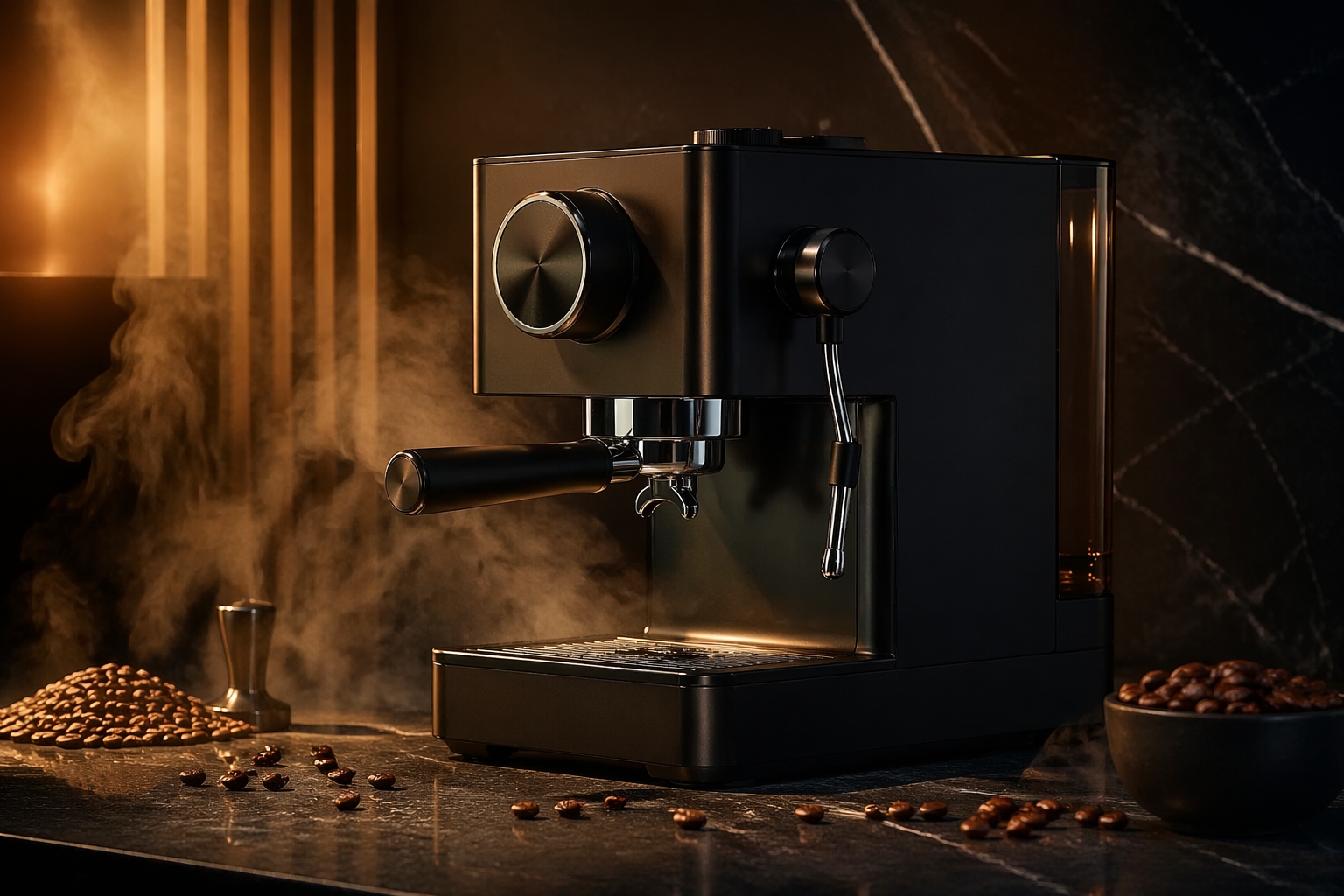
GPT Image 2: product-shot comparison sample
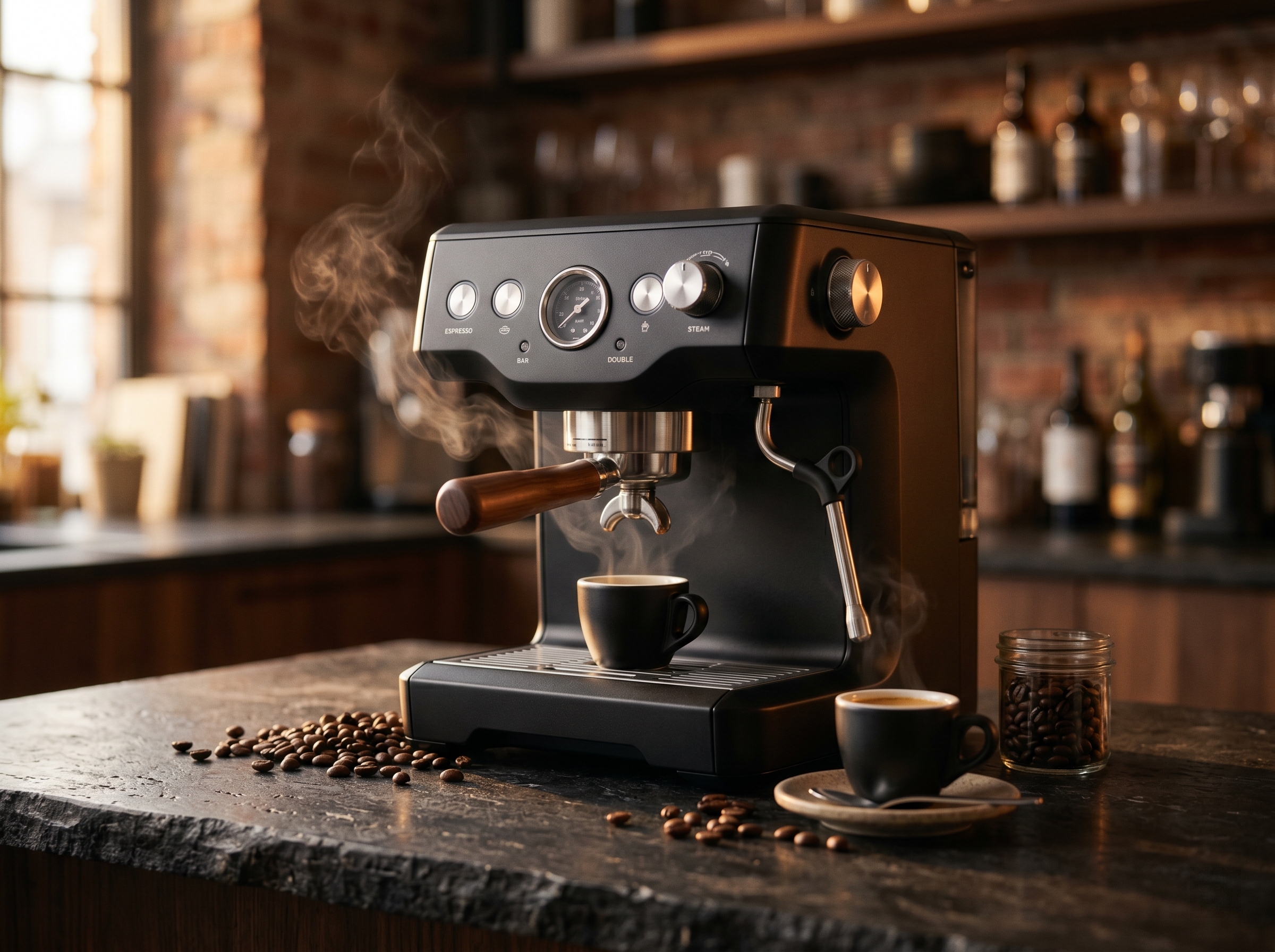
Nano Banana 2: product-shot comparison sample
This pair is useful for teams comparing commercial image readiness. Look at materials, highlight control, composition discipline, and whether the output already feels close to something a marketing or ecommerce team would actually ship.
2. Complex city environment

GPT Image 2: city-scene comparison sample
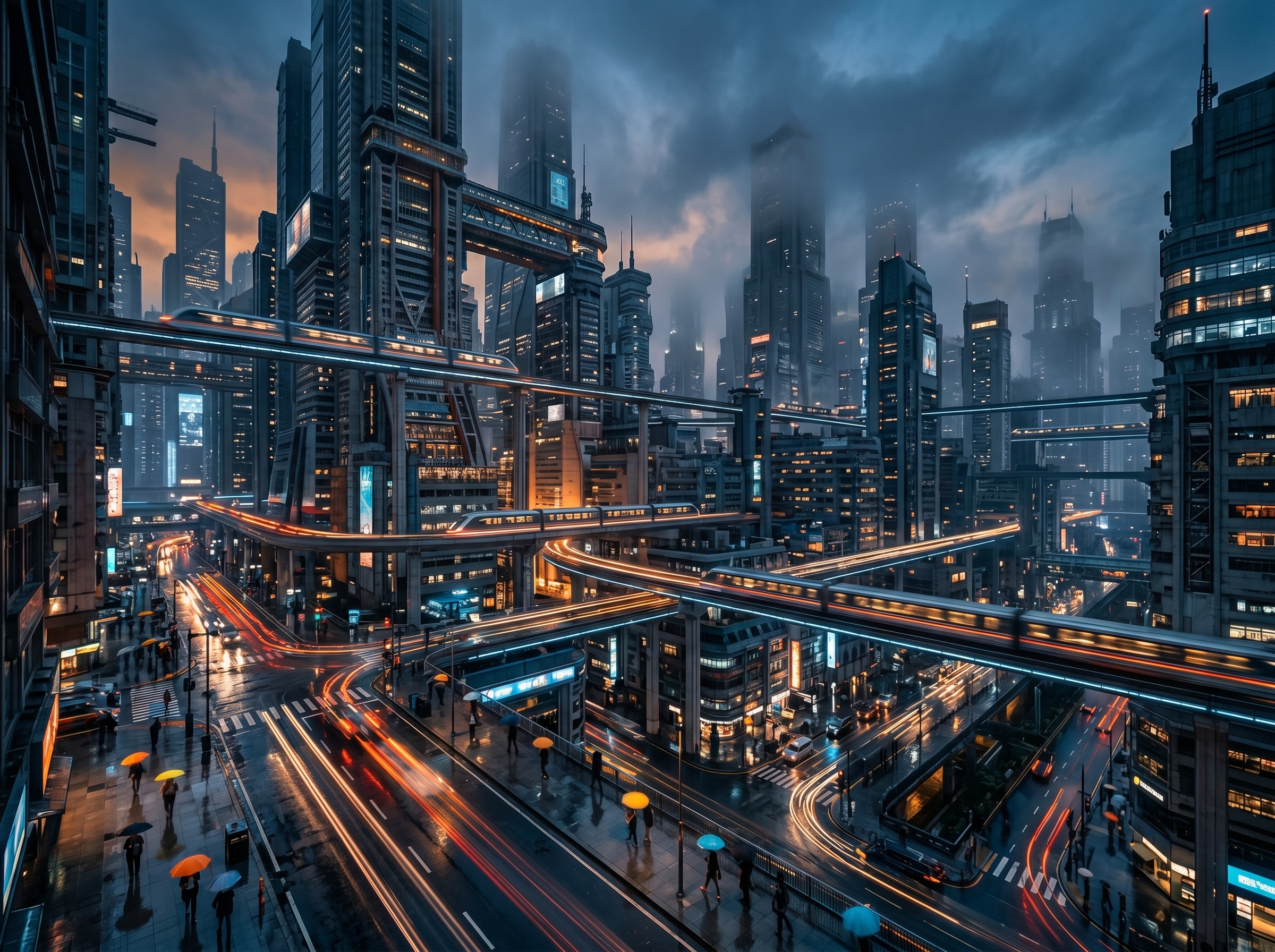
Nano Banana 2: city-scene comparison sample
This comparison is where layout control becomes easier to judge. You can compare depth, perspective stability, density of architectural detail, and whether the scene still feels readable once the prompt asks for scale and atmosphere at the same time.
3. Fashion portrait

GPT Image 2: portrait comparison sample

Nano Banana 2: portrait comparison sample
Portrait comparisons usually make model taste easier to discuss. This pair helps you judge face stability, skin rendering, fabric detail, lighting softness, and whether the output feels more premium-editorial or more generically AI-generated.
Why Nano Banana 2 is the easier Google-side production choice
Nano Banana 2 is easier to recommend when your team wants:
- a Google route that is clearly positioned for production
- image generation and editing in the Gemini ecosystem
- a simpler official pricing baseline for output images
Why GPT Image 2 is still the right choice for some teams
GPT Image 2 is still the right choice when:
- your platform is already OpenAI-centered
- your roadmap explicitly prioritizes the newest OpenAI image route
- your team wants to evaluate the latest GPT Image naming and pricing logic now instead of later
- you expect to make internal decisions based on low, medium, and high output tiers rather than one single output price
What not to flatten in this comparison
The weakest version of this article would say "Nano Banana 2 is cheaper" or "GPT Image 2 is newer" and stop there.
The stronger version keeps the distinctions clear:
- Nano Banana 2 has the cleaner official production-readiness signal from Google.
- GPT Image 2 has the clearer "newest OpenAI route" signal.
- The official pricing systems are not identical, so this should be treated as a workflow comparison, not a single-number winner chart.
FAQ
What is Nano Banana 2 officially called?
Is Nano Banana 2 production-ready?
Is GPT Image 2 officially documented now?
Which model is easier to budget from official docs alone?
Nano Banana 2 is easier if your team wants one simple official output-image price. GPT Image 2 is better if your team prefers quality-tier pricing and is comfortable with a more detailed cost model.
Which model should OpenAI-first teams start with?
Which model should Google-first teams start with?
Compare both routes in one stack
If you want to compare GPT Image 2 and Nano Banana 2 without maintaining separate vendor-specific image integrations from day one, EvoLink gives you one place to test both routes and decide with your own prompts.
Compare Image Models on EvoLinkRelated reading
- GPT Image 2 API (pricing & model ID)
- GPT Image Family
- GPT Image 2 vs GPT Image 1.5
- GPT Image 2 developer guide
- Mona Lisa 1 release status and GPT Image 2.5 evidence


